EasyManua.ls Logo

rotork EH Pro Series - User Manual

rotork EH Pro Series
84 pages
Print Icon
To Next Page IconTo Next Page
Loading...
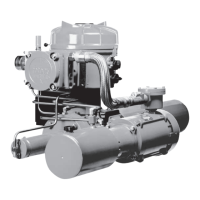
EH Pro Range
Installation and Maintenance Instructions
This manual contains important safety
information. Please ensure it is thoroughly
read and understood before installing,
operating or maintaining the equipment.
PUB021-034-00
Date of issue 05/12

Table of Contents

Question and Answer IconNeed help?

Do you have a question about the rotork EH Pro Series and is the answer not in the manual?

Summary

Identifying Actuator Parts

Health and Safety

Safety Regulations and Hazardous Areas

Discusses UK/USA regulations and hazardous area compliance for safe operation.

Electrical and Hydraulic Safety Precautions

Essential safety measures for handling hydraulic fluid and electrical systems.

Operating Your EH Actuator

Electrical Operation and Local Indication

Details on electrical supply, phase rotation, and actuator display.

Alarm Indication Overview

Overview of alarm types and indications shown on the actuator display.

ESD, Partial Stroke, and Limit Switches

Configuration of ESD signals, partial stroke tests, and limit switch adjustments.

Mounting the Actuator

Cable Connections

Commissioning Overview

Setting Procedure and Modes

Steps for setting basic and configuration parameters using the Setting Tool.

Entering Settings and Password Management

Steps to enter setting mode, change passwords, and use checking mode.

Full Stroke Test and Display Navigation

Performing full stroke tests and navigating actuator display menus.

Commissioning - Basic Functions

Viewing Basic Settings

How to view and navigate through the basic settings using the Setting Tool.

Configuring Close and Open Actions

Setting the actuator's close and open actions based on pressure or limit.

Setting Pressure Limits and Travel Stops

Setting pressure limits and calibrating closed/open electrical travel stops.

Configuration Settings

Accessing Configuration Settings

Steps to navigate to and select configuration settings menus.

Analogue Control Calibration

Selecting analogue input type and calibrating demand input values.

Analogue Control 2 and Deadband;Hysteresis

Optimizing performance with deadband and hysteresis settings.

Reset to Default Settings

Maintenance, Monitoring, and Troubleshooting

Actuator Nameplate Information

Hazardous Area Approvals

Special Conditions for Safe Use

Summary

Identifying Actuator Parts

Health and Safety

Safety Regulations and Hazardous Areas

Discusses UK/USA regulations and hazardous area compliance for safe operation.

Electrical and Hydraulic Safety Precautions

Essential safety measures for handling hydraulic fluid and electrical systems.

Operating Your EH Actuator

Electrical Operation and Local Indication

Details on electrical supply, phase rotation, and actuator display.

Alarm Indication Overview

Overview of alarm types and indications shown on the actuator display.

ESD, Partial Stroke, and Limit Switches

Configuration of ESD signals, partial stroke tests, and limit switch adjustments.

Mounting the Actuator

Cable Connections

Commissioning Overview

Setting Procedure and Modes

Steps for setting basic and configuration parameters using the Setting Tool.

Entering Settings and Password Management

Steps to enter setting mode, change passwords, and use checking mode.

Full Stroke Test and Display Navigation

Performing full stroke tests and navigating actuator display menus.

Commissioning - Basic Functions

Viewing Basic Settings

How to view and navigate through the basic settings using the Setting Tool.

Configuring Close and Open Actions

Setting the actuator's close and open actions based on pressure or limit.

Setting Pressure Limits and Travel Stops

Setting pressure limits and calibrating closed/open electrical travel stops.

Configuration Settings

Accessing Configuration Settings

Steps to navigate to and select configuration settings menus.

Analogue Control Calibration

Selecting analogue input type and calibrating demand input values.

Analogue Control 2 and Deadband;Hysteresis

Optimizing performance with deadband and hysteresis settings.

Reset to Default Settings

Maintenance, Monitoring, and Troubleshooting

Actuator Nameplate Information

Hazardous Area Approvals

Special Conditions for Safe Use

rotork EH Pro Series Specifications

General IconGeneral
Brandrotork
ModelEH Pro Series
CategoryController
LanguageEnglish

Related product manuals