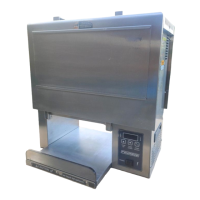
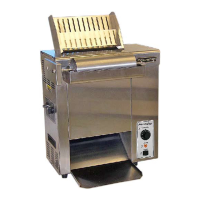
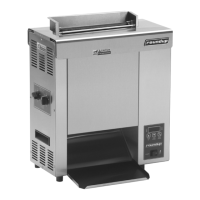
VERTICAL CONTACT TOASTER
11
P/N 1010775 Rev. J 10/13
Burger King
Daily
Tools Required:
• Heat-Resistant Gloves
• Clean Towels
• Capital
®
Multipurpose Superconcentrate
• Sanitizer Solution
1. Turn the power off, unplug the power cord, and
clean the Release Sheet and Belt Wraps while
they are warm.
2. Put on heat-resistant gloves and remove the Bun
Feeder, Heat Shield, and Bun Chute (Figure 1).
3. Wash the Bun Feeder, Heat Shield, and Bun
Chute in a sink and wipe them with a damp sani-
tized towel and allow them to air dry.
4. Remove the Release Sheet and place it on a
clean, flat dry surface.
5. Wipe the silver side of the Release Sheet with a
clean towel dampened with Capital
®
Multipurpose
Superconcentrate immediately followed by a sec-
ond clean towel dampened with sanitizer and
allow it to air dry before continuing.
6. Once the silver side is dry, repeat Step 5 on the
black side of the Release Sheet.
7. Open the front Conveyor Cover and firmly wipe
the Belt Wrap from left to right and top to bot-
tom with a clean towel dampened with Capital
®
Multipurpose Superconcentrate immediately fol-
lowed by a second clean towel dampened with
sanitizer.
8. Close the front Conveyor Cover, open the rear
Conveyor Cover, and clean the Belt Wrap as
described in Step 7.
MAINTENANCE
WARNING
Turn the power off, unplug the power cord, and
allow the unit to cool down 30 minutes before per-
forming any service or maintenance.
CAUTION
To prevent damage to the unit, do NOT use abra-
sive cleaners on the Release Sheet or belt wrap.
CAUTION
Failure to use Release Sheets may result in
damage to the unit and loss of warranty coverage.
9. Close the rear Conveyor Cover. Reinstall the
Heat Shield, plug in the power cord, turn the unit
on, count 15 seconds, then turn the unit off and
unplug the unit.
10. Open the rear Conveyor Cover again and clean
the newly exposed section of the Belt Wrap in
the same manner as before. Close the Conveyor
Cover.
11. Open the front Conveyor Cover again and clean
the newly exposed section of the Belt Wrap in the
same manner as before.
12. Close the front Conveyor Cover and wipe down
the outside of the toaster with a clean, damp,
sanitized towel.
13. Install the Release Sheet by draping it over both
sides of the Platen with the crease centered on
the Platen.
NOTE: To prolong the life of the Release Sheet,
rotate it from the black side to the silver side on a
daily or weekly basis.
14. Install the Bun Chute so the hooks are installed
over the lower rear yellow Support Rod.
15. Install the Heat Shield with the Release Sheet
retainer clips securely over the Release Sheet
and Platen.
16. Reinstall the Bun Feeder and plug in the unit.
NOTE: Make sure the Heat Shield is activating the
Conveyor Safety Interlock Switch. The conveyors
will not rotate unless the Heat Shield is in place
and the Conveyor Safety Interlock Switch is
activated.
NOTE: Check the Release Sheet to make sure it is
not caught in the Conveyor. Additional Release
Sheets can be purchased through your Authorized
Service Agency under P/N 7000249 (3-Pack) or
7000250 (10-Pack).


 To Next Page