EasyManua.ls Logo

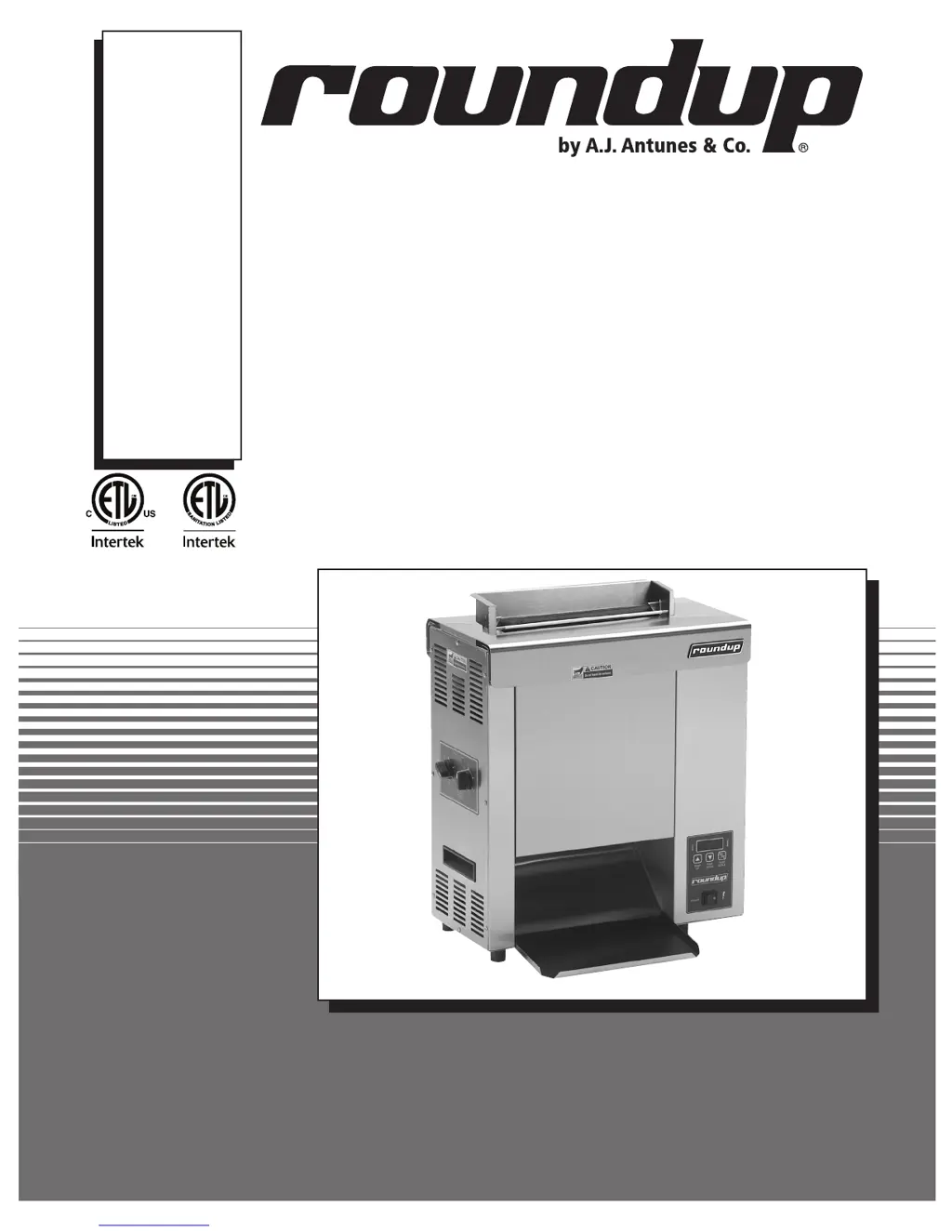
Roundup VCT-2000 - User Manual

Roundup VCT-2000
30 pages
Print Icon
To Next Page IconTo Next Page
Loading...
Owner
s Manual
P/N 1010775 Rev. J 10/13
Burger King
MANUFACTURING
NUMBERS:
9210104
9210209
VERTICAL CONTACT
TOASTER
Model VCT-2000

Questions and Answers

  • K
    Keith GraySep 10, 2025
    Why does the Roundup Toaster control display flash “HI” continuously and buns are not toasting properly?
    • A
      Anna McdonaldSep 10, 2025
      If the Roundup Toaster control display flashes “HI” continuously and the buns are not toasting properly, it indicates a loose platen thermocouple connection on the control board or that the platen thermocouple is open. Try re-securing the platen thermocouple connection to the control board. If the control display still reads “HI”, check the thermocouple for continuity. If the issue persists, contact your maintenance person or an Authorized Service Agency.
  • M
    Martin RochaAug 25, 2025
    What to do if the control display flashes “PO” continuously on my Roundup VCT-2000 Toaster?
    • K
      Kristin NewtonAug 25, 2025
      If the control display on your Roundup Toaster is flashing “PO,” try turning the power off and then back on. If the display continues to show “PO”, check the power cord, plug, and outlet for any damage. Also, try resetting the circuit breakers.
  • J
    Joseph DavisAug 25, 2025
    Why does the control display flash “CHEC” continuously on my Roundup VCT-2000 Toaster?
    • J
      Jessica RobertsAug 26, 2025
      The control display flashes “CHEC” continuously on your Roundup Toaster if the control compartment temperature is above 140ºF (60ºC). Make sure that the side vents on the toaster are not blocked and that the toaster is not near other heating appliances.
  • W
    wschmidtSep 23, 2025
    What does it mean when Roundup Oven control display flashes “LO” continuously and buns burn?
    • K
      Karen Golden MDSep 23, 2025
      The control display flashing “LO” continuously while buns burn indicates a failed Platen Thermocouple.
  • W
    William SuarezSep 12, 2025
    Why does the Roundup Toaster control display flash “LO” continuously and buns burn?
    • J
      James SandersSep 12, 2025
      If the Roundup Toaster control display flashes “LO” continuously and the buns burn, it indicates a failed platen thermocouple. Contact your maintenance person or Authorized Service Agency for service.
  • K
    Kevin PierceSep 16, 2025
    How to fit new conveyor belt wraps on Roundup Oven?
    • P
      Peter OliverSep 16, 2025
      If new Conveyor Belt Wraps don't fit, it might be due to incorrect Compression Settings (set Compression Knobs to 6 and 6 when replacing Belt Wraps or adjusting Conveyor Belt Chains), Belt Wraps not installed correctly (install inside the Yellow Support Rods with the “zipper flap” exposed), or Non-OEM or damaged Belt Wraps used (replace with OEM Belt Wraps).
  • A
    Amy KellerSep 4, 2025
    What to do if my Roundup VCT-2000 Toaster control flashes “CHEC”?
    • B
      Bill WoodSep 4, 2025
      If the Roundup Toaster control flashes “CHEC” continuously, make sure that the side vents on the toaster are not blocked and are not near other heating appliances. If the problem continues, contact your maintenance person or an authorized service agency for assistance.
  • M
    Mitchell DownsSep 5, 2025
    How to fix Roundup Toaster when it flashes “LO” but buns don't toast?
    • J
      Jennifer BaxterSep 5, 2025
      If the Roundup Toaster control display flashes “LO” continuously and the buns are not toasting properly, allow the unit to warm up for 30 minutes and then recheck. If the control display still reads “LO”, contact your maintenance person or an authorized service agency for service.
  • J
    jamesgraySep 17, 2025
    What to do if the control display flashes “PO” continuously on my Roundup Oven?
    • A
      Angelica RochaSep 18, 2025
      If the control display flashes “PO” continuously, the power to the unit is below 190 volts. Turn the Rocker Switch off and then back on. If the display still shows “PO,” check the power cord, plug, and outlet for damage. Reset the Circuit Breakers.
  • S
    Sandra ChaseAug 30, 2025
    How to troubleshoot a Roundup Toaster when the display flashes “HI” and buns don't toast?
    • R
      Ronald MacdonaldAug 30, 2025
      If the Roundup Toaster control display flashes “HI” continuously and the buns are not toasting properly, it could be due to a loose platen thermocouple connection on the control board or an open platen thermocouple. Try re-securing the platen thermocouple connection to the control board. If the display continues to read “HI”, check the thermocouple for continuity. If problems persist, it's recommended to contact your maintenance person or an authorized service agency for assistance.

Summary

Owner Information

General Information and Warranty Terms

Overview of the VCT-2000, warranty coverage, exclusions, and service access.

Safety Guidelines

General Operation and Electrical Safety Precautions

Essential precautions for safe operation, including electrical hazards and grounding.

Installation and Setup

Operation and Temperature Control

Operating Instructions and Temperature Settings

Guide for using the toaster, setting controls, and temperature adjustments.

Hi-Limit Reset and Fault Code Diagnostics

Maintenance

Daily Cleaning and Component Care

Detailed steps for daily cleaning of the toaster and care for release sheets/belt wraps.

Troubleshooting

Comprehensive Problem Resolution Guide

A table listing common problems, their causes, and corrective actions.

Wiring Diagram

Limited Warranty

Warranty Coverage, Exclusions, and Claims

Details warranty, exclusions, and procedures for handling shipment damage.

Roundup VCT-2000 Specifications

General IconGeneral
BrandRoundup
ModelVCT-2000
CategoryToaster
LanguageEnglish

Related product manuals