OPC90 Server
The RoviSys Company Version 7.0 Page 143
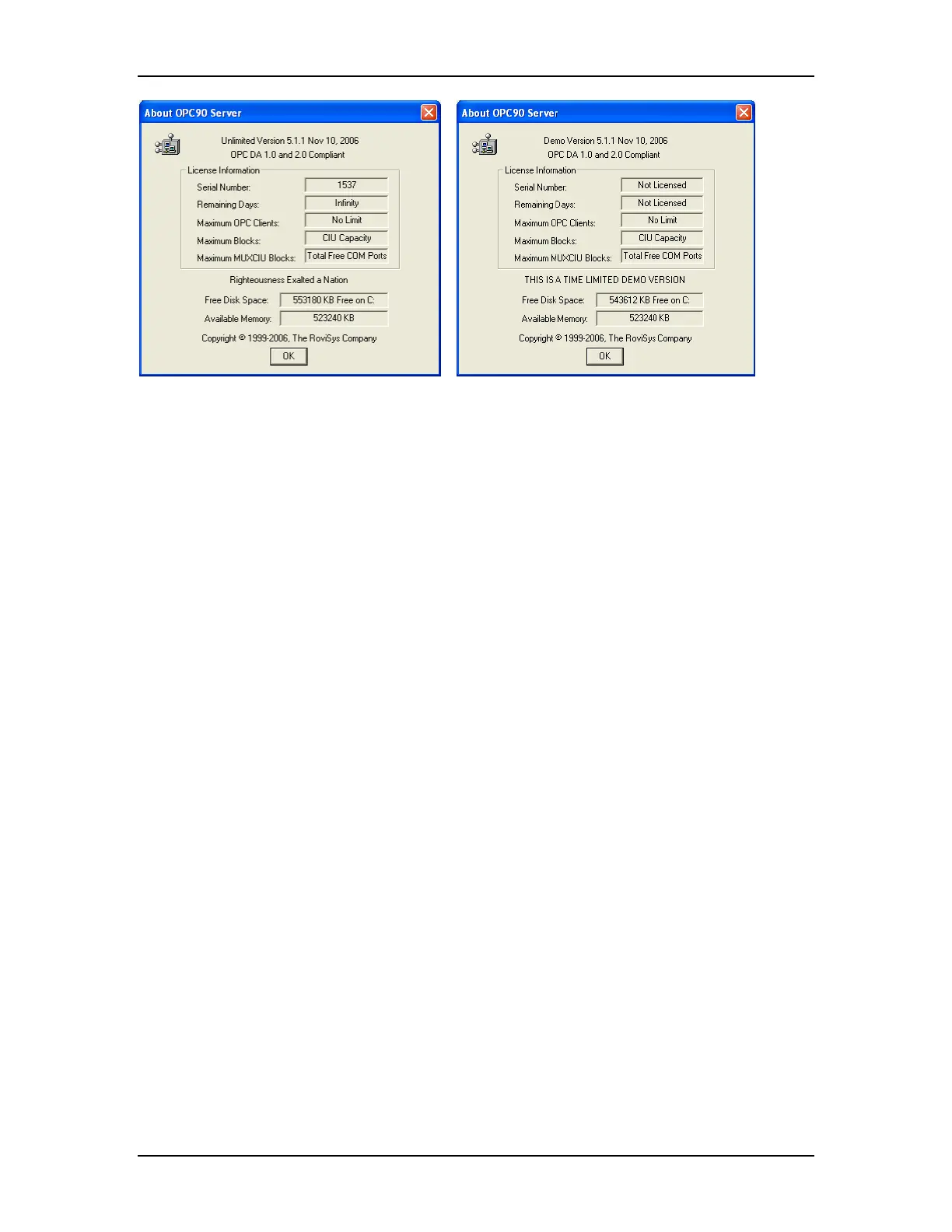
Licensed Version Help | About Demo Version Help | About
Note that if the dongle was not properly installed, OPC90 must be restarted after
the dongle is installed. If the dongle has been properly installed but OPC90 still
is not recognizing it, the Sentinel Protection Installer program must be re-run.
The OPC90 setup program normally runs this setup but on some systems it has
been observed to occasionally fail. This program can be found in the C:\Program
Files\OPC90 Server\SuperPro directory. Stop OPC90 and run the Sentinel
Protection Installer program. Restart OPC90 and verify it now correctly reports
the dongle serial number. If not, try rebooting the PC and checking it again. If
that doesn’t work contact RoviSys regarding replacement of the dongle.
10.17
Data Updates Stop After 8 Hours
An OPC90 license is being used that has not been paid for. Some OPC90
hardware keys are shipped with a licensed number of days the server is allowed
to run. Failure to pay for the server within that amount of time causes the license
to expire. Expired licenses will only communicate with the ABB Bailey system for
eight hours each time OPC90 is restarted. Check the Help | About menu option
to verify this has happened. When the serial number is displayed and the
remaining days indicate zero, the license is expired.



 To Next Page