OPC90 Server
5.2.1 Device
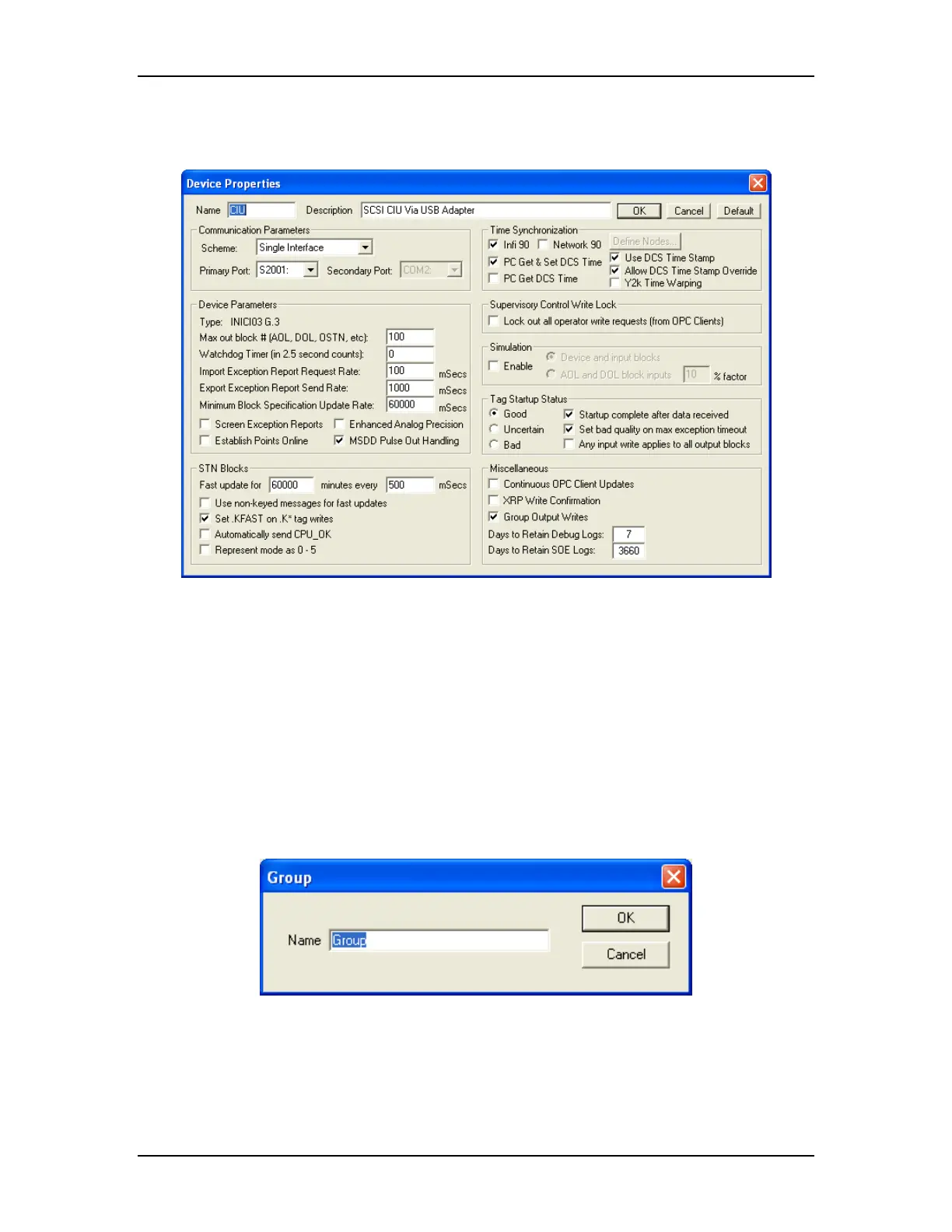
When the add device item is selected the following dialog is displayed:
A device name should be defined that usefully identifies it. The device name
becomes part of the OPC tag name. An optional device description can be
defined to provide additional device information. For most installations the
default settings for the device properties are appropriate. Note that the setting
for the “Type” is automatically determined when the server begins to
communicate with the Bailey CIU. It will indicate “To Be Determined” (TDB) or
CIU01 on initial startup. See the DEVICE block description for further details on
each of these settings.
5.2.2 Group
When the add group item is selected the following dialog is displayed:
A group name can be defined describing the purpose of the blocks configured
within the group. The group name becomes part of the OPC tag name.
The RoviSys Company Version 7.0 Page 16



 To Next Page