Folding system description
Instruction manual Folding system Page 25 of 100
7
8
9
10
5
6
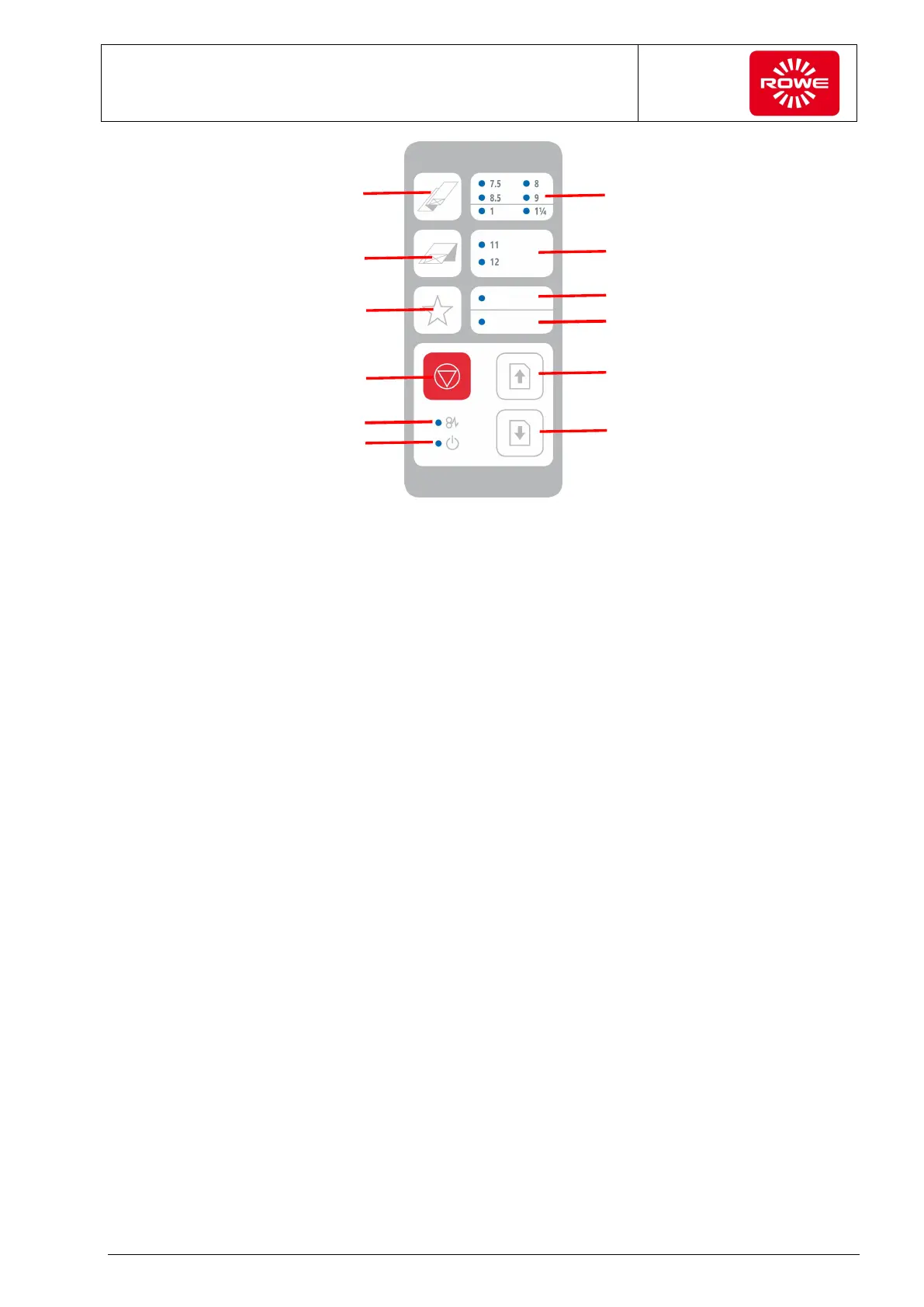
VarioFold Compact Control Panel Inch
The following functions can be selected on the control panel:
1 Longitudinal folding program button (select by repeatedly
pressing the button until the LED illuminates next to the
required program)
2 Cross folding program button (select by repeatedly pressing
the button until the LED illuminates next to the required
program)
3 Favorites button via FOLD APP SE and PRO, can be
assigned up to 4 custom folding programs (select by
repeatedly pressing the button until the LED illuminates next
to the required favorite)**.
4 Stop button (stops folding process)
5 Forward paper clearing (output to rear delivery tray)
6 Reverse paper clearing (output to front delivery tray)
7 Display selected fan folding program
The following fan folding programs have been predefined:
- 7.5 -> Fan folding with 7.5”
- 8 -> Fan folding with 8”
- 8.5 -> Fan folding with 8.5”
- 9 -> Fan folding with 9”
- 1 -> Fan folding with 7.5” and 1” filing margin *)
- 1¼ -> Fan folding with 7.25” and 1.25” filing margin *)
*) In the online configuration, folded documents may only be
output to the front delivery tray.
**) If the motorized high volume tray is present, pressing and
holding the button moves the tray to the lower position
(removal position)
1
2
3
4
11
12


 To Next Page