Operation
Instruction manual Folding system Page 42 of 100
5.8 Longitudinal Folding of Smaller Documents less than 9.45 in [240 mm]
For longitudinal folding of smaller documents less than 9.45 in [240
mm] deactivate the automatic switch between longitudinal and cross
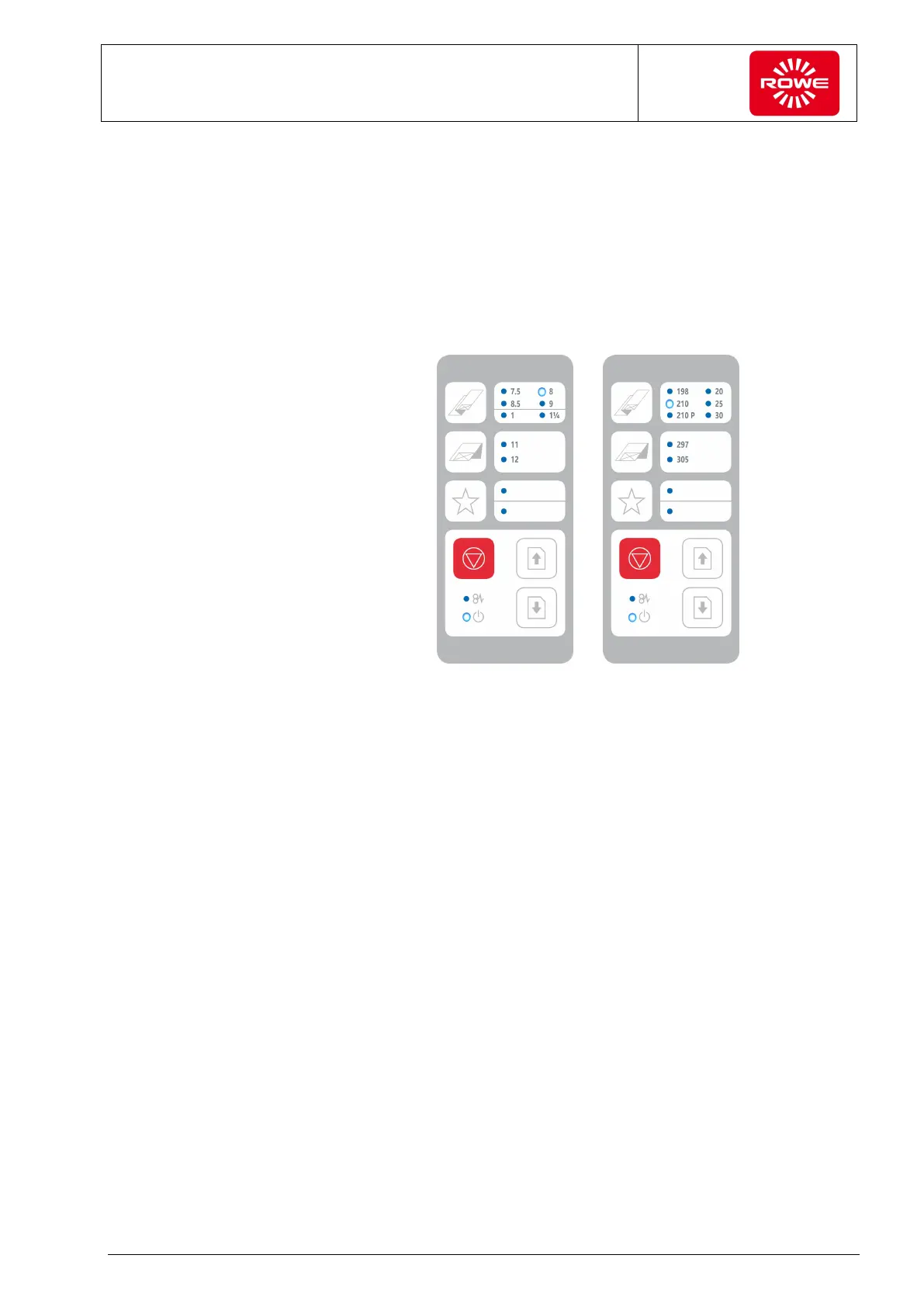
folding. In this case, select the required longitudinal folding program
using the selection key (section 3.2, control panel). Pressing and
holding (at least 2 seconds) the selection key deactivates the
automatic switch. Only the LED of the required longitudinal folding
program illuminates on the control panel. The LEDs of the cross folding
programs do not illuminate.
Only longitudinal folding program 210 selected
If you have created a favorite for this folding you can deactivate
automatic switching there.
To reactivate automatic switching, select any folding program using the
selection keys.


 To Next Page