Operation
Instruction manual Folding system Page 74 of 100
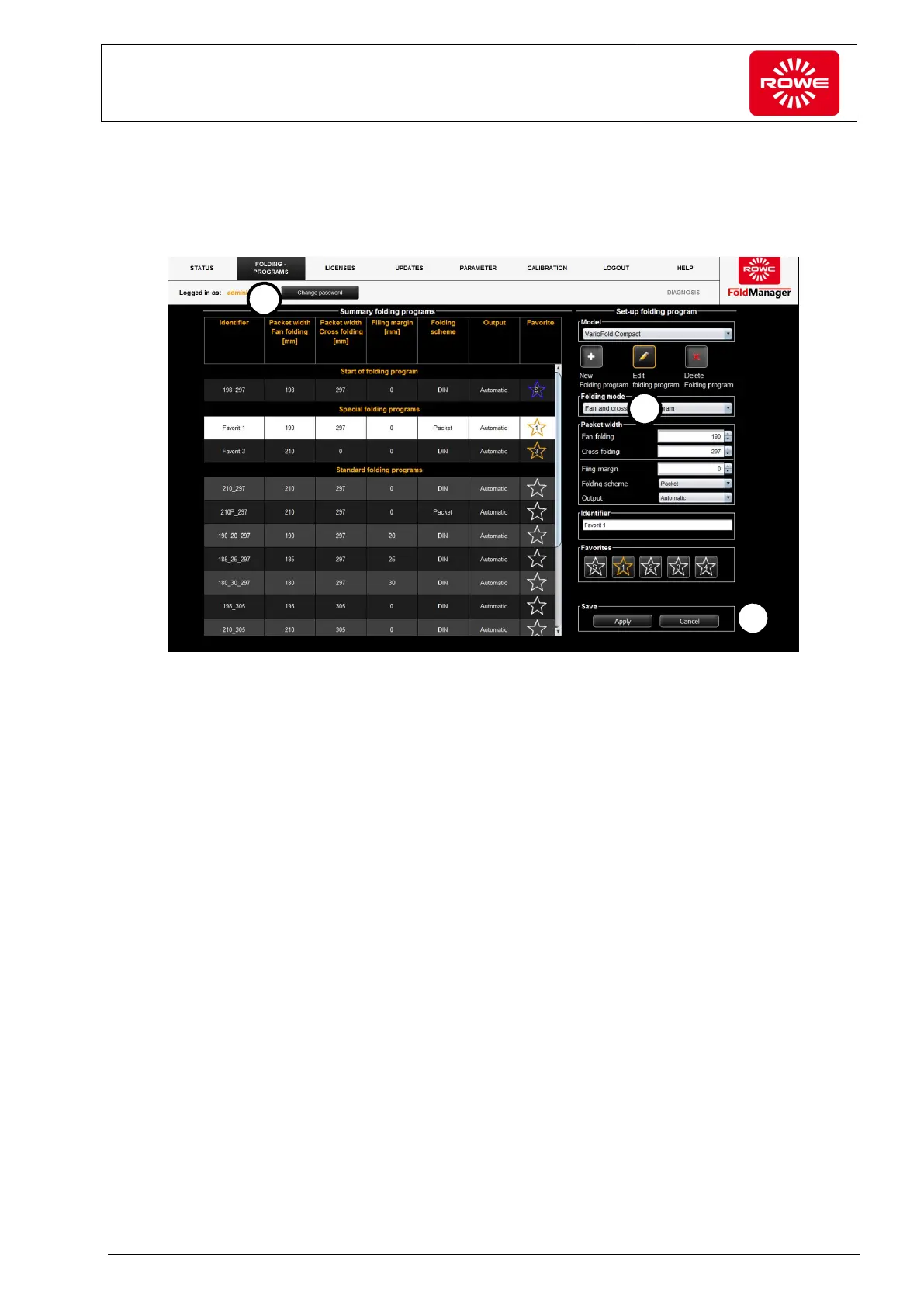
5.11.9.2 Editing Custom Folding Programs (metric)
To edit custom folding programs, connect the PC to the Folding
system with a USB cable.
Screen - Edit custom folding program menu
1. Select the "Folding programs" menu item.
2. Click the key labeled with the pencil.
Click to select a custom folding program. The program selected for
editing is highlighted in white. The selection field is displayed on
screen at the bottom to the right next to the list of folding
programs. Proceed as described in section 5.11.9.1.
3. Save your changes.
This simultaneously applies the changes to the folding system.


 To Next Page