Operation
Instruction manual Folding system Page 49 of 100
5.10.6 Set Language and Unit of Measure (inch)
To set the language and unit of measure, connect the PC to the
folding system with a USB cable.
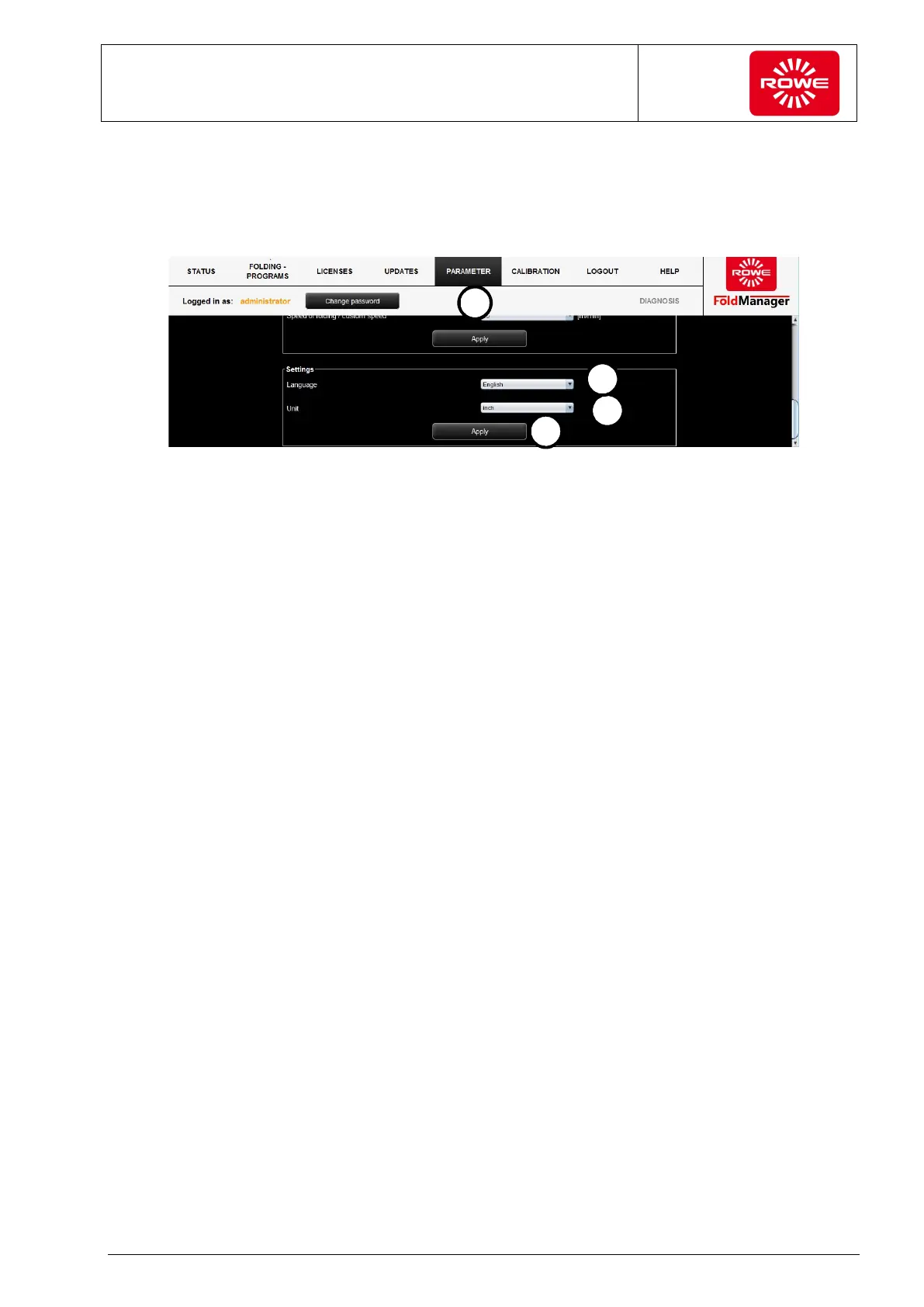
Screen - Language setting menu
1. Log in as administrator and go to the "Parameter" menu.
2. Under "Settings", select the language required from the drop
down menu.
3. Confirm your entries with "Apply".
After confirming you will be asked to restart FoldManager.
4. In the drop down list select the system where you want to change
the unit of measure from metric (mm) to non-metric (inches).
5. Confirm your entries with "Apply".


 To Next Page