Operation
Instruction manual Folding system Page 47 of 100
5. Parameter:
Set the required language and unit of measure, change the folding
speed, correct the document front edge and rear edge.
6. Calibration:
Calibration of the folding system, printing of the calibration chart.
7. Logout:
Logging in and out in FoldManager.
8. Help:
Download the VarioFold Compact instruction manual.
9. Diagnosis:
Maintenance area for ROWE Service.
Functions that are not available to you because you are not logged on
as an administrator or because you do not have to corresponding
software license appear grayed out.
5.10.4 System Log In (inch)
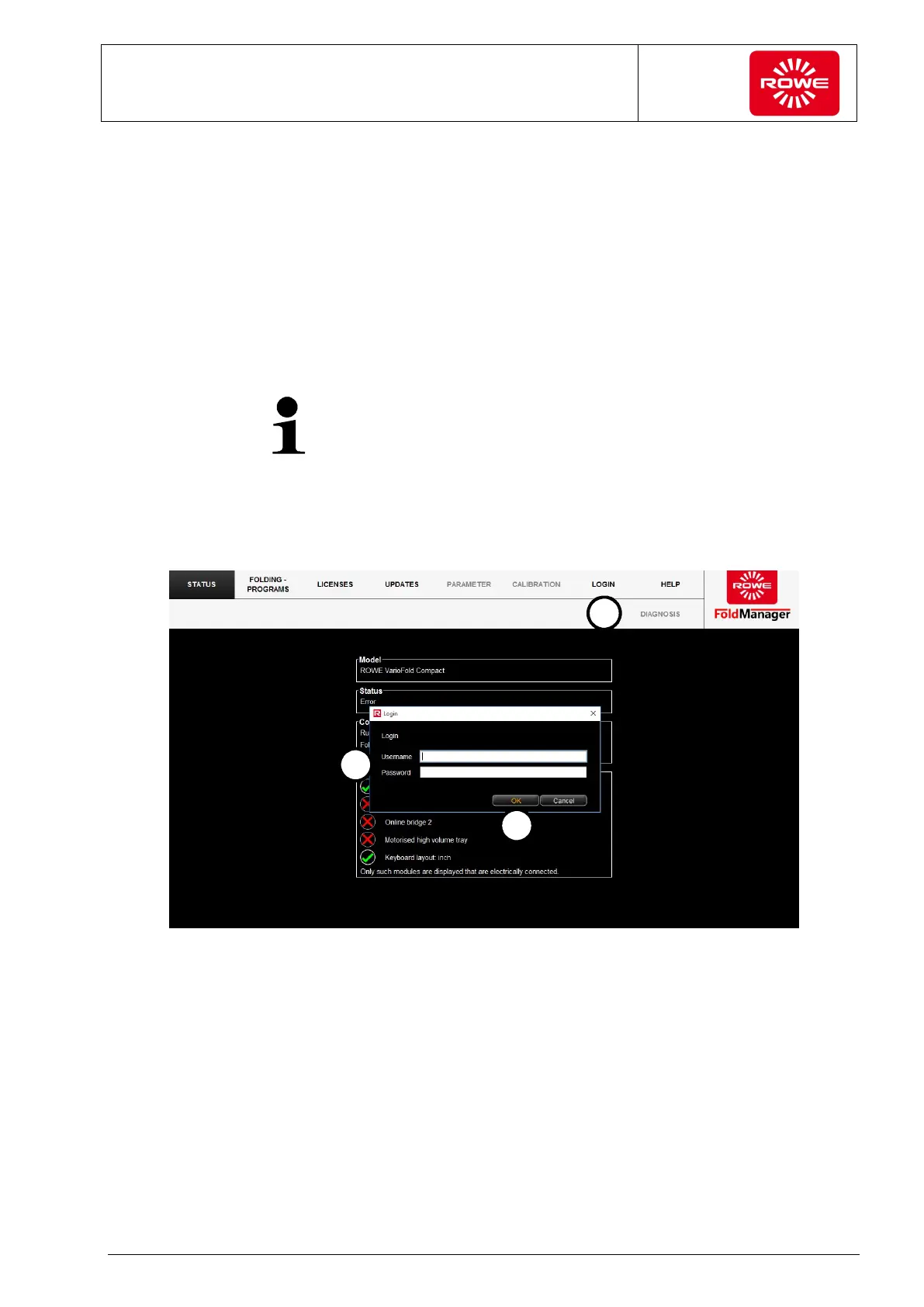
To use the software functions, log in as administrator under "Login".
Screen - System log in
1. Select the "Login" menu item.
2. Enter the user name and password.
User name: administrator
Password: admin
3. Confirm your entries with "OK".


 To Next Page