Operation
Instruction manual Folding system Page 78 of 100
5.11.11.1 Purchasing and Installing Licenses (metric)
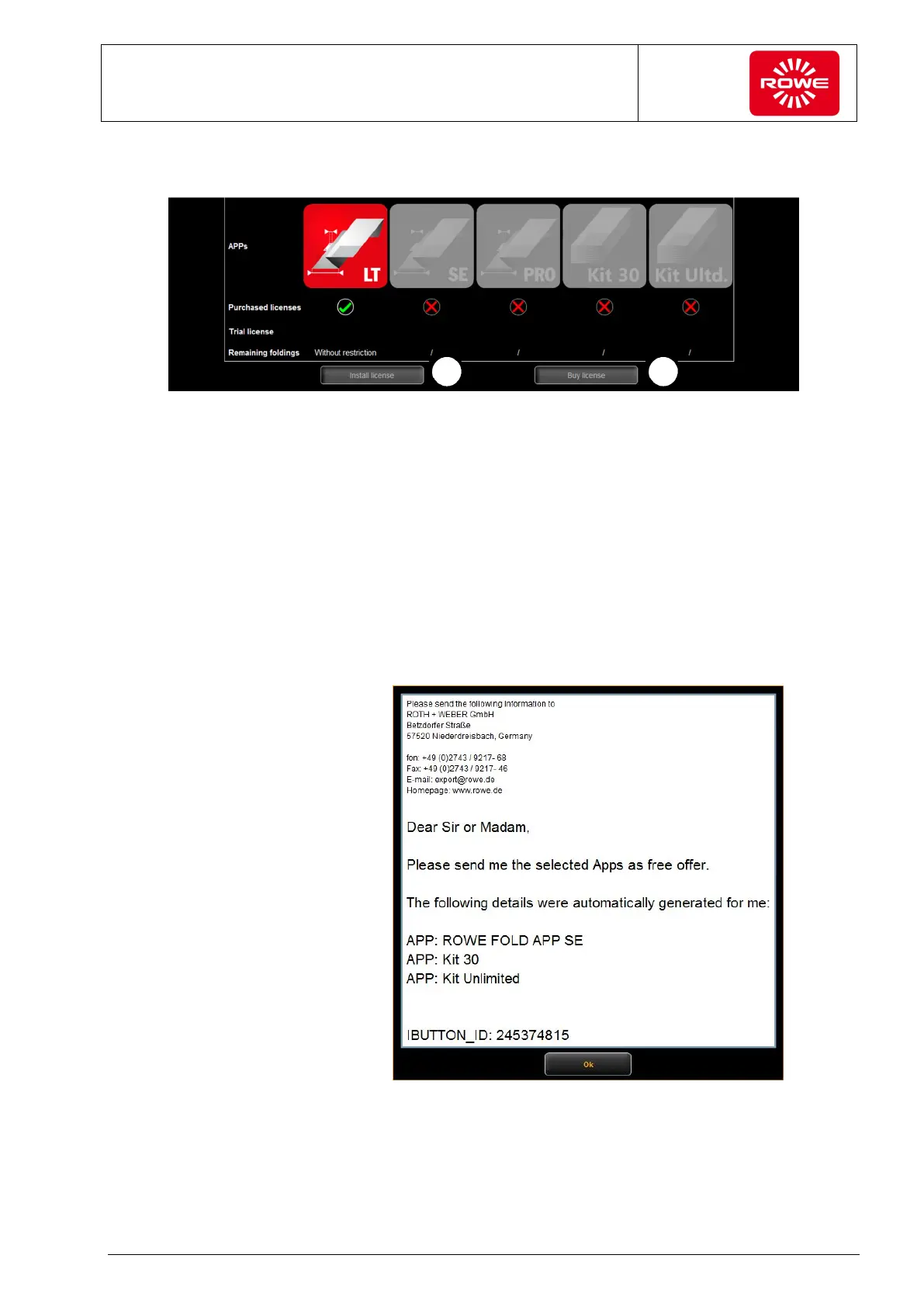
Screen - Purchasing and installing licenses menu
1. Select "Purchase licenses".
A pop-up window opens, where you select the required software
license. Click "Inquiry" to confirm your selection and send it as an
e-mail to lizenz@rowe.de. If you do not have a mail program
installed on your PC, open the dialog box that contains
preformulated text with all required information; it will enable your
inquiry to be processed by ROWE quickly. Please send this text
by e-mail or fax to ROWE. Make absolutely certain to send ROWE
the IBUTTON_ID (see figure). Once you receive the license key
from ROWE, save it to your PC.
Text without e-mail program
2. Install the license by selecting "Install license". Select the license
key from the corresponding directory on your PC.


 To Next Page