Operation
Instruction manual Folding system Page 75 of 100
5.11.9.3 Deleting Custom Folding Programs (metric)
To delete custom folding programs, connect the PC to the Folding
system with a USB cable.
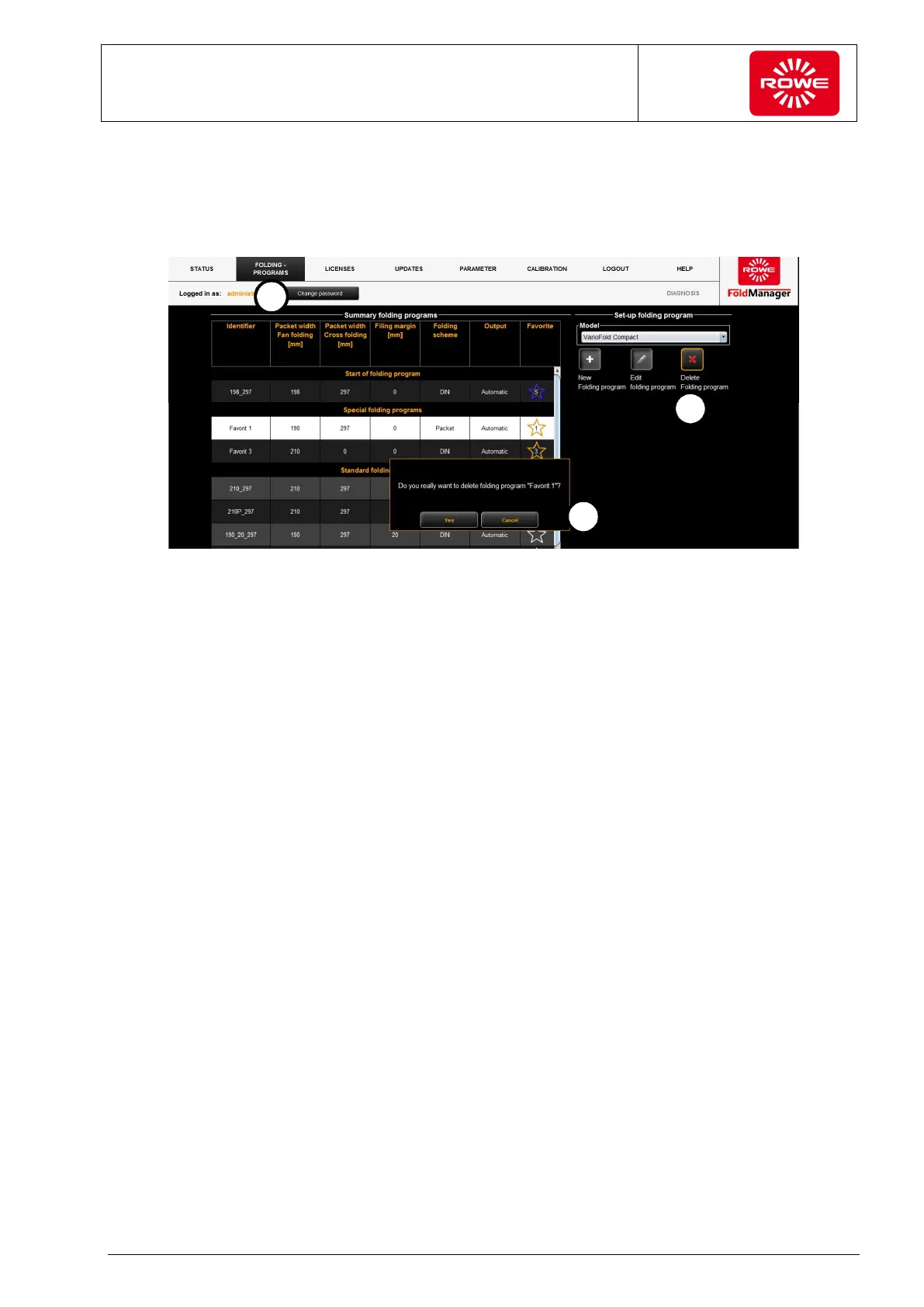
Screen - Delete custom folding program menu
1. Select the "Folding programs" menu item.
2. Click the key labeled with the X.
Click to select a custom folding program. The program selected for
deletion is highlighted in white. Before the folding program is
permanently deleted, you are asked to confirm the action. This
prevents custom folding programs from being deleted accidentally.
3. Confirm your changes.
This simultaneously applies the changes to the folding system.


 To Next Page