53
4.24 - Adding the Torqeedo
j)
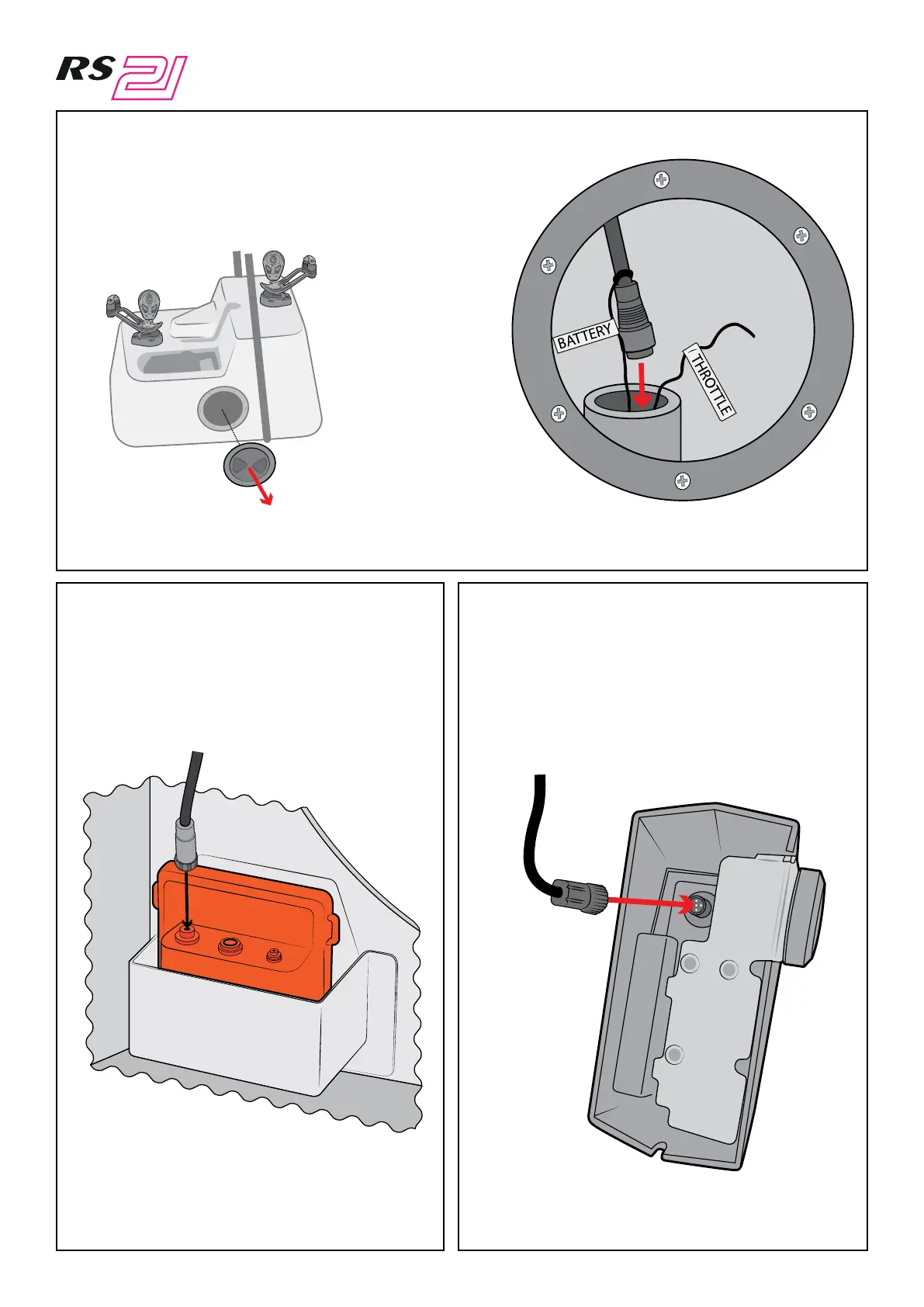
Remove the hatch in the side of the console.
This will reveal a pipe running forward with two mouse
lines emerging from it labelled ‘battery’ and ‘throttle’.
Attach the other end of the cable (which you posted down the hole in the previous step) to the
mouse line labelled ‘battery’, then pull it through from the front hatch.
k) l)
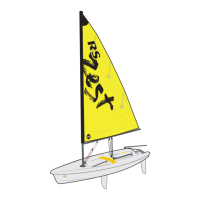
Now take the shorter of the 2 cables and
connect the right angled end to the throttle.
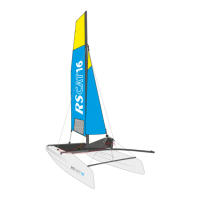
Attach it to the connection labelled
‘battery’ on the battery box.



 To Next Page