Default IP Address – 192.168.0.100
460 Gateway User Manual Page 43
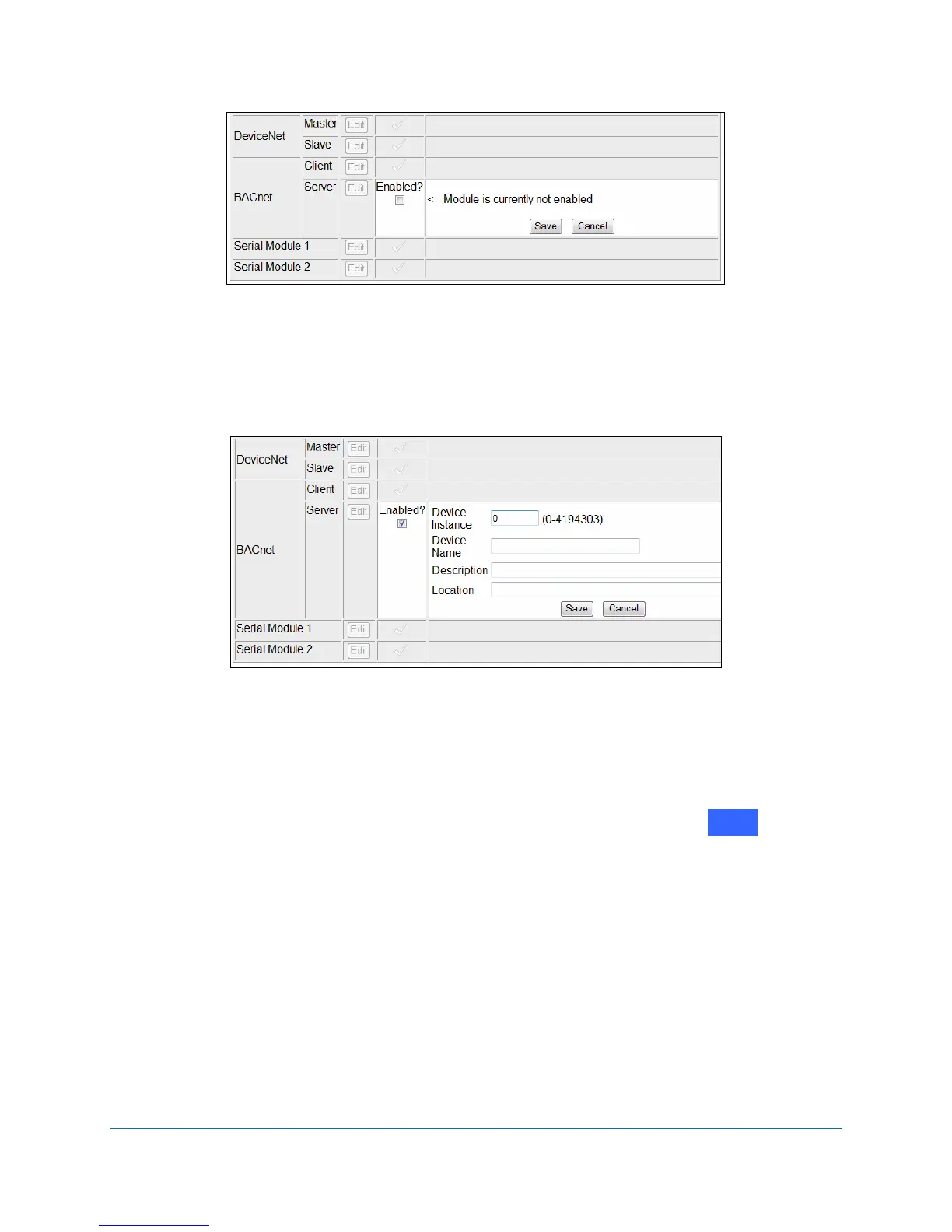
Figure 2-55 Enable BACnet/IP configuration
3. Click on the Enabled? checkbox.
The Module’s Detail options expand when enabled. See Figure 2-56.
Figure 2-56 BACnet/IP Server configuration details
4. Enter the appropriate Device Instance number and descriptions.
5. Click on
Save.
The selections stay visible on the
Communication Module Configuration screen, although
they are grayed out. See Figure 2-57. To change these settings, click on next to
BACnet Server again to make any necessary changes.
Edit



 To Next Page