Default IP Address – 192.168.0.100
460 Gateway User Manual Page 50
Editing 460 Gateway Network Settings
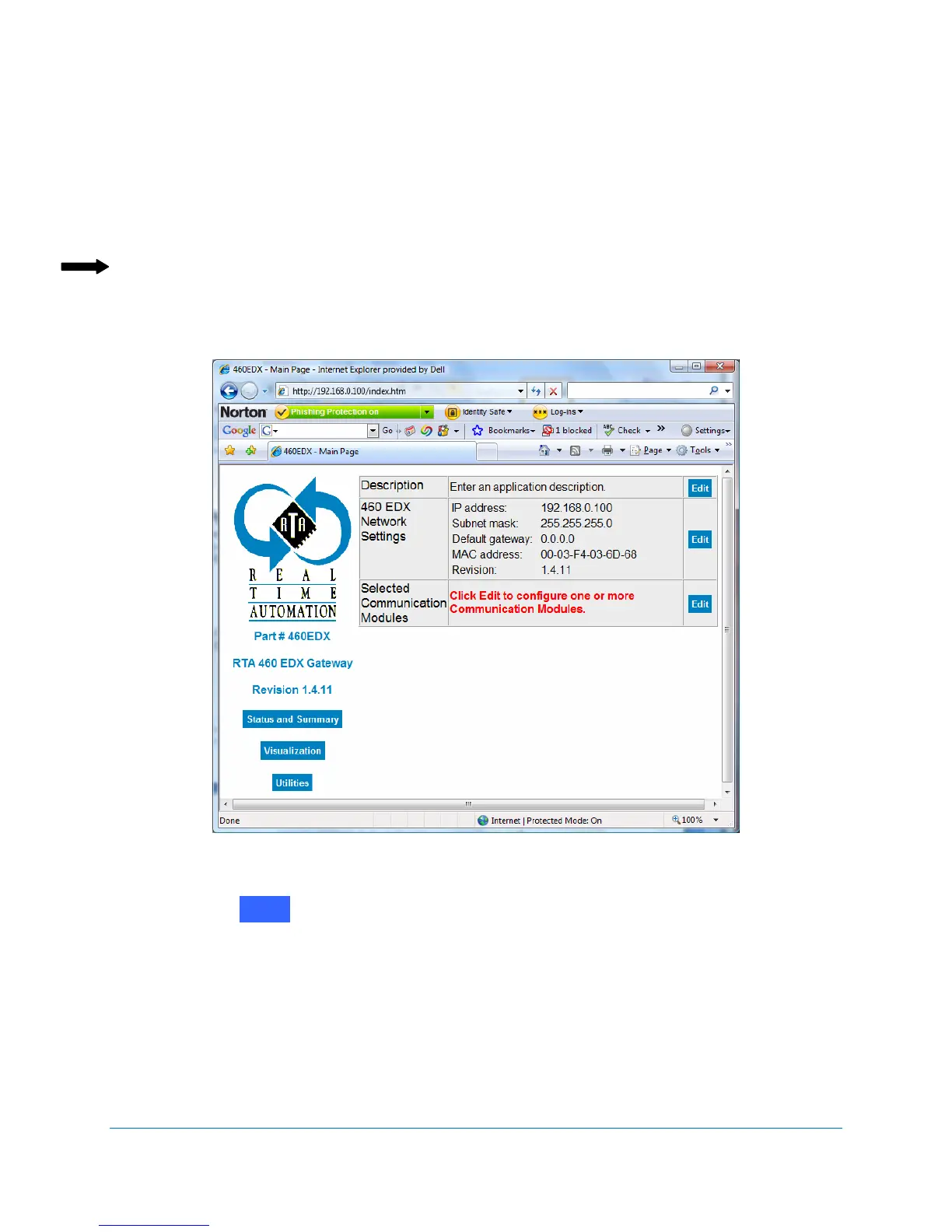
After the computer is connected to the 460 Gateway, use the following steps to configure the
network settings. For illustration purposes, this manual refers to example screens from the
460EDX Gateway. Other 460 Gateway versions have similar screens. See Figure 2-65.
Note: If you need to change the 460 Gateway’s IP address after the initial setup, you can
use either the folowing procedure or use the IPSetup tool on the CD shipped with
the 460 Gateway. (Refer to Changing IP or subnet addresses on page 66.
Figure 2-65 460 Gateway Main web page
1. Click on next to the
460 Network Settings section of the table.
The Network Setup screen displays. See Figure 2-66.
Edit



 To Next Page