Default IP Address – 192.168.0.100
460 Gateway User Manual Page 46
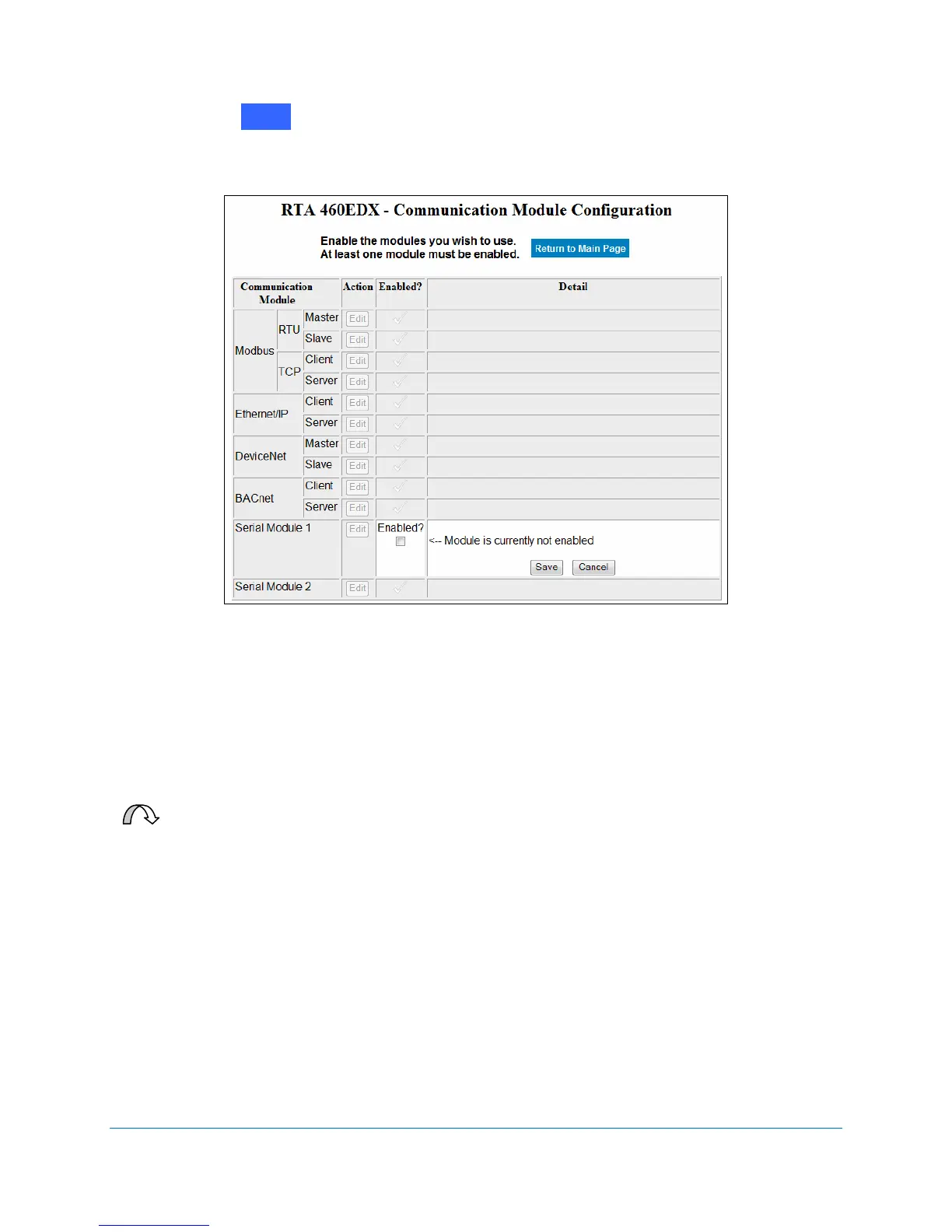
2. Click on next to next to Serial Module 1 (or Serial Module 2).
The Enabled? prompt displays. See Figure 2-60.
Figure 2-60 Enable Serial Module configuration
3. Click on the Enabled? checkbox.
The Module’s Detail options expand when enabled. See Figure 2-61.
4. Select the appropriate communication options.
Data flow is controlled in three ways: maximum message length, receive character
timeout, and delimiters. You can use any combination (or none) of these methods.
For Your Information: The Device Status and Summary button on the 460
Gateway’s Main Web page displays the data messages transmitted and the
method that terminated that message, which aides in troubleshooting.
Edit



 To Next Page