Default IP Address – 192.168.0.100
460 Gateway User Manual Page 61
c. Click on Properties.
d. Click Use the following IP address.
e. Type in 192.168.0.10 (the last two digits are an example and can be any number
as long as it is not being used). The Subnet mask should default to 255.255.255.0.
Click OK.
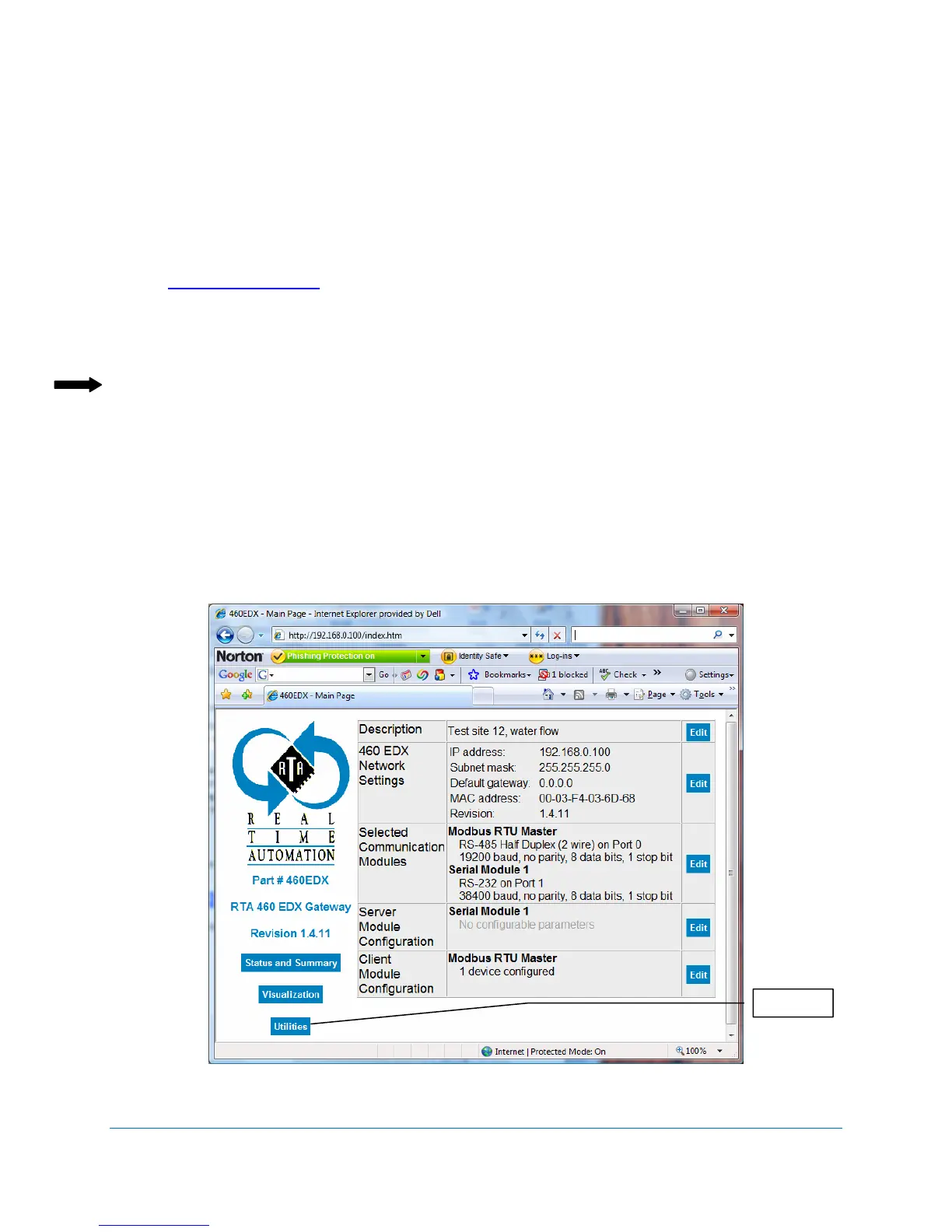
4. Launch the web browser. In the address window, enter
http://192.168.0.100
Press Enter
The 460 Gateway Main Page displays. See Figure 4-4.
Note: If the web page does not display, check the following settings:
The web page does not display when the computer is on a wireless network because
of subnet selections. Use either the crossover cable or a hub/switch on the same
subnet.
Verify that your web browser is not set for a proxy server. If you are using Internet
Explorer, check Internet Options/Connections/LAN Settings. Make sure the check
box is checked for Automatically detect settings and the check box is empty (not
checked) next to the Use a proxy server for your LAN option.
Figure 4-4 460 Gateway Main Page
t



 To Next Page