Default IP Address – 192.168.0.100
460 Gateway User Manual Page 65
5. Click on
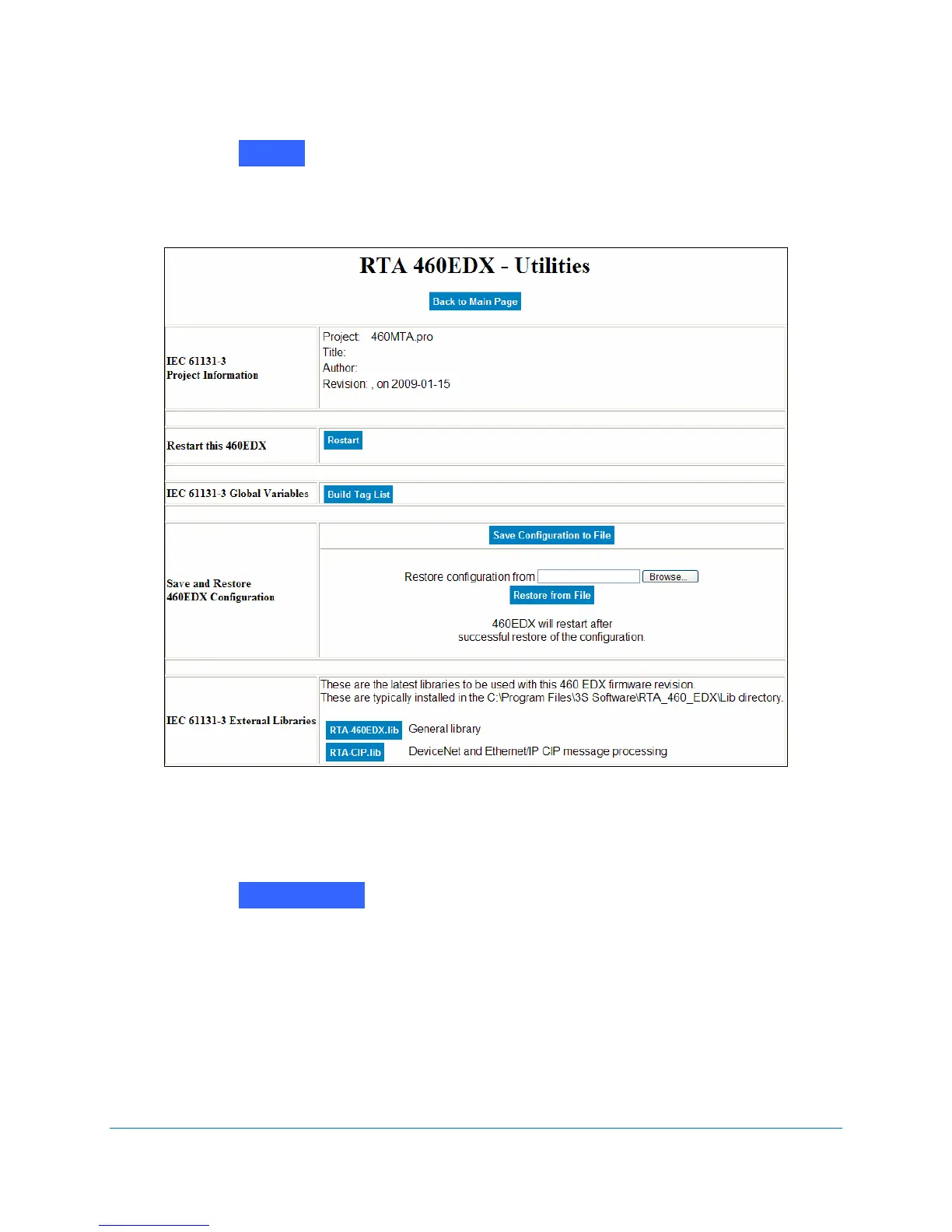
The Utilities screen displays. See Figure 4-9.
Figure 4-9 RTA 460 Utilities screen
6. In the
Restore Configuration from area, browse to the location of the RtaConfig.rtax file.
Click Open.
7. Click on .
When the configuration file has been saved to the new 460 Gateway and restarted, the
460 Gateway Main Page displays with the pre-set configuration settings.
8. To complete installing the 460 Gateway, continue with Editing 460 Gateway Network
Settings on page 50 and Making Settings Take Effect on page 52.
Utilities
Restore from File



 To Next Page