R110PLUS USER MANUAL
4.5 Pulse mode setting
SW10 is used to set the form of the driver receiving pulse.
SW10 = OFF, pulse + direction mode
SW10 = ON, CW+CCW double pulse mode
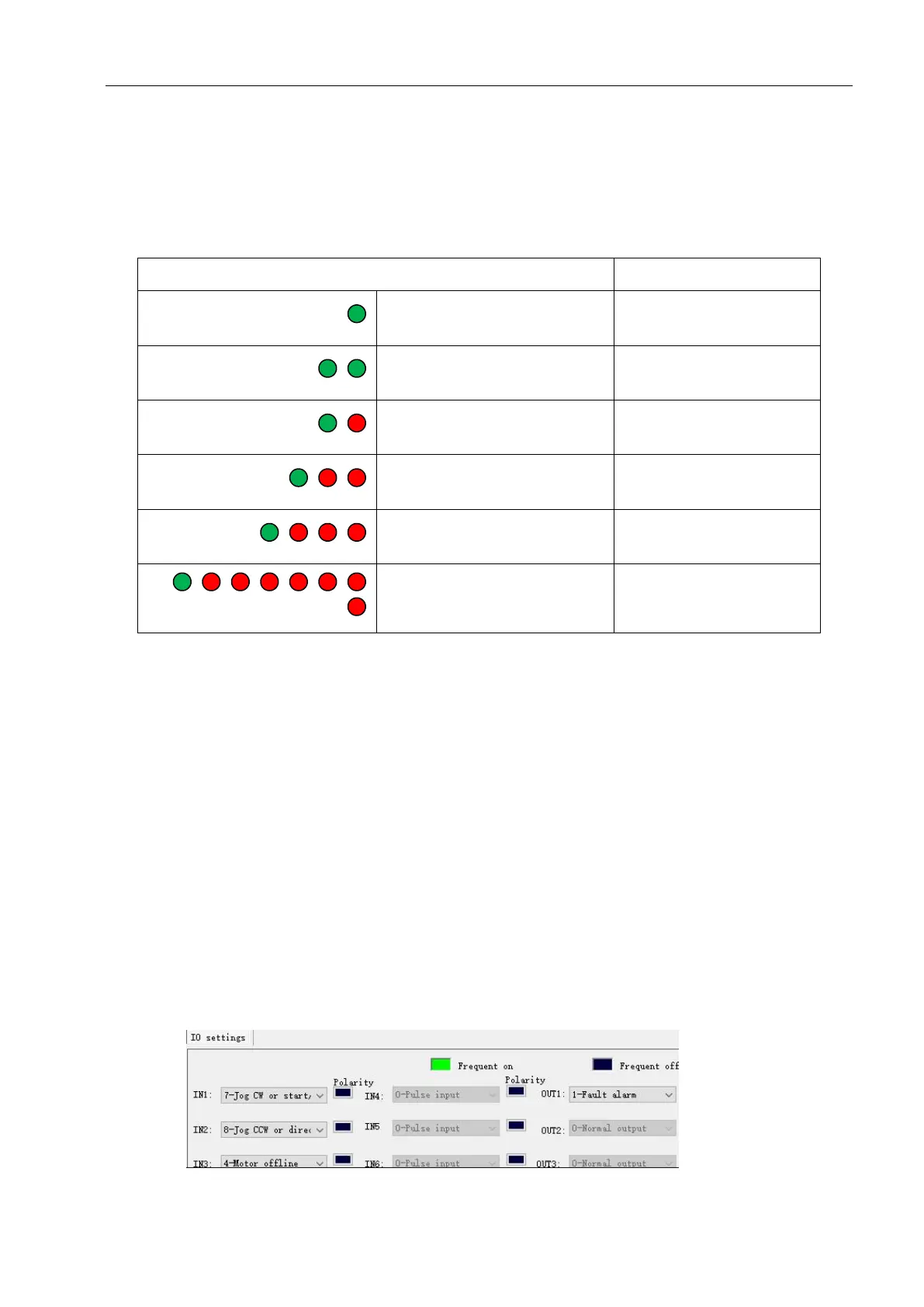
5. Driver working status LED indication
Green indicator is on for
long time
Green indicator is
flickering
One green indicator and
one red indicator
One green indicator and
two red indicators
Driver input power
overvoltage
One green indicator and
three red indicators
The internal voltage of
the driver is wrong
One green indicator and
seven red indicators
6. Phase loss alarm
The driver has a motor phase loss alarm function, which can detect the phase loss state of the motor
during stationary and movement. During the operation of the stepper motor, due to mechanical reasons,
the winding wire of the motor may be loosened and disconnected. At this time, the driver will output an
alarm signal to prevent the device from making an erroneous action.
Since this function relies on the current detection of the motor windings, this function has a false alarm
when the motor current is too small (less than 300 mA). At this point, the user can turn off this function. In
the parameter management and setting interface of the debugging software, set parameter No.
188(phase loss detection enable) to 0.
7. Internal motion control function
When operating in the internal pulse command mode, the PUL and DIR ports are used as IO input
signals. The function of the IO needs to be set by the debugging software. As shown below:


 To Next Page