Aircraft Status Indicator Bar
In flight: Display the flight status of the aircraft and various warning
information.
①
Compass Interference Value
It shows the interference value of the compass. When the environmental
interference is too large, it will prompt the compass to be disturbed in
the aircraft status indicator bar.
②
GPS Status
Used to display the GPS signal strength, 3 bars indicate that the
GPS signal meets the flight requirements, 1 or 2 bars indicate that
the GPS signal is weak, and the flight position needs to be changed.
③
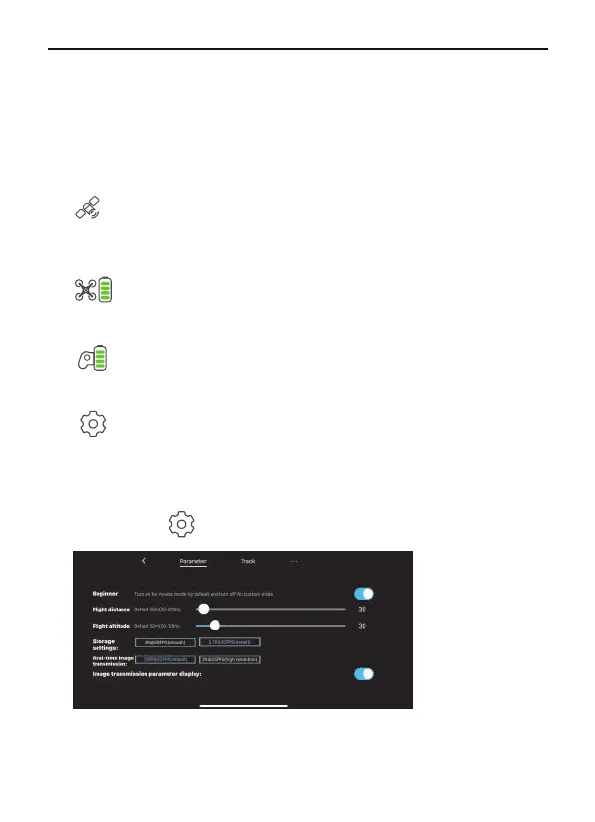
Parameter
Tap the icon to enter parameter interface.
Beginner mode: In this mode, the aircraft’s farthest flight distance and
altitude is 98ft,and the return altitude is 65ft, so that the aircraft can fly
more safely within sight.
Aircraft Battery Level
Display the current Intelligent Flight Battery power and voltage, and
the power progress bar displays.
④
Controller Battery Level
Display the current remote controller battery power and voltage, and
the power progress bar displays.
⑤
System Settings
System settings include flight range settings, data recording, english
and metric unit switching, route display, reminder information and
voice prompt settings.
⑥
36 Copyright ©2022 Ruko All Rights Reserved.
F11MINI User Manual



 To Next Page