17
USER
INTERNAL SOURCE - AM/FM TUNER
UNO-S1 Keypad Control
UNO-S1 Keypad Contr
ol of Tuner
Selecting the tuner
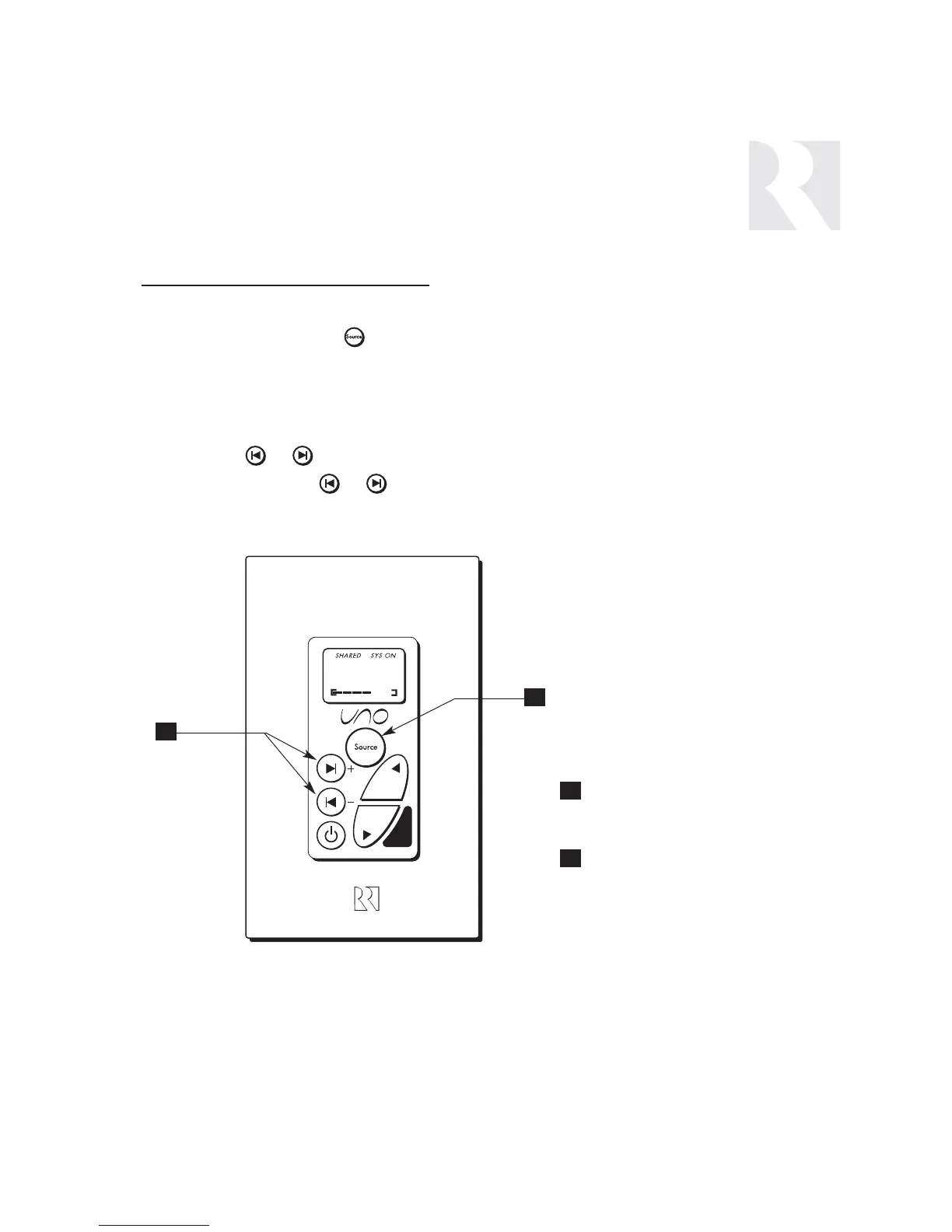
On the UNO-S1 keypad, press to select the
AM/FM tuner by choosing the tuner’s preas-
signed source number (1).
Selecting the desired frequency
Press and hold or to activate manual
tuning. Once active, press or to scroll
through frequencies. The frequency will scroll
twice on the keypad then stop and display the
station’s first 5 characters
.
Setting a Memory Preset
The SRC2 remote control is used to set memory
presets for all six banks. See page 22 for
details.
TUNER SELECTION - Select
source number assigned to
AM/FM Tuner (1)
FREQUENCY SELECTION -
Scrolls through frequencies
(press and hold, then press)
1
2


 To Next Page