USER MANUAL V4.0 | Updated Jan 06, 2021 44
1.7. Add Counter object
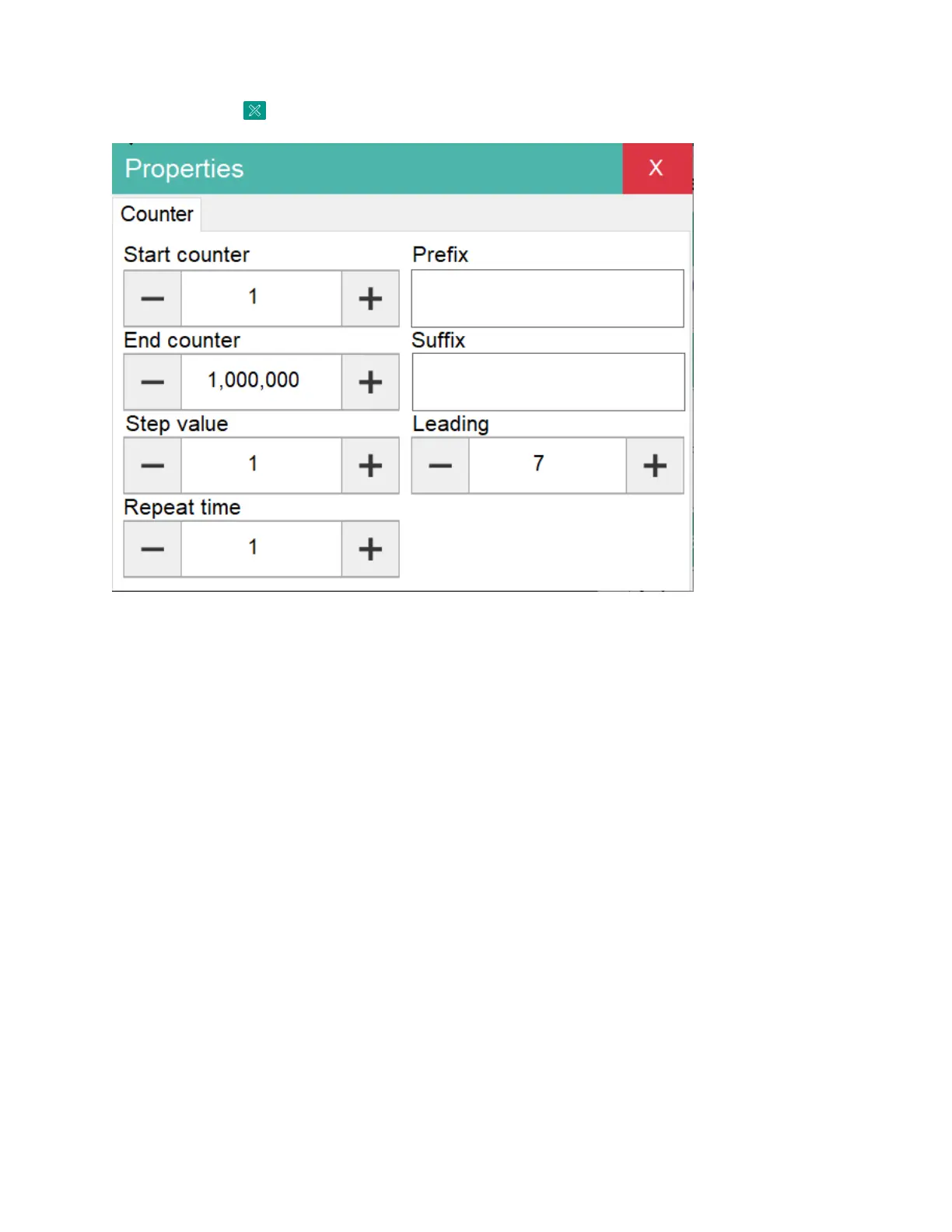
Click on button and then select Counter button to open the Counter setting form.
Start counter: Set begin value of counter.
End counter: Set stop value of counter. Once reach stop value the counter automatic return
to Start counter.
Step value: Set step for counter.
Repeat time: Set repeat times for each number will be printed.
Prefix: Set prefix for counter.
Suffix: Set suffix for counter.
Fill zero: Fill zero to lead of counter.
After finish setup. Click OK to apply.


 To Next Page