USER MANUAL V4.0 | Updated Jan 06, 2021 52
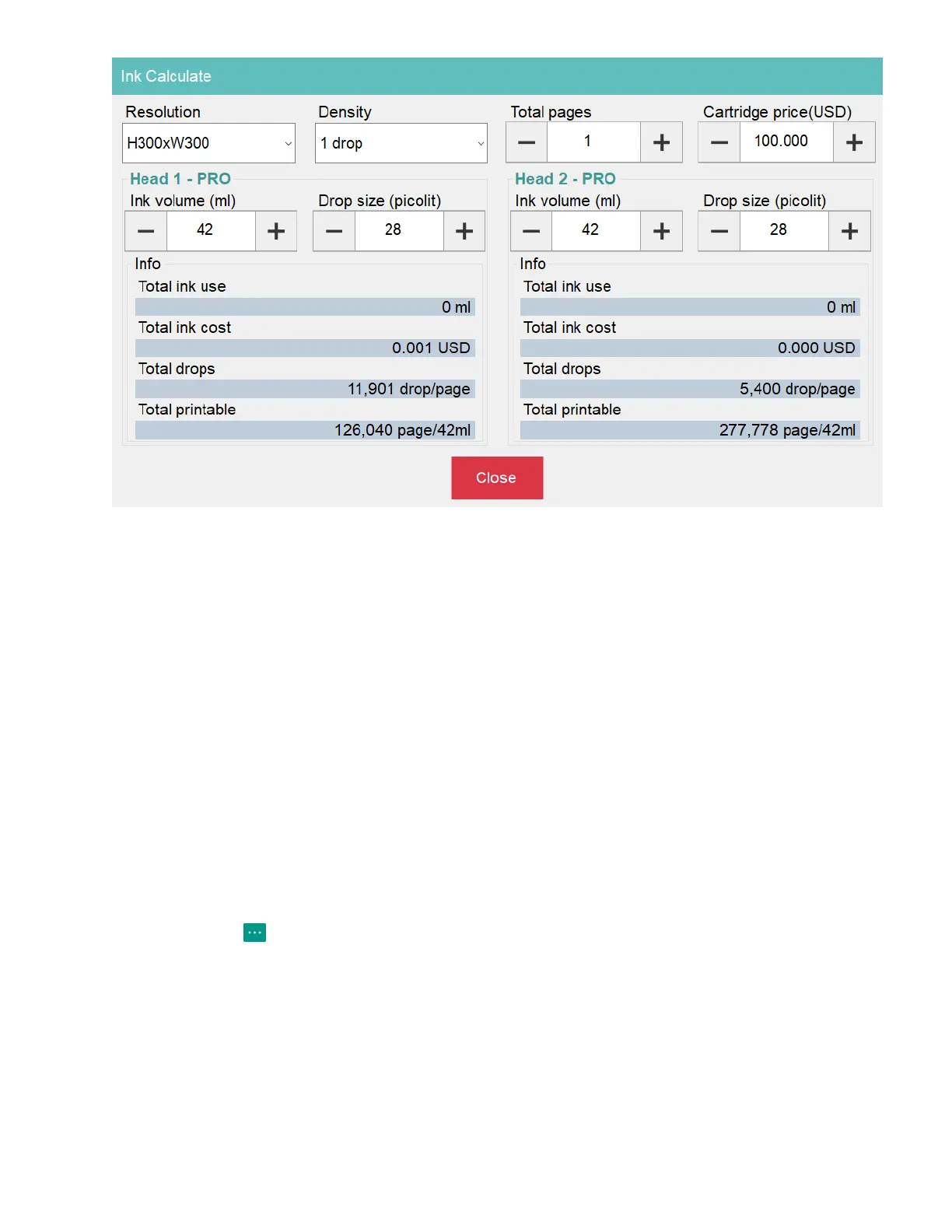
Set all parameters to calculate the ink cost for the template designed.
Resolution / Density: Select your target parameter.
Total pages: Set number of printed page that you need.
Cartridge price: Add cost in your currency (depend on language such as: USD, VND, SGD,
EUR, CND…) for each cartridge.
Ink volume (ml): Set the ink volume for each printhead.
Drop size (picolit): The volume of drop ink for each printhead.
1.15. File Manager
Use File Manager to management all file support by software such as: file, database and
image.
These action you can do with File Manager:
- Copy target file to target folder. (Software folder or any folder on Windows)
- Delete target file.
Click on button and then select File manager button to open the File manager form.


 To Next Page