USER MANUAL V4.0 | Updated Jan 06, 2021 36
6.4. Advanced Settings
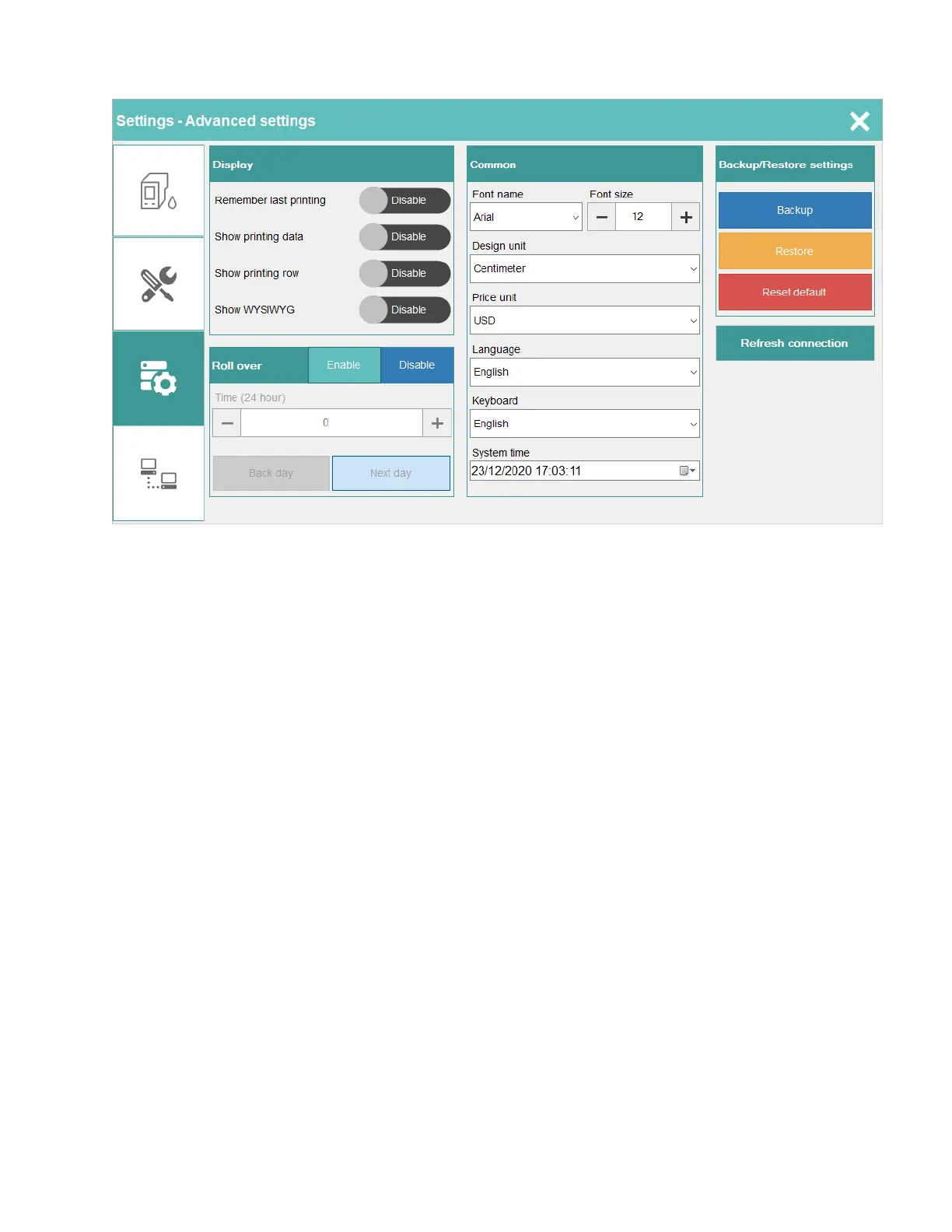
6.4.1. Display
6.4.1.a. Remember last printing
After starting a new session, the printer will continue to print with the previous template and
the counter will run continue.
6.4.1.b. Show printing data
The main screen of the printer will show data that have printed from the database.
6.4.1.c. Show printing row
The main screen of the printer will show row that have printed from the database.
6.4.1.d. Show WYSIWYG
WYSIWYG (What You See Is What You Get). The main screen of the printer will show something
very similar to the end result.
6.4.2. Roll over
Set the hours which will be added to the current time. This function is useful once you need
change the date earlier or later normal time. Normally date will be change at 23:59:59.
Printer support both types: Back day and Next day.
Example: Next day
Current time is 12:20 PM. If the roll over is set to 3 (hours), the system time will be 3:20 PM, time
will be faster, the date also changes faster normally.


 To Next Page