USER MANUAL V4.0 | Updated Jan 06, 2021 35
6.3.2.e. Print static image
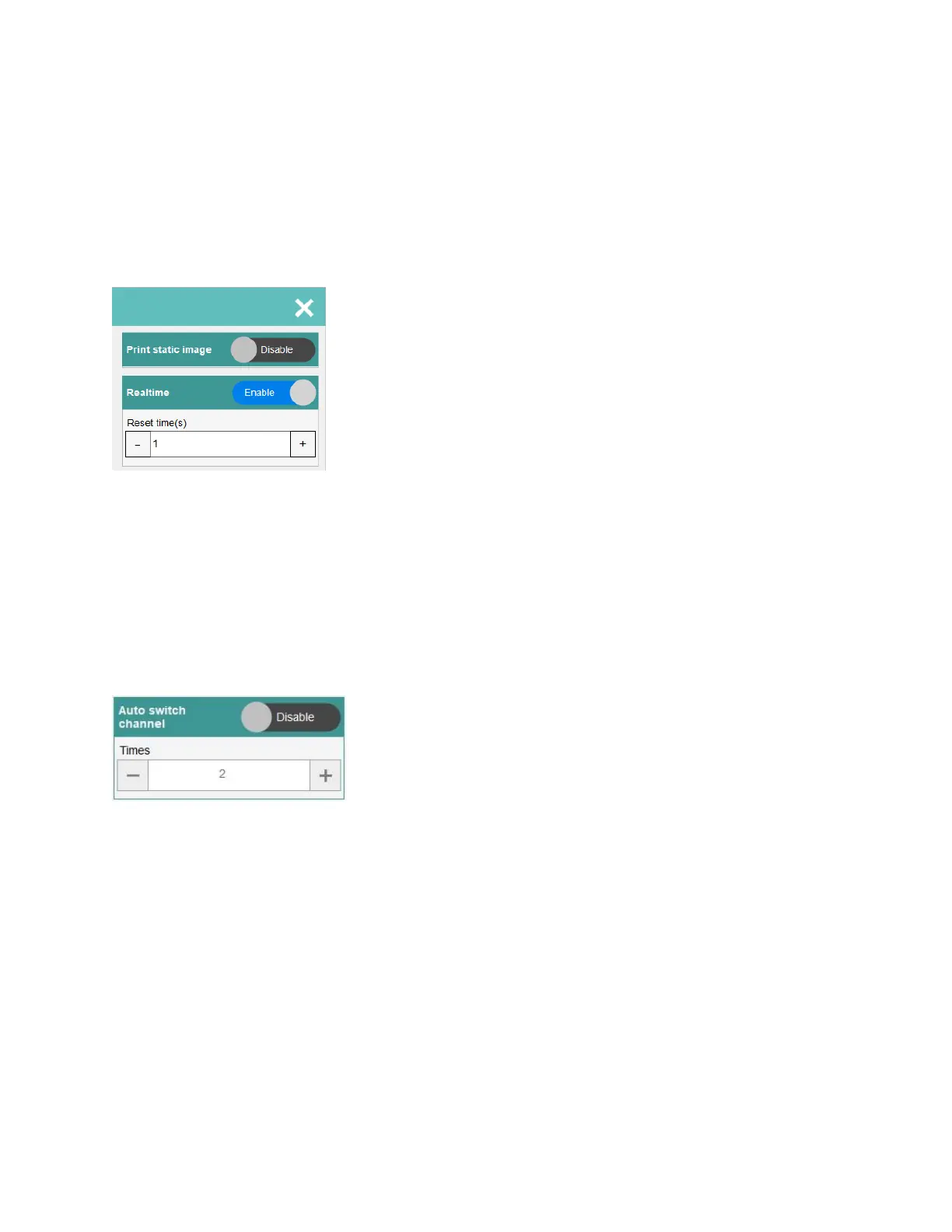
This feature is used to print a static image and help improve printing performance.
6.3.2.f. Stitching
Enable this feature when you use stitching head for printing.
6.3.2.g. Realtime
In realtime printing. After sensor trigged, software immediately encode template and sending
data to printheads.
Default value is 1 (time will update after every one second). Minimum value is 1 and maximum
value is 60.
6.3.2.h. Auto switch channel
Select Enable for automatically changing nozzles between ODD and EVEN. And then select
the number of changing. Otherwise, select Disable.
Minimum value is 2 and maximum value is 255.
6.3.2.i. Auto jet
Periodically pushing out the ink to clean the printhead. This function will prevent the ink dried
on nozzle of cartridge, its useful tool to keep the printing quality always good.
Click on button Enable / Disable to change option for this function:
Enable: Enable auto jet on software.
Disable: disable auto jet on software.
Time: Input time for jetting (second (s)).
Columns: Input columns for jetting.
NOTES:
We recommend that you should always enable this function to keep the printing
quality always is the best. The timer should be around 15-20 seconds.
The Auto Jet function will able to run while machine in both Stop and Printing.
The Auto Jet function different with Purge function.


 To Next Page