USER MANUAL V4.0 | Updated Jan 06, 2021 34
Default value of Repeat sensor is 0, maximum value is 255 times. That’s mean NO repeat
printing required and printer will print normally. One times for one sensor signal.
Continuous mode
Continuous mode one of printing mode that allow the printer printing out without using the
sensor. This mode is useful in web / pipe / roll application (without sensor mark).
This mode also uses to check the working status of printers. In some case you are doubt about
printing ability of printer. Combine use this checking with disable the encoder. Once you have
been disabled the Encoder and printing under Continuous mode, printer still not able to print.
That mean it have trouble with hardware or connect. Contact now with your supplier.
Immediate: Print continue without sensor signal.
Level: Print continue with sensor signal.
Ignore data: Print data at beginning template when sensor ON.
Keep data: Print data when sensor ON.
First trigger: The same with Immediate mode but need trigger first sensor signal.
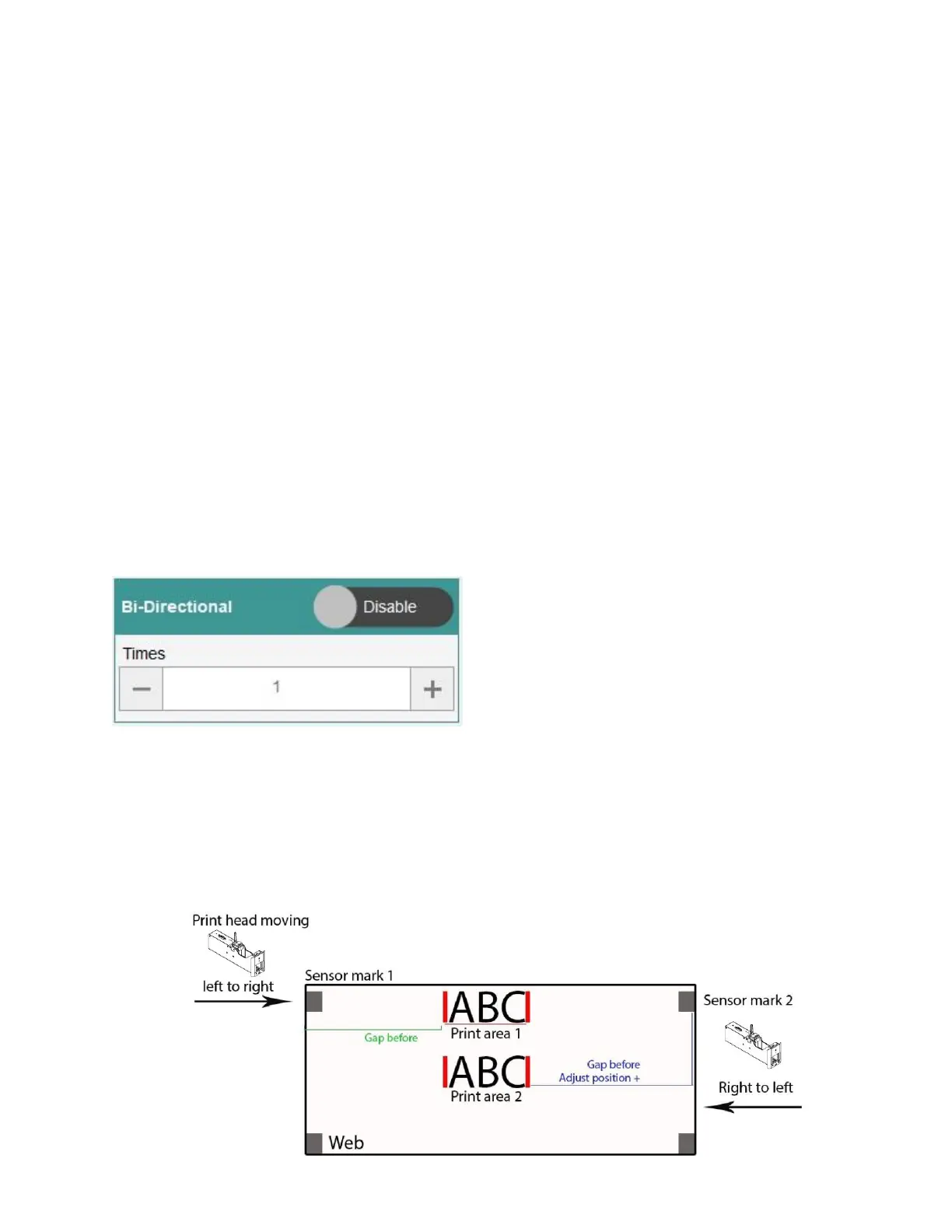
6.3.2.d. Bi-directional
Bi-directional printing, sometimes referred to as "boustrophedon printing," involves printing a
line from left-to-right, and then from right-to-left rather than returning to the left to start the next
line.
NOTES:
Recommend set up printhead to position receive sensor trigger (Distance to head = 0)
So we just need to set up Delay before for direction left to right and Adjust for direction
right to left.
If you cannot set up printhead to position receive sensor trigger, you will need to add
distance to printhead to both direction left to right and right to left.


 To Next Page