USER MANUAL V4.0 | Updated Jan 06, 2021 50
1.11. Add Datetime object
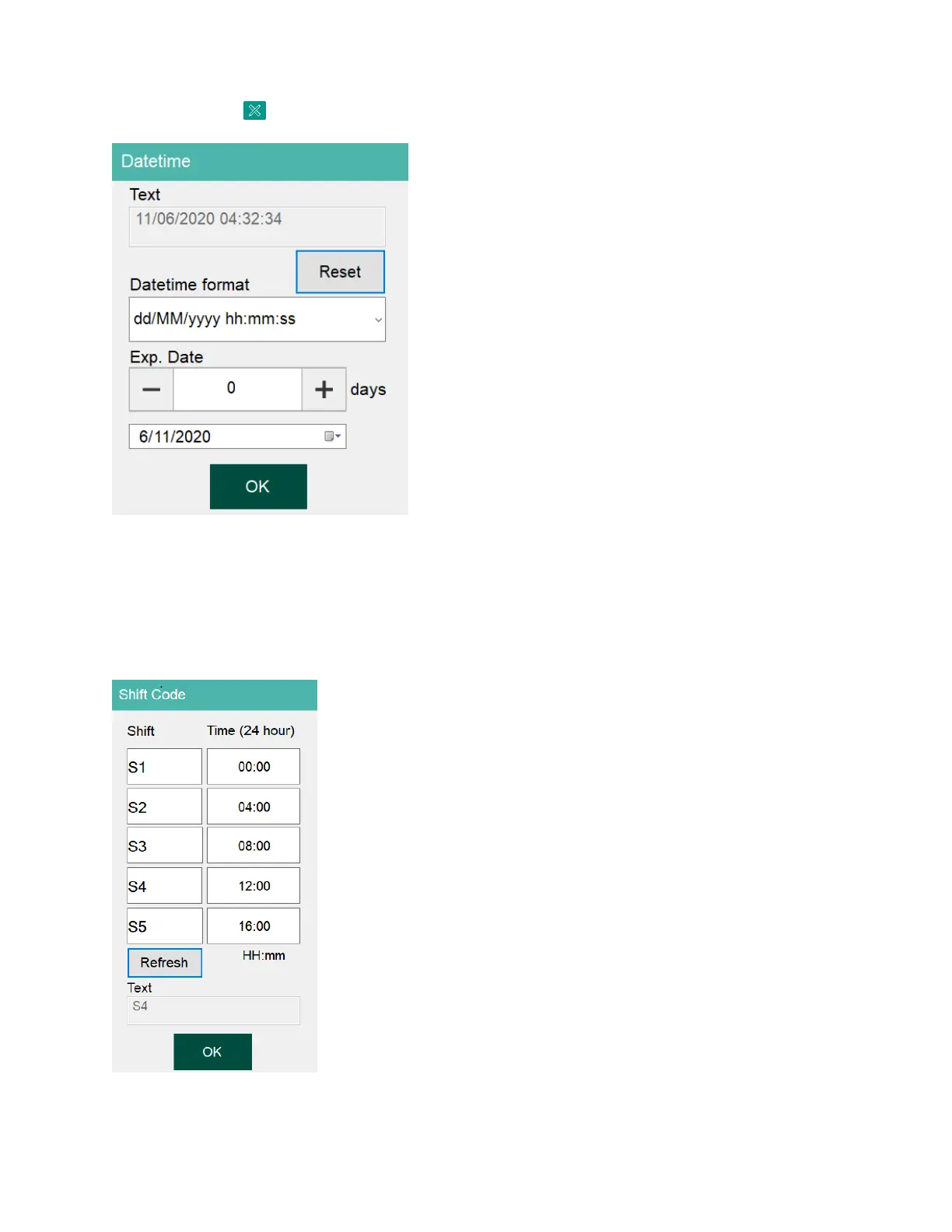
Click on button and then select Datetime button to open the Date / Time form.
Add Date / Time / Expiry Date
Format: Use Windows Date / Time format to display. Select format desired at List box.
Expiry date: Use to create expire date follow format above.
1.12. Add Shift Code object
Shift code name: Present name of Shift code will display on print. Maximum field support is 5.
Shift code time: Present time of shift code correspondent with each Shift code name. Depend
on time which shift code will be print.


 To Next Page