English
6
81
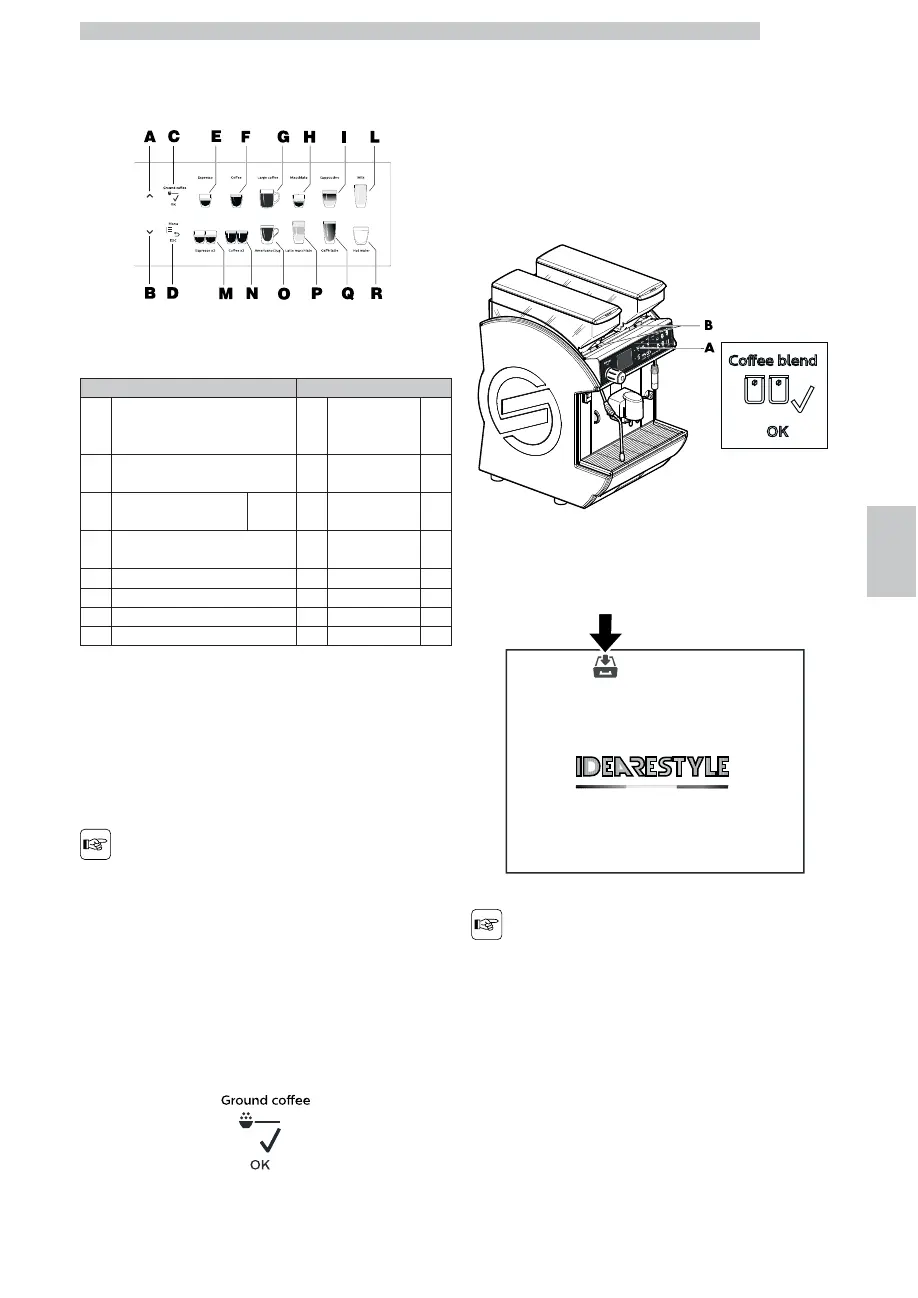
6.1.3 Button Description during Normal
Operation
Press these buttons to dispense the programmed
beverages or to perform the required operations.
BUTTON BUTTON
A Selection button UP G
Large coffee
/ Ice
Americano
B
Selection button DOWN /
PowerSteam
O
Americano Jug
(1)
C
Pre-ground Coffee /
OK
(1)(2)
H macchiato (3)
D Menu P
Latte Macchiato
(3)
E Espresso I Cappuccino (3)
M Espresso x2 Q Caffè Latte (3)
F Coffee L Hot Milk (3)
N Coffee x2 R Hot Water (1)
(1) Button sequence described at chapter “Beverage Selection”
(2) Functions described at chapter “Ok Button”
(3)
Beverages with milk and coffee (any possible
combination).
Please contact an authorised service centre to
activate settings other than the default ones.
The machines are
delivered with factory
standard settings.
6.1.3.1 OK Button
Press the OK button to select the pre-ground coffee or
the coffee bean hopper according to the machine version.
(except for DUO model)
6.1.3.2 Container Selection
(for DUO model only)
The Duo version is equipped with 2 coffee bean hoppers
and 2 coffee grinders.
This allows you to double the products that can be
dispensed or insert a different product quality.
Press the button to select a container.
A container selection button
B selected container indicator light
The display shows - by means of a lit icon - the active
container.
In case of beverage
dispensing with a preset
container, the manual
selection of the container
is not valid.









 To Next Page