English
6
80
6 DESCRIPTION OF CONTROLS
6.1 Controls
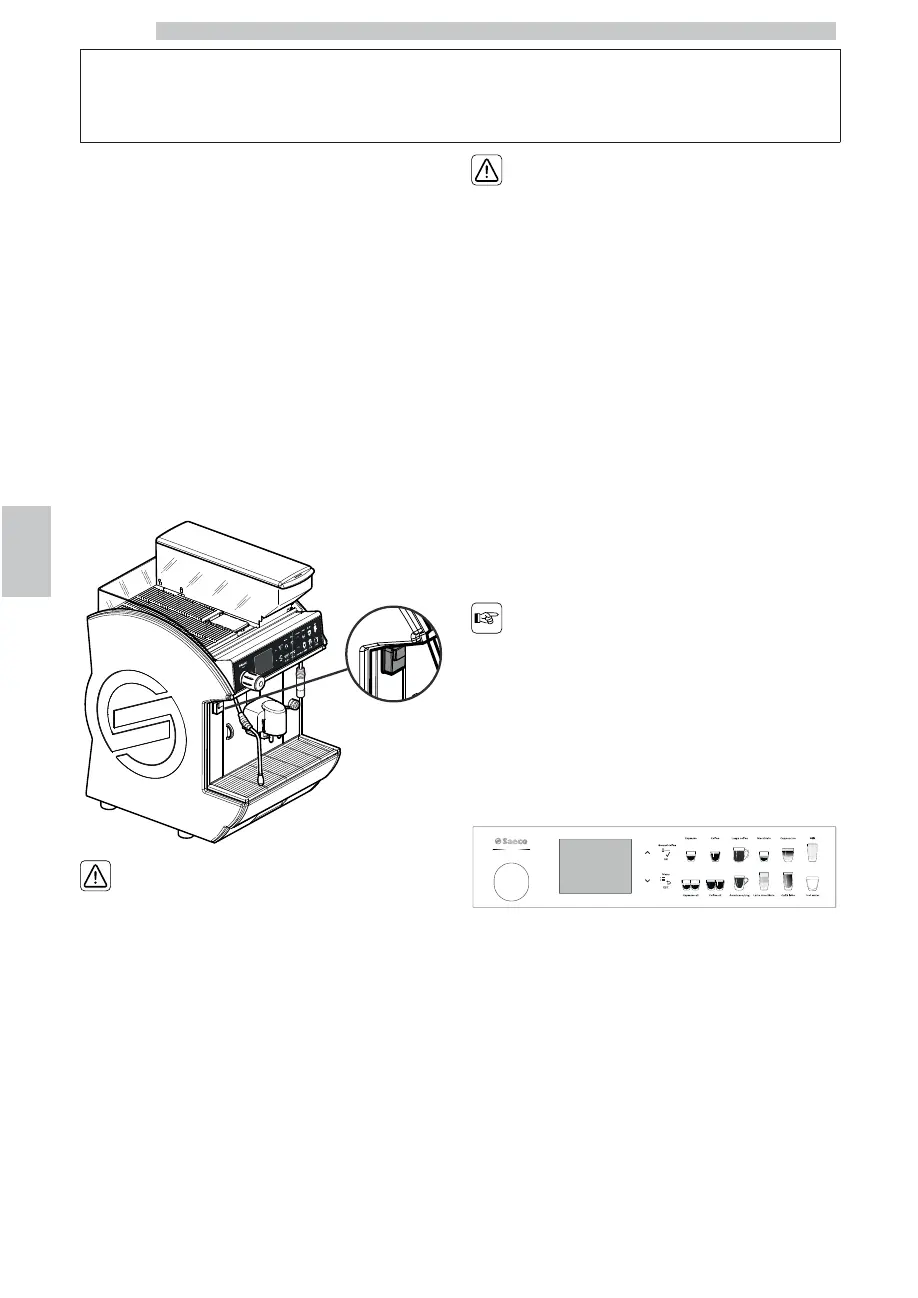
The appliance is equipped with the following controls:
• Power button
• Control panel
6.1.1 Power button
When the machine is connected to the electric network
and the all-pole switch is set to “I”, the following situations
may happen when operating the power button:
• Power button set to “0”, the control panel is off.
• Power button set to “I”, the control panel is on.
The fact that the power
button is set to “0” does
not represent a guarantee
that the machine is not
powered.
When performing any kind
of cleaning or maintenance
operations inside the
machine, disconnect it
from the mains and set the
all-pole switch to “0”.
6.1.2 Control panel
The control panel comprises a touch keypad and a display
showing messages during normal operation, programming
and maintenance phase.
The function of some
buttons changes according to
the appliance phase
(ordinary dispensing or
programming mode) change.









 To Next Page