16
ENGLISH
10
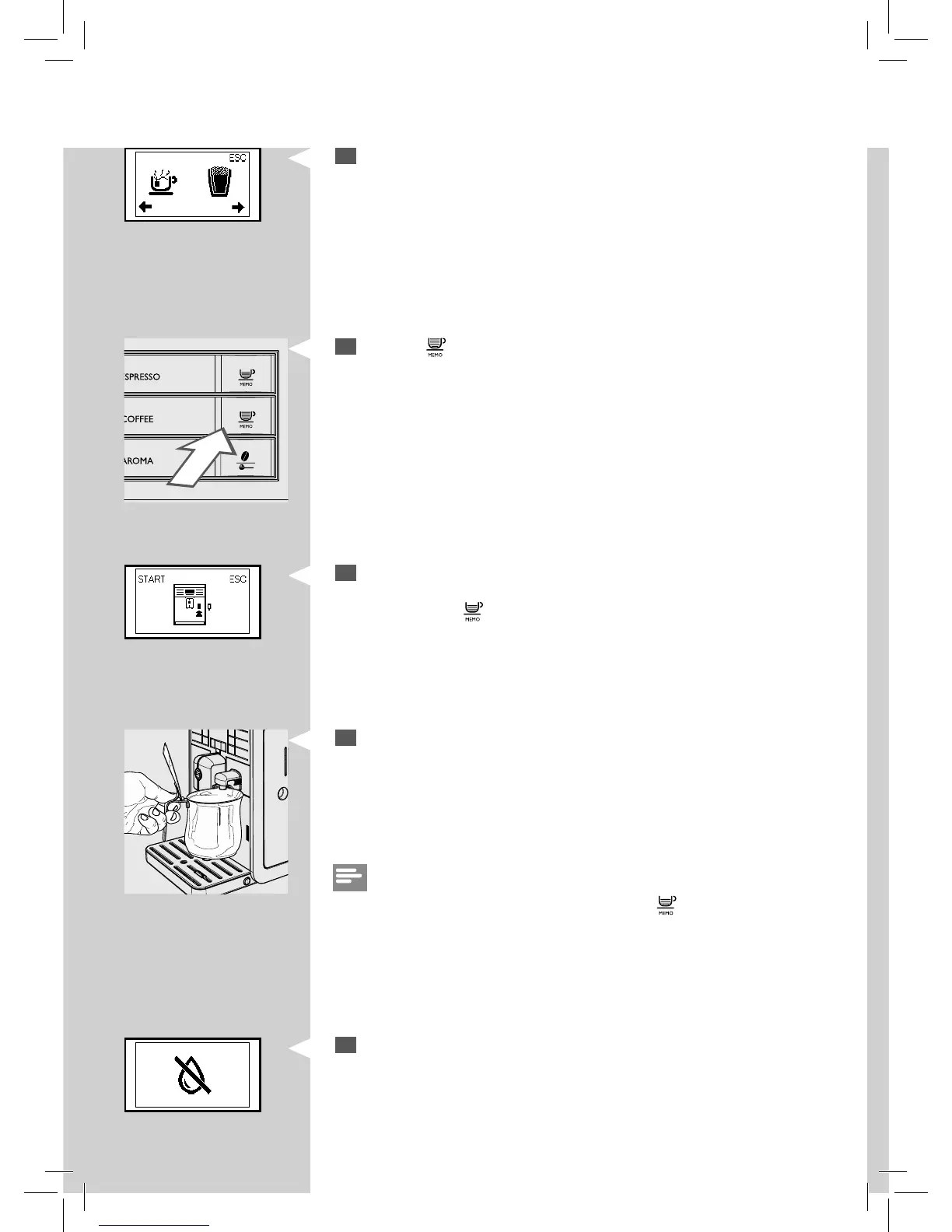
Press the “ ” button to start dispensing hot water.
Green
11
This icon is displayed. The machine reminds you to install the water
dispensing spout. Check that the water dispensing spout is correctly
installed. Press “
” to con rm. The machine will start dispensing hot
water.
Red
13
Repeat step 7 to 12 until the water tank is empty and the no water
icon appears.
12
Once the water has been dispensed, remove and empty the container.
9
The following icon is displayed.
Green
Note:
You can stop the manual rinsing by pressing the “
” button.







 To Next Page