23
ENGLISH
23
2
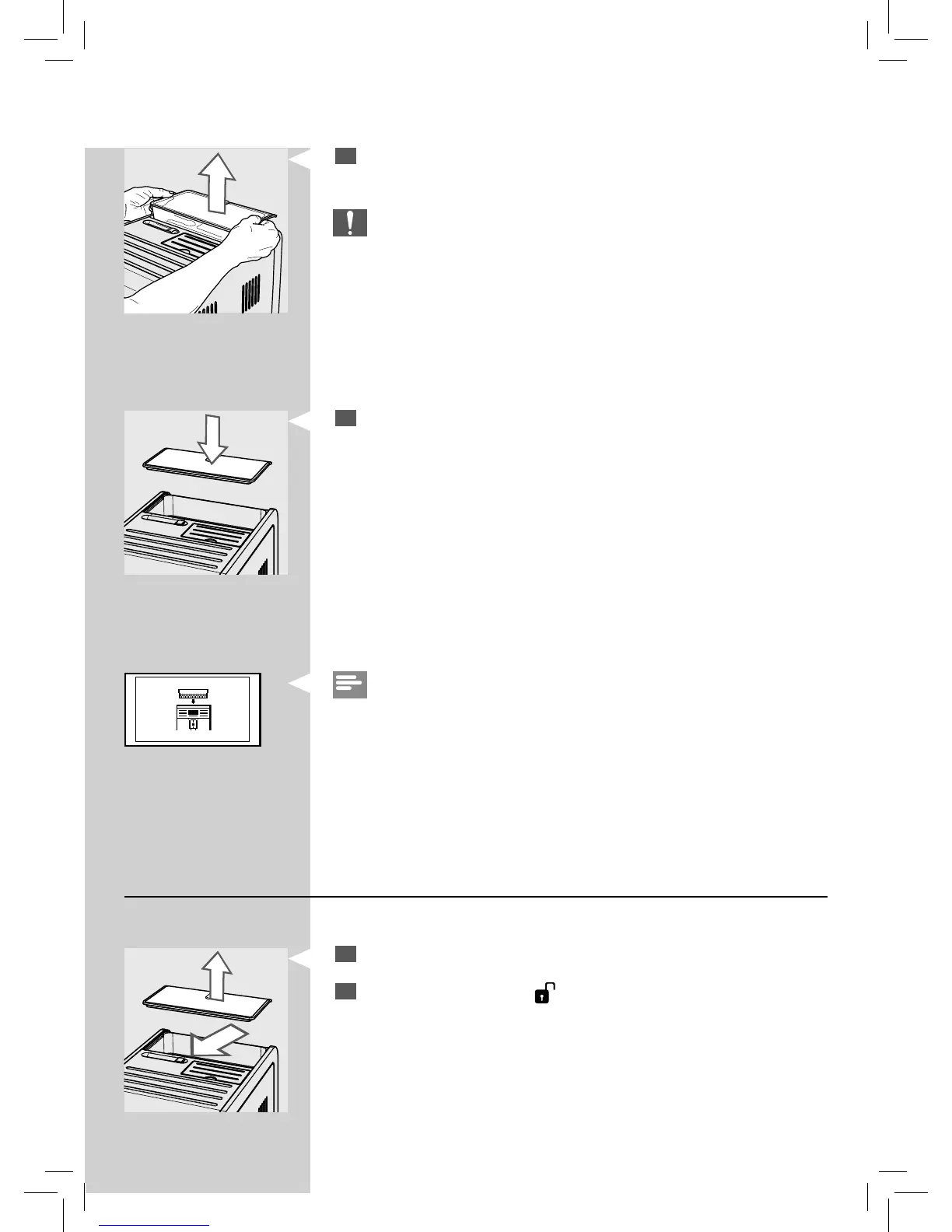
Lift the sides of the co ee bean hopper with both hands as shown in
the image.
Caution:
Do not remove the bean hopper in a di erent way to avoid spilling
co ee beans.
3
After removal put the protection cover on the machine to prevent
dust.
Red
Note:
If you turn on the machine while the co ee bean hopper has not been
inserted, the following icon appears. You need to insert the bean hopper
rst.
Inserting the co ee bean hopper
To insert the co ee bean hopper follow the steps below:
1
Remove the protection cover from the machine.
2
Switch the selector to the “ ” position.








 To Next Page