24
ENGLISH
3
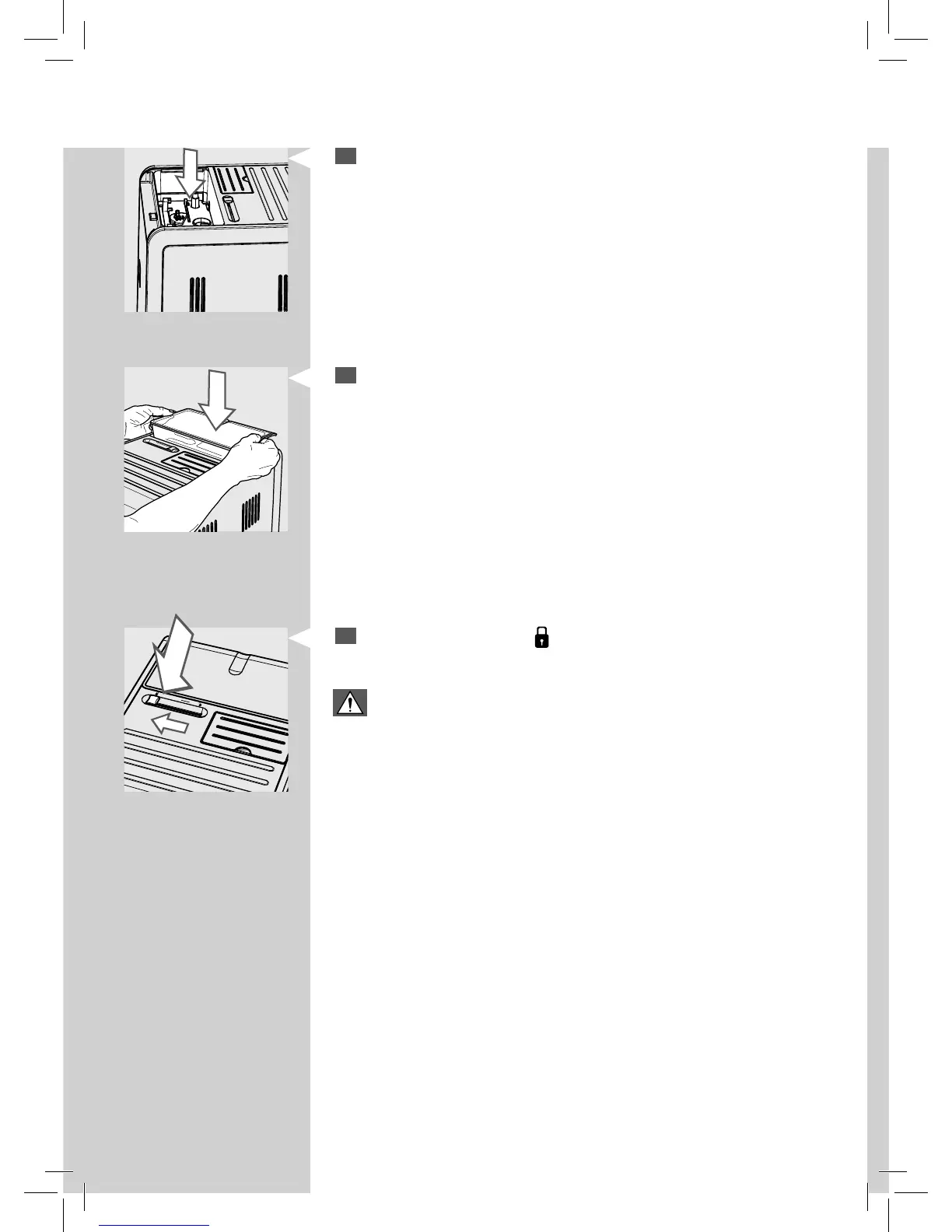
Remove any beans from the co ee bean hopper compartment.
4
Insert the co ee bean hopper into the compartment as shown on the
image.
5
Switch the selector to the “ ” position.
Warning:
Please be aware that when you change co ee blend and switch to
deca einated co ee, still some ca eine traces might be present even
after having run the emptying cycle.







 To Next Page