43
ENGLISH
43
5
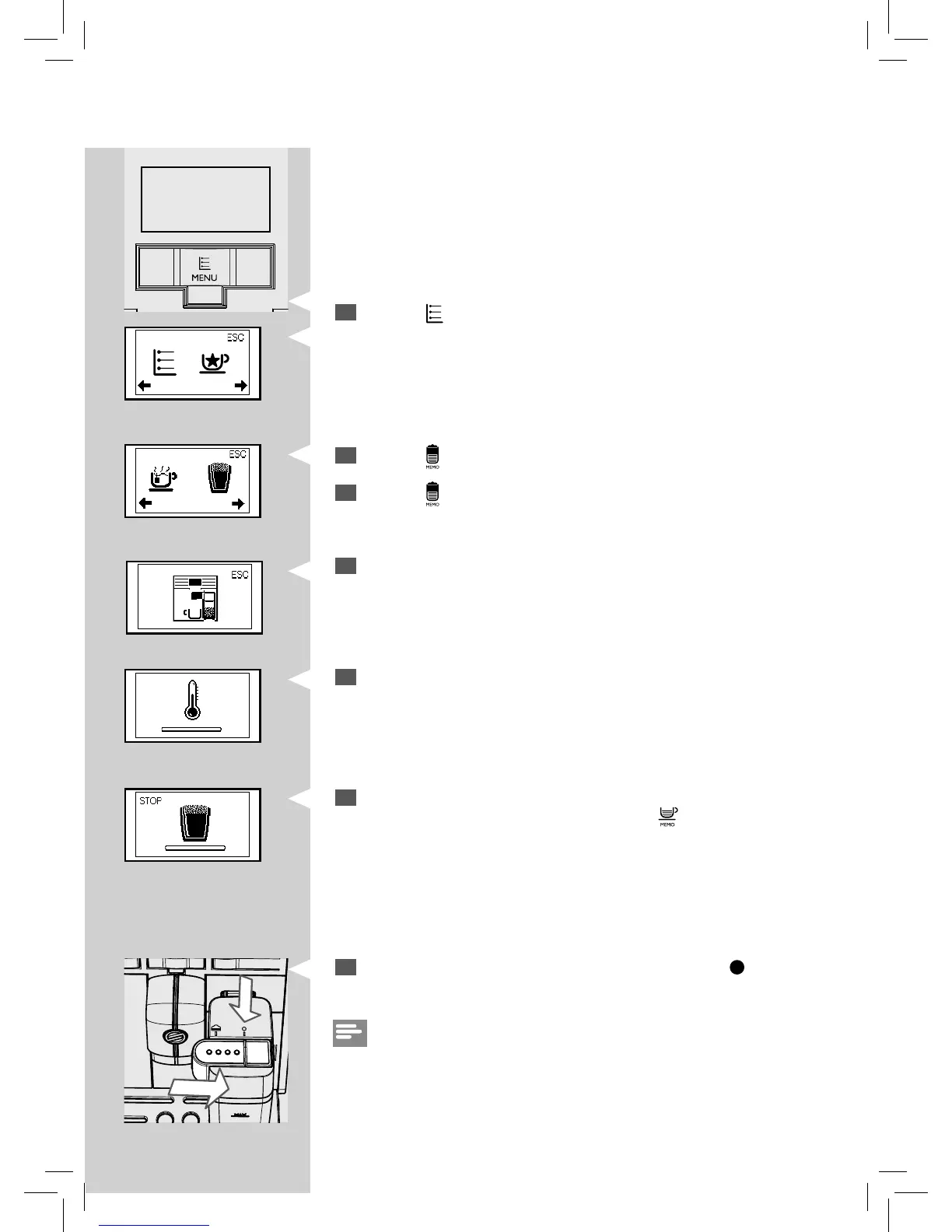
Press the “ ” MENU button. The following icon is displayed.
Green Green
6
Press the “ ” button. The following icon is displayed.
7
Press the “ ” button to select frothed milk.
Yellow
9
The following icon is displayed during pre-heating time required by
the machine.
Green
10
The machine pours a pre-de ned amount of frothed milk into the cup.
The pouring can be stopped by pressing the “
” button.
11
Put back the milk carafe dispenser by shifting up to the " " icon.
Note:
After using the milk carafe, clean it as described in the "Cleaning and Main-
tenance" chapter.
Green
8
The machine reminds you to insert the carafe and pull out the milk
carafe dispenser.







 To Next Page