US English
5
24
After installing the coiner, enable the products dispensed
upon payment and set their price. Access the
programming mode to carry out this procedure.
The machine allows you to
select a price line (0, 1, 2)
whose associated value is
set by the payment system
through a dedicated
software.
5.4.2 Installing the "Apollo"
System
The machine has been specially conceived and designed to
accommodate an "Apollo" payment system. This system
allows you to use prepaid cards for product dispensing.
The "Apollo" system must
be purchased and installed
by the service provider.
Please refer to the "Apollo"
system manual for each
programming option.
Follow the instructions below to install the Apollo system:
Before carrying out the steps
below, please make sure the
machine is switched off.
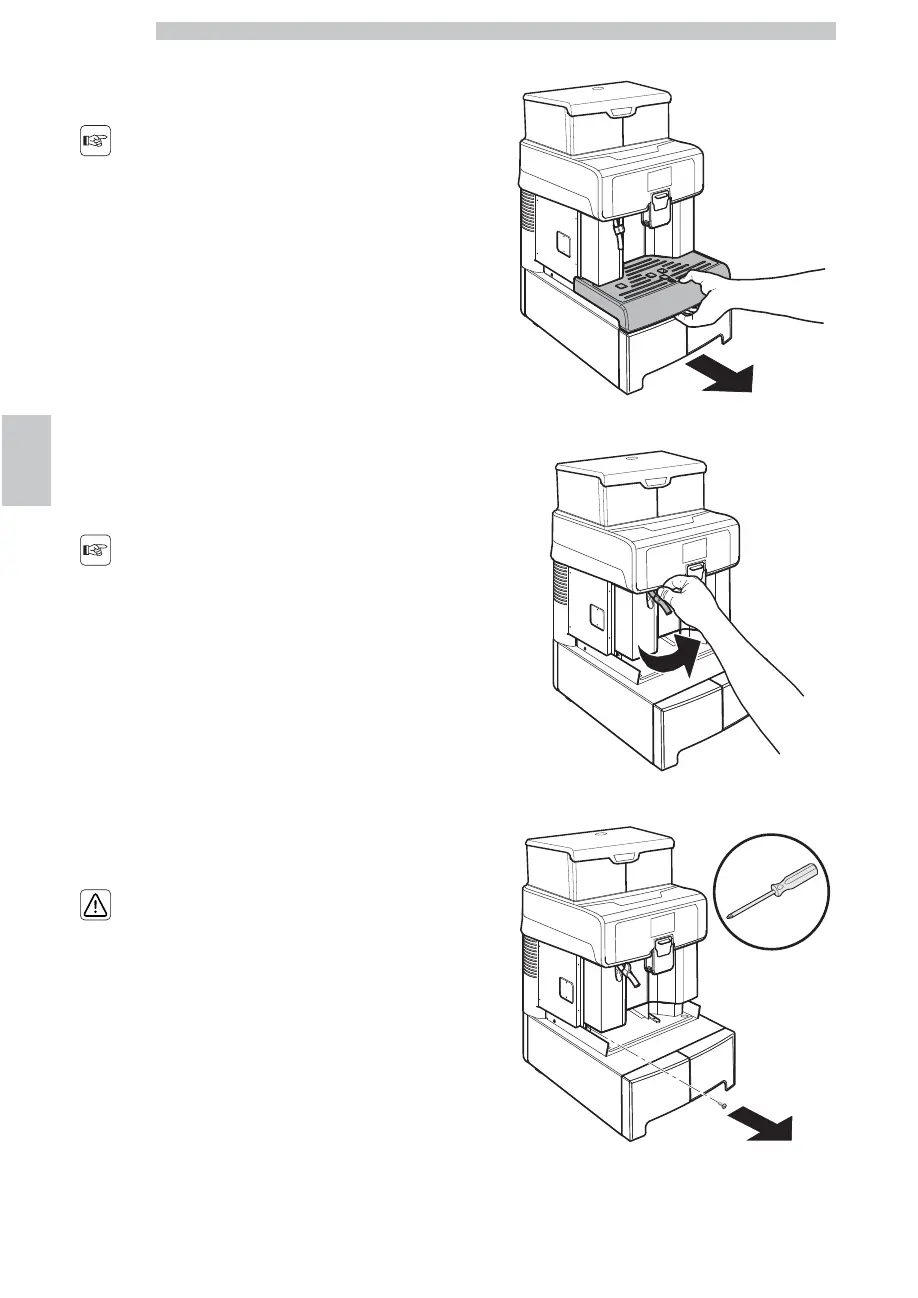
Remove the drip tray.
Lift the hot water wand.
Remove the screw shown in the picture.






 To Next Page