8
• Press the button twice to make 2 cups.
7KLVRSHUDWLRQFDQEHSHUIRUPHGXSXQWLOWKHJULQGLQJRIWKH¿UVWFXSLVFRPSOHWH
Press twice
It is possible to choose three options (strong,
medium and mild) by pressing the
button.
These indicate the quantity of coffee the machine
grinds for each beverage. This button is also used
to select the pre-ground coffee function.
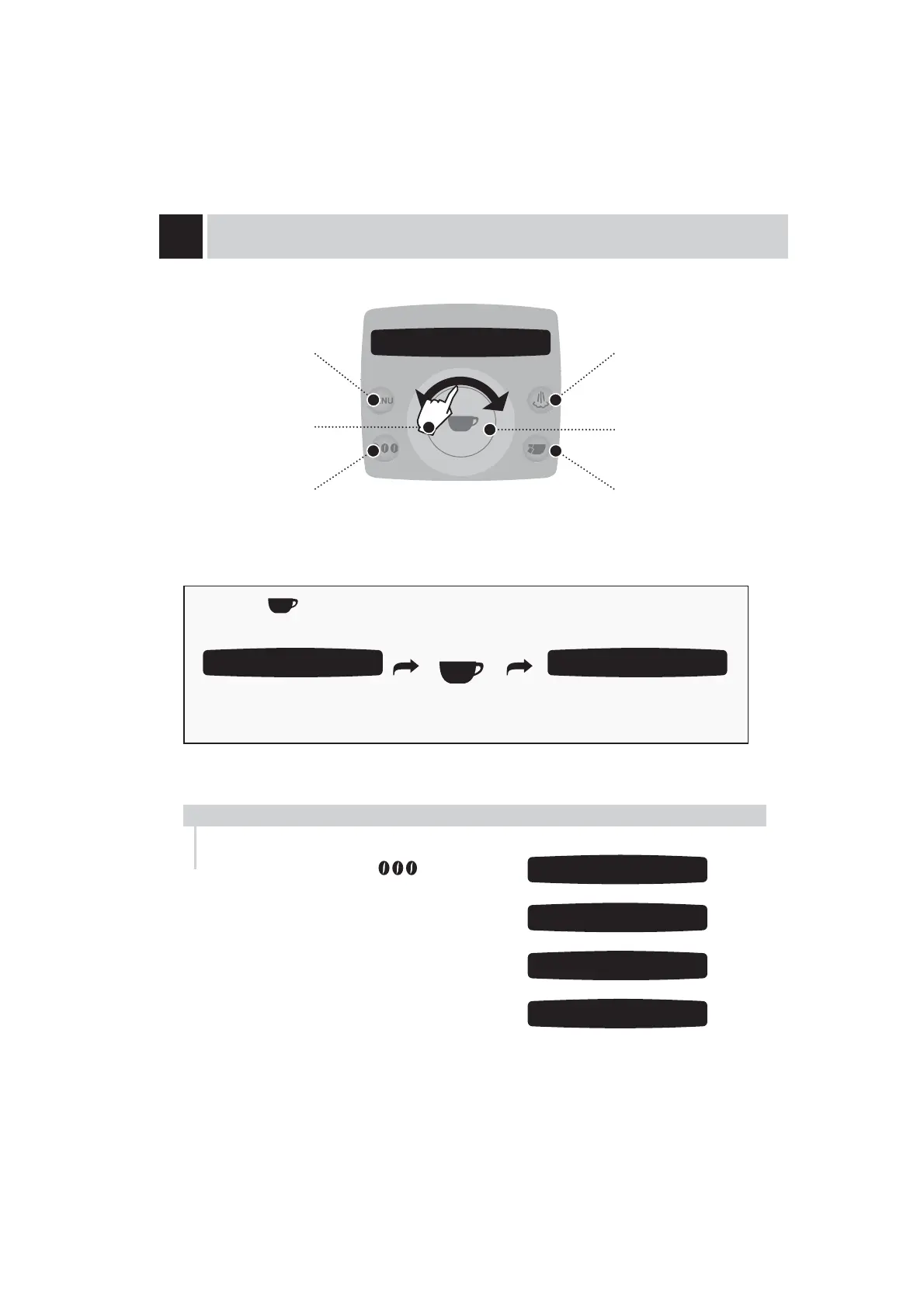
DISPLAY
Accessing the
programming menu
(OPTI-DOSE) INDICATES THE GROUND COFFEE QUANTITY
Click wheel
Select the coffee bean
dose or the quantity of
pre-ground coffee
Steam button
&RQ¿UPDWLRQEXWWRQ
Hot water button
7REUHZFXSVWKHPDFKLQHGLVSHQVHVKDOIRIWKHHQWHUHGTXDQWLW\DQGEULHÀ\LQWHUUXSWVGLVSHQVLQJLQ
order to grind the second serving of coffee.
Coffee dispensing is then restarted and completed.
SELECT THE AMOUNT OF COFFEE TO
BE GROUND BEFORE DISPENSING
THE BEVERAGE.
strong aroma
espresso coffee 08:33
strong aroma
espresso coffee 08:33
selected
espresso coffee
medium aroma
espresso coffee 08:33
mild aroma
espresso coffee 08:33
pre-ground
espresso coffee 08:33










 To Next Page