32
1 2 3
4 5 6
7 8 9
10
11
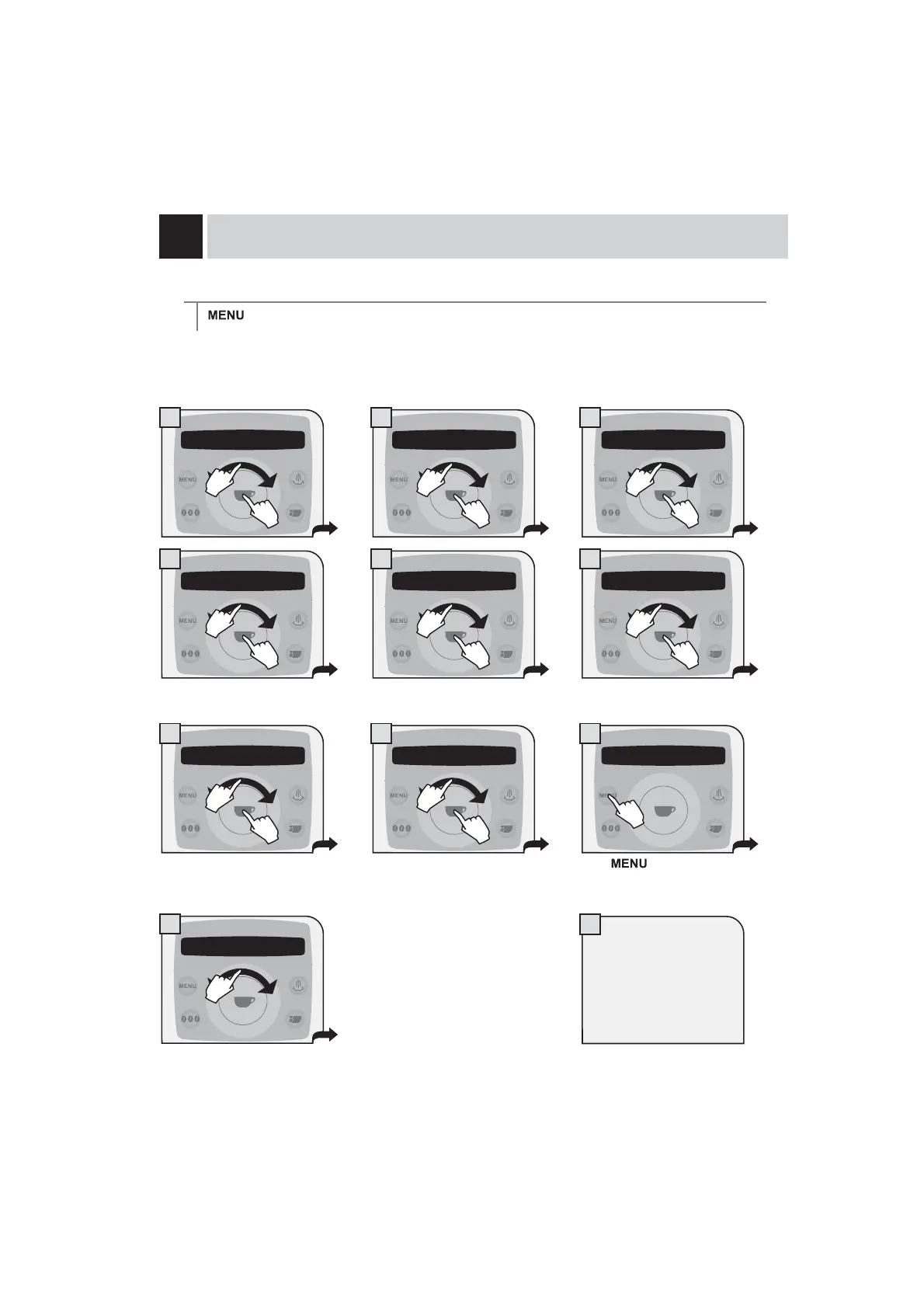
“MONDAY” TIMER SETTING
> energy saving > monday
This and the following menus are used to set the turn on/off times for each day of the week. The procedure
described below shows how to set the turn on/off times for the day of the week “Monday”. To set the turn on/off
times for the other days of the week, follow the same procedure after selecting the desired day.
Set the turn on time by navigating the
FOLFNZKHHOZLWK\RXU¿QJHU
Set the minutes by navigating the
FOLFNZKHHOZLWK\RXU¿QJHU
Set the turn off time by navigating the
WRXFKZKHHOZLWK\RXU¿QJHU
Set the minutes by navigating the
WRXFKZKHHOZLWK\RXU¿QJHU
Press
to exit the
programming of the selected day.
You can set the turn on/off
times for all the days of the
week.
1DYLJDWHWKHFOLFNZKHHOZLWK\RXU¿QJHUWRVHOHFWWKH
other days you want to program.
4 energy saving 4.3 monday 4.3.1 monday
switch on 8:00
4.3.1 monday
switch on 8:00
4.3.1 monday
switch on 8:00
4.3.2 monday
switch off 8:00
4.3.2 monday
switch off 8:00
4.3.2 monday
switch off 8:00
4.3 monday
4.3 monday
1.
2.
1.
2.
1.
2.
1.
2.
1.
2.
1.
2.
1.
2.
1.
2.















 To Next Page