1 2 3
4
5
1 2 3
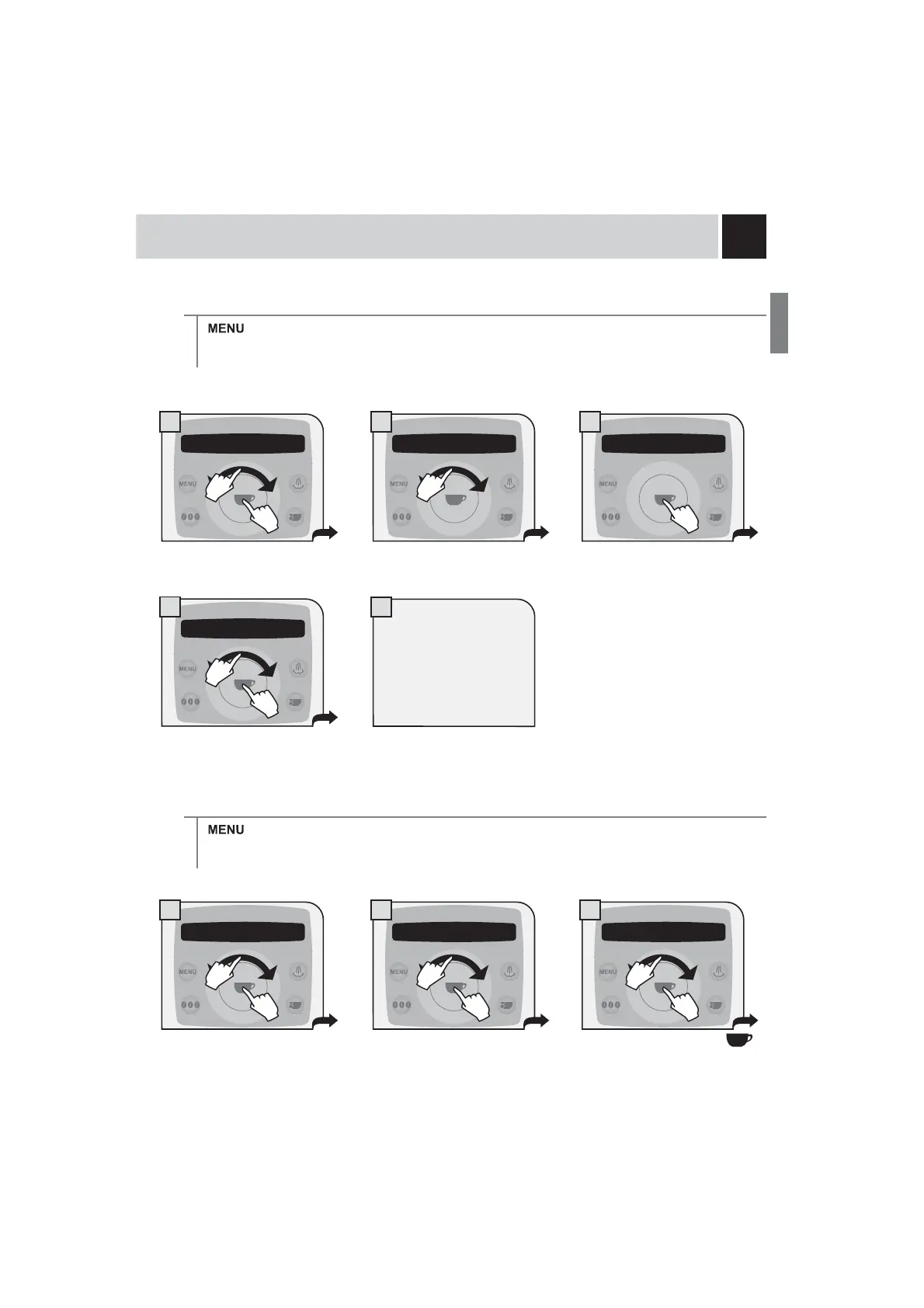
Time format
> machine settings > clock setting > time format
To set the time view mode. This setting adjusts all clock functions to either “am/pm” or “24 hour” formats.
The machine also allows
displaying the time in the
American format (am/pm).
Date setting
> machine settings > clock setting > date setting
To set the date (day, month, year, day of the week).
Select the day and press the
EXWWRQWRFRQ¿UP
2.7 clock setting 2.7.2 time format
24h
2.7.2 time format
24h
2.7.2 time format
24h
2.7 clock setting 2.7.3 date setting
tuesday 18/04/06
2.7.3 date setting
tuesday 18/04/06
1.
2. 2.
1.
2.
1.
2.
1.
2.
1.
2.










 To Next Page