31 2
31 2
ENERGY SAVING
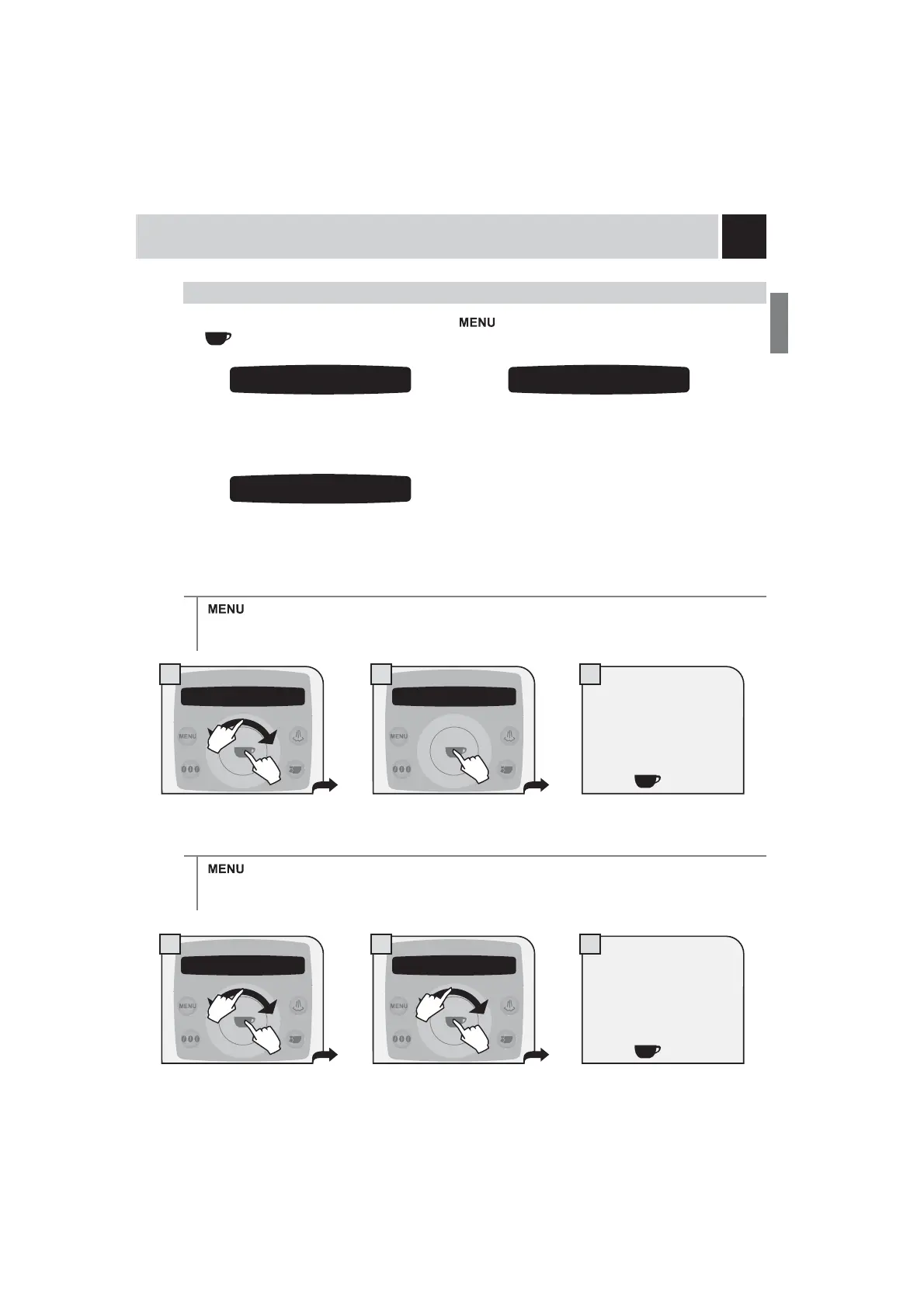
To adjust the energy saving parameters, press the button, select “energy saving” and press the
EXWWRQ1DYLJDWHWKHFOLFNZKHHOZLWK\RXU¿QJHUWR
Set the time which must pass after the last
product dispensing before the machine
enters the energy saving mode.
TURN OFF DELAY
> energy saving > turn-off delay
By default, the off delay time is set at 180 minutes.
PROGRAMMING THE MACHINE
Enable/disable the machine’s turn on/
off times programmed for the days of
the week.
Set the machine’s turn on/off times (one
setting for each day of the week)
TIMER SETTING
> energy saving > timer setting
The set times (timer) for the days of the week will only operate if this function is activated. If this is not the
case, the timers will have no effect on the machine’s operation.
4.1 turn-off delay
180
4.2 timer setting
off
4 energy saving 4.1 turn-off delay
180
4 energy saving 4.2 timer setting
off
Select by navigating the click
ZKHHOZLWK\RXU¿QJHU
It is possible to set:
- on
- off
Press the
button to save.
Select by navigating the click
ZKHHOZLWK\RXU¿QJHU
It is possible to set:
- 15 miniutes - min
- 180 miniutes - max
Press the
button to save.
1.
2.
1.
2.
1.
2.










 To Next Page