TS7000 MATERIAL HANDLER OPERATORS MANUAL - VERSION I Page 8
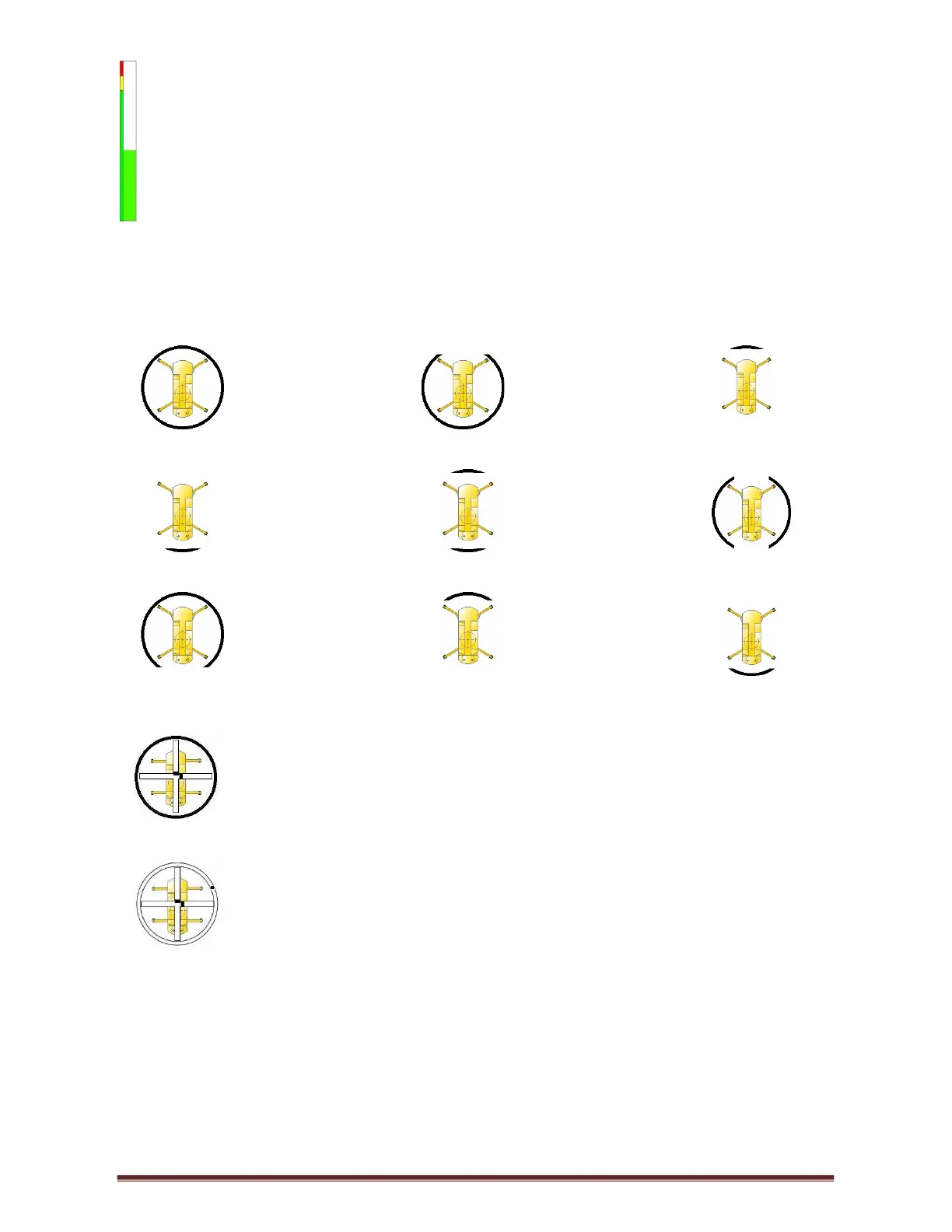
Utilisation Bar: The percentage utilisation is also displayed graphically by a bar graph,
going from green (0% - 89%), then amber (90% - 99%) and finally red (100% and above)
increasing incrementally with the percentage utilisation.
Area Selection: This is not user selectable and shows the current area the crane is working
in:
360 Degrees Over Side & Rear Direct over front
Direct Over Rear Direct Over Front & Rear Over Side
Over Front and Side Over Front Outrigger to Outrigger Over Rear Outrigger to
Outrigger
Level/Tilt: The cross through the area selection represents the X & Y axis
while the two lines in the axis are the positioning of the crane (see Tilt or Level setup).
Area Selection Potentiometer: The black dot in the perimeter circle
represents the position of the boom relative to the carrier.



 To Next Page