12
© 2015 SafeLine and all the SafeLine products and accessories are copyrighted by law.
MX3 v1.06 EN
Confi guration
OUTPUTS
Output 1 and 2 can be confi gured independently.
Outputs
The two outputs can be confi gured independently with a number of functions. The confi guration is
performed via SafeLine Pro or with the confi guration code *88*XY#, where X specifi es output 1 or 2 and Y
specifi es the function:
0 = Pictogram (Output 1 - Yellow, Output 2 - Green)
1 = Activate with DTMF 8/9 (Output 1 - DTMF8, Output 2 – DTMF9)
2 = System Failure
3 = Emergency Bell
E.g. *88*13# confi gures output 1 for an emergency bell.
Pictogram Yellow (Output 1, Confi guration code 0)
The output is activated at the following events:
- Input for Emergency Bell is activated.
- Input for Emergency Bell is set active at a certain time.
The output is deactivated at the following events:
- Distress input deactivated before set time.
- Active alarm ended.
- Reset button (#) is pressed.
Pictogram Green (Output 2, Confi guration code 0)
The output is activated at the following events:
- Voice communication activated.
- Incoming call connected.
The output is deactivated at the following events:
- Outgoing call ended/timeout/cancelled.
- Incoming call ended/timeout/cancelled.
- Reset button (#) is pressed.
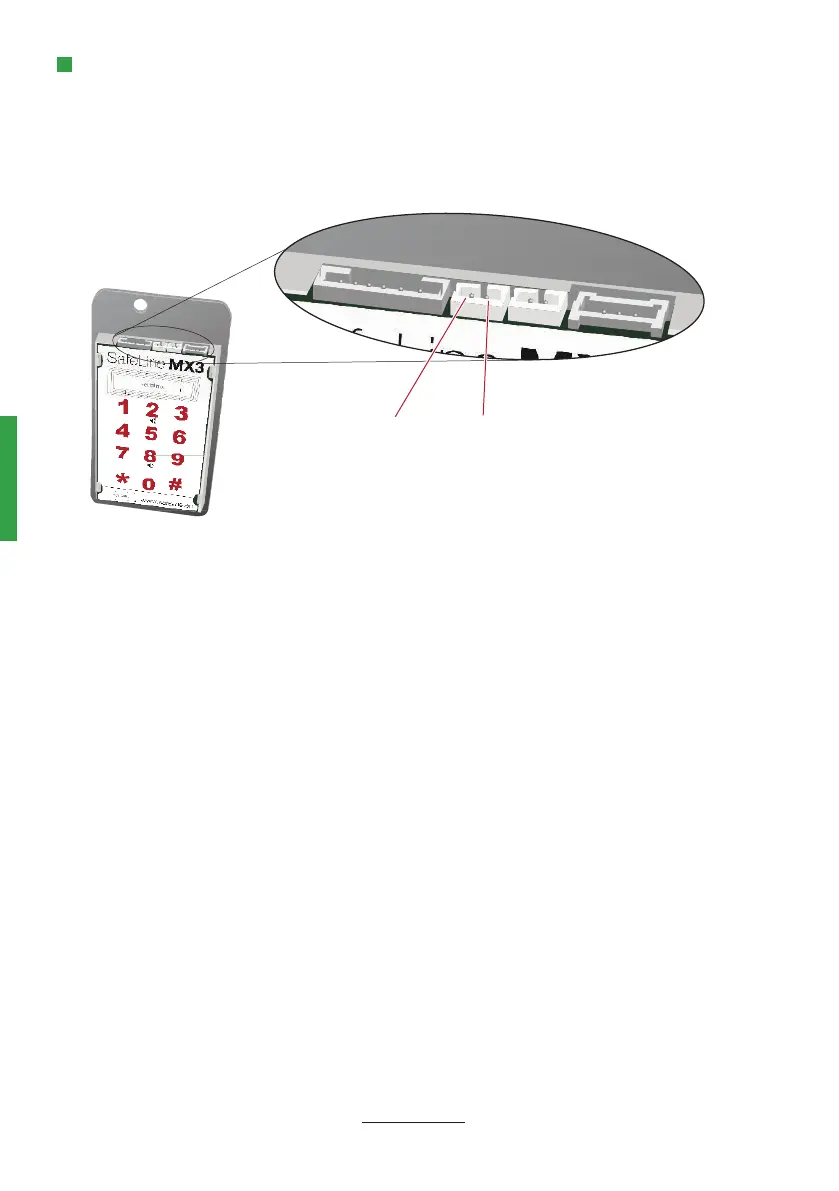
Output 2 Output 1


 To Next Page