EasyManua.ls Logo

Safeline MX3+ - User Manual

Safeline MX3+
32 pages
Print Icon
To Next Page IconTo Next Page
Loading...
SafeLine
MX3+
01.2018
52
88
13
11
www.safeline-group.com
MANUAL
MX3+ v1.06 EN
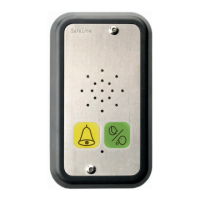
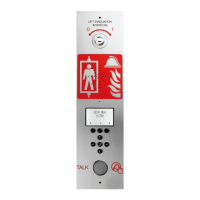
Lift emergency telephone

Other manuals for Safeline MX3+

Question and Answer IconNeed help?

Do you have a question about the Safeline MX3+ and is the answer not in the manual?

Summary

TECHNICAL DATA

INTRODUCTION

Safety Precautions

Outlines essential safety guidelines for installation, configuration, and operation.

Wiring Diagrams and Connections

Output and Button Wiring

Details wiring for outputs 1 & 2, external buttons, and their configurations.

Outputs Configuration and Functions

General Output Configuration

Explains independent output configuration using SafeLine Pro or specific codes.

CONFIGURATION METHODS

Remote Configuration Flowchart

Flowchart detailing the steps for remote configuration using an external telephone.

On-site Configuration Flowchart

Flowchart explaining on-site configuration using the unit's keyboard.

CONFIGURATION EXAMPLES

Storing Telephone Numbers

Demonstrates configuring two different telephone numbers for answering via P100 code or voice.

Configuration Parameters and Codes

Basic Configuration and Alarm Codes

Covers mode entry, password, P100, CPC, Q23 ID codes, telephone numbers, and call types.

Alarm, Test, and Distress Message Settings

Configures test/battery alarms, alarm types, and distress messages.

LED INDICATION

TESTING PROCEDURES

Self-Test and Connection Verification

Outlines self-test procedure and checks for telephone line and connection status.

EMERGENCY CALLING PROCESS

Call Dialing Sequence and Limits

Describes the process of calling stored telephone numbers and call limits.

Restarting the Calling Process

Explains how to restart the dialing process after an interruption or completion.

TROUBLESHOOTING GUIDE

Telephone Beeps and Alarm Call Issues

Addresses issues like the telephone beeping and the unit making unintended alarm calls.

Sound Transmission and Dialing Problems

Troubleshoots issues with no sound transmission and the inability to dial out.

Voice Switching and Call Failures

Covers problems with voice switching and the unit's inability to make alarm calls.

Sound Quality and GSM Interference

Addresses poor sound quality and interference from GSM signals.

Summary

TECHNICAL DATA

INTRODUCTION

Safety Precautions

Outlines essential safety guidelines for installation, configuration, and operation.

Wiring Diagrams and Connections

Output and Button Wiring

Details wiring for outputs 1 & 2, external buttons, and their configurations.

Outputs Configuration and Functions

General Output Configuration

Explains independent output configuration using SafeLine Pro or specific codes.

CONFIGURATION METHODS

Remote Configuration Flowchart

Flowchart detailing the steps for remote configuration using an external telephone.

On-site Configuration Flowchart

Flowchart explaining on-site configuration using the unit's keyboard.

CONFIGURATION EXAMPLES

Storing Telephone Numbers

Demonstrates configuring two different telephone numbers for answering via P100 code or voice.

Configuration Parameters and Codes

Basic Configuration and Alarm Codes

Covers mode entry, password, P100, CPC, Q23 ID codes, telephone numbers, and call types.

Alarm, Test, and Distress Message Settings

Configures test/battery alarms, alarm types, and distress messages.

LED INDICATION

TESTING PROCEDURES

Self-Test and Connection Verification

Outlines self-test procedure and checks for telephone line and connection status.

EMERGENCY CALLING PROCESS

Call Dialing Sequence and Limits

Describes the process of calling stored telephone numbers and call limits.

Restarting the Calling Process

Explains how to restart the dialing process after an interruption or completion.

TROUBLESHOOTING GUIDE

Telephone Beeps and Alarm Call Issues

Addresses issues like the telephone beeping and the unit making unintended alarm calls.

Sound Transmission and Dialing Problems

Troubleshoots issues with no sound transmission and the inability to dial out.

Voice Switching and Call Failures

Covers problems with voice switching and the unit's inability to make alarm calls.

Sound Quality and GSM Interference

Addresses poor sound quality and interference from GSM signals.

Safeline MX3+ Specifications

General IconGeneral
BrandSafeline
ModelMX3+
CategoryIntercom System
LanguageEnglish

Related product manuals