5
5
3
2
1
4
MX3+ v1.06 EN
© 2018 SafeLine and all the SafeLine products and accessories are copyrighted by law.
Installation
OVERVIEW
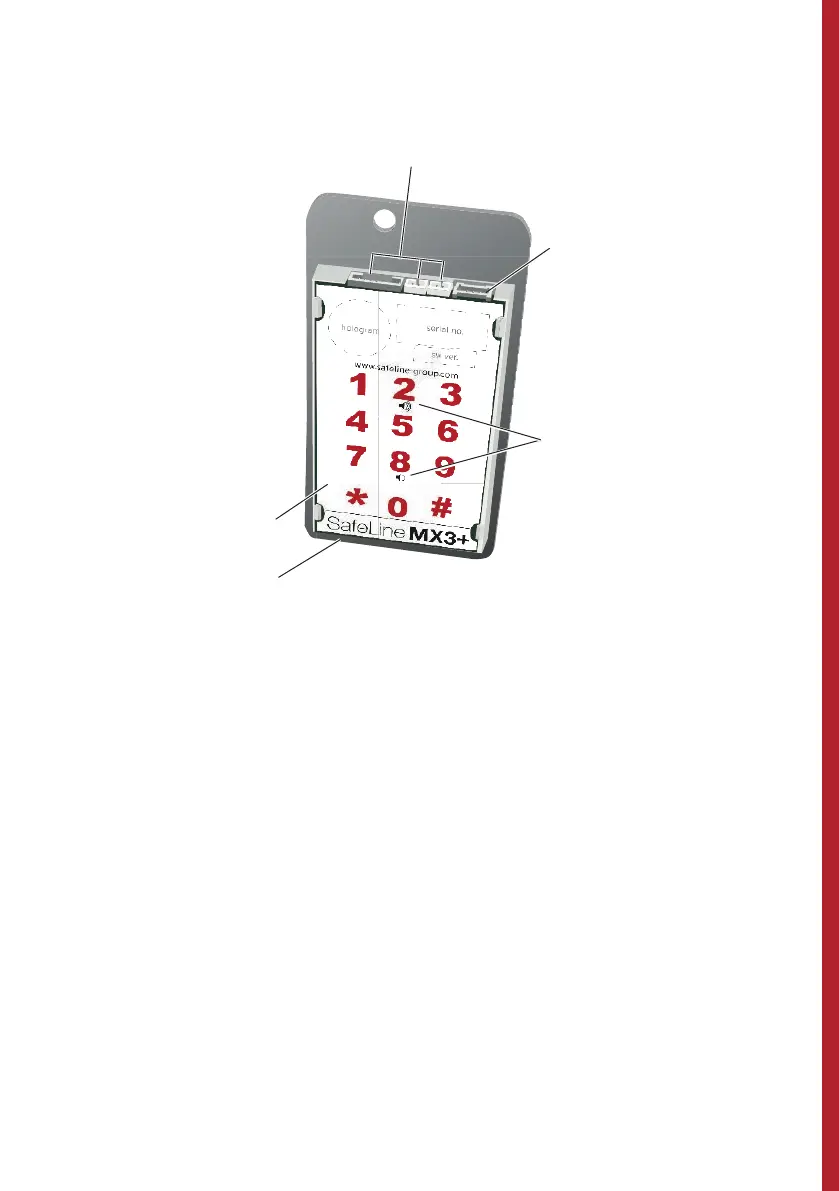
1. Connections
2. RS232 PC connection
Firmware update and confi guration with SafeLine Pro
.
3. Volume control
To increase volume, press Button ”2”; to decrease
volume, press Button ”8”.
It is also possible to adjust the volume in the
SafeLine CONNECT app (available on both Google
Play and Apple App Store).
4. Output for additional voice unit
5. Keyboard


 To Next Page