EasyManua.ls Logo

Sagi IF101S - Page 42

Default Icon
68 pages
Print Icon
To Next Page IconTo Next Page
To Previous Page IconTo Previous Page
Loading...
42
3222180_GB
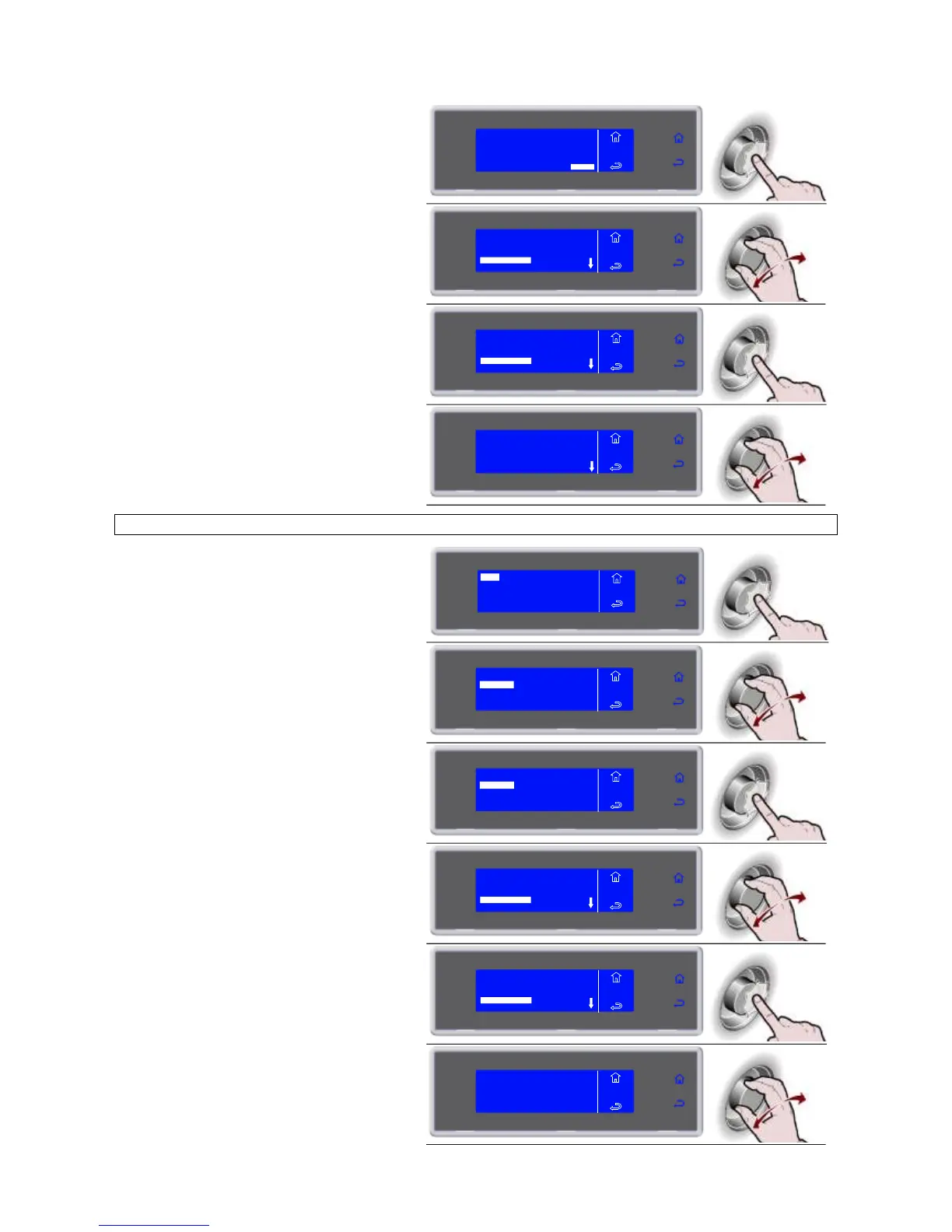
10. Press the knob to view the desired
cycles
ENTER
MENU
HACCP
VIEW
FROM 01/03/2010
TO 02/03/2010
11. Select the cycle to be viewed
MENU
HACCP
VIEW
01/03/2010 14:00
LASAGUE -18°C
01/03/2010 19:00
PASTA +3°C
FREEZER 1
12. Press the knob to view the selected
cycle
MENU
HACCP
VIEW
01/03/2010 14:00
LASAGUE -18°C
01/03/2010 19:00
PASTA +3°C
FREEZER 1
13. The parameters list is displayed
PASTA +3°C
01/03/2010 19:00
NEEDLE +22°C AIR +22°C
MENU
HACCP
VIEW
VIEW BY CYCLE
6. Press the knob to enter the selected
function
VIEW
USB
PRINT
MENU
HACCP
DELETE
7. Select the chosen function by rotating
the knob
BY DATE
BY CYCLE MENU
HACCP
VIEW
8. Press the knob to enter the selected
function
BY DATE
BY CYCLE MENU
HACCP
VIEW
9. Select the cycle to be viewed
MENU
HACCP
VIEW
01/03/2010 14:00
LASAGUE -18°C
01/03/2010 19:00
PASTA +3°C
FREEZER 1
10. Press the knob to view the selected
cycle
MENU
HACCP
VIEW
01/03/2010 14:00
LASAGUE -18°C
01/03/2010 19:00
PASTA +3°C
FREEZER 1
11. The parameters list is displayed
PASTA +3°C
01/03/2010 19:00
NEEDLE +22°C AIR +22°C
MENU
HACCP
VIEW