MULTY
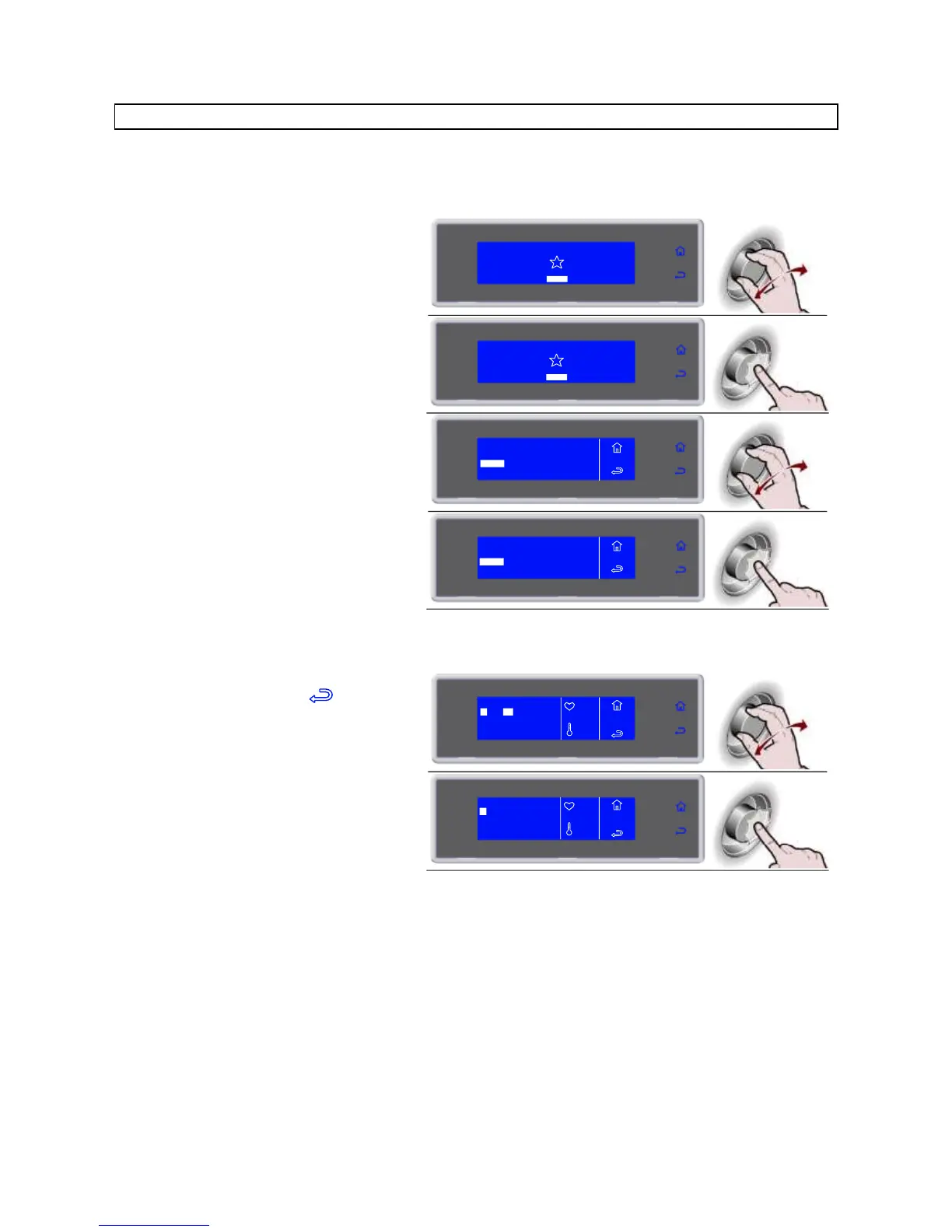
Chilling/freezing cycle by time organised by load levels.
The number of levels available varies depending on the equipment.
5. Enter the time for each level and confirm
it with the knob
During the cycle it is possible:
- to view and modify the default parameters by
selecting SET (see page 40)
- to stop the cycle by selecting
Note: the modified parameters will be saved
At the expiry of the set value for each
individual level, the buzzer and the
flashing value alert the user that the
product can be withdrawn.
Once all the set times have expired,
automatic conservation phase
During conservation it is possible:
- to view and modify the default parameters by
selecting SET (see page 40)
Note: the modified parameters will be saved



 To Next Page