EasyManua.ls Logo

Sagi IF101S - Delete All HACCP Data

Default Icon
68 pages
Print Icon
To Next Page IconTo Next Page
To Previous Page IconTo Previous Page
Loading...
48
3222180_GB
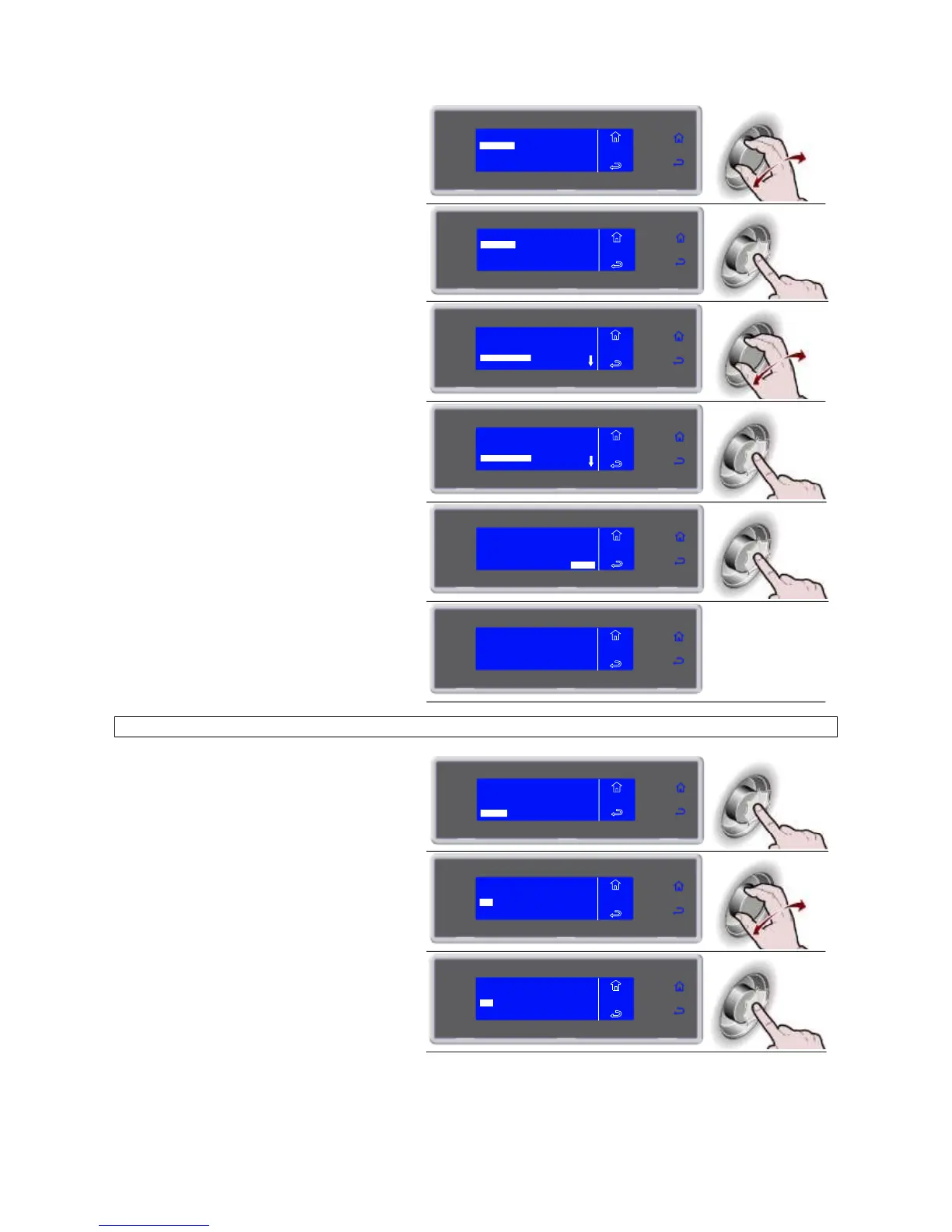
7. Select the chosen function by rotating
the knob
BY DATE
BY CYCLE
ALL
MENU
HACCP
DELETE
8. Press the knob to enter the selected
function
BY DATE
BY CYCLE
ALL
MENU
HACCP
DELETE
9. Select the cycle to be viewed
MENU
HACCP
DELETE
01/03/2010 14:00
LASAGUE -18°C
01/03/2010 19:00
PASTA +3°C
FREEZER 1
10. Press the knob to confirm the selected
cycle
MENU
HACCP
DELETE
01/03/2010 14:00
LASAGUE -18°C
01/03/2010 19:00
PASTA +3°C
FREEZER 1
11. Press the knob to start the procedure
PASTA +3°C
01/03/2010 19:00
NEEDLE +22°C AIR +22°C
ENTER
MENU
HACCP
DELETE
12. Data deletion in progress
IN PROGRESS
MENU
HACCP
DELETE
DELETE ALL
6. Press the knob to enter the selected
function
VIEW
USB
PRINT
MENU
HACCP
DELETE
7. Select the chosen function by rotating
the knob
BY DATE
BY CYCLE
ALL
MENU
HACCP
DELETE
8. Press the knob to enter the selected
function
BY DATE
BY CYCLE
ALL
MENU
HACCP
DELETE

Related product manuals