BeforeYouDrive
MP5+Radio(Type2)
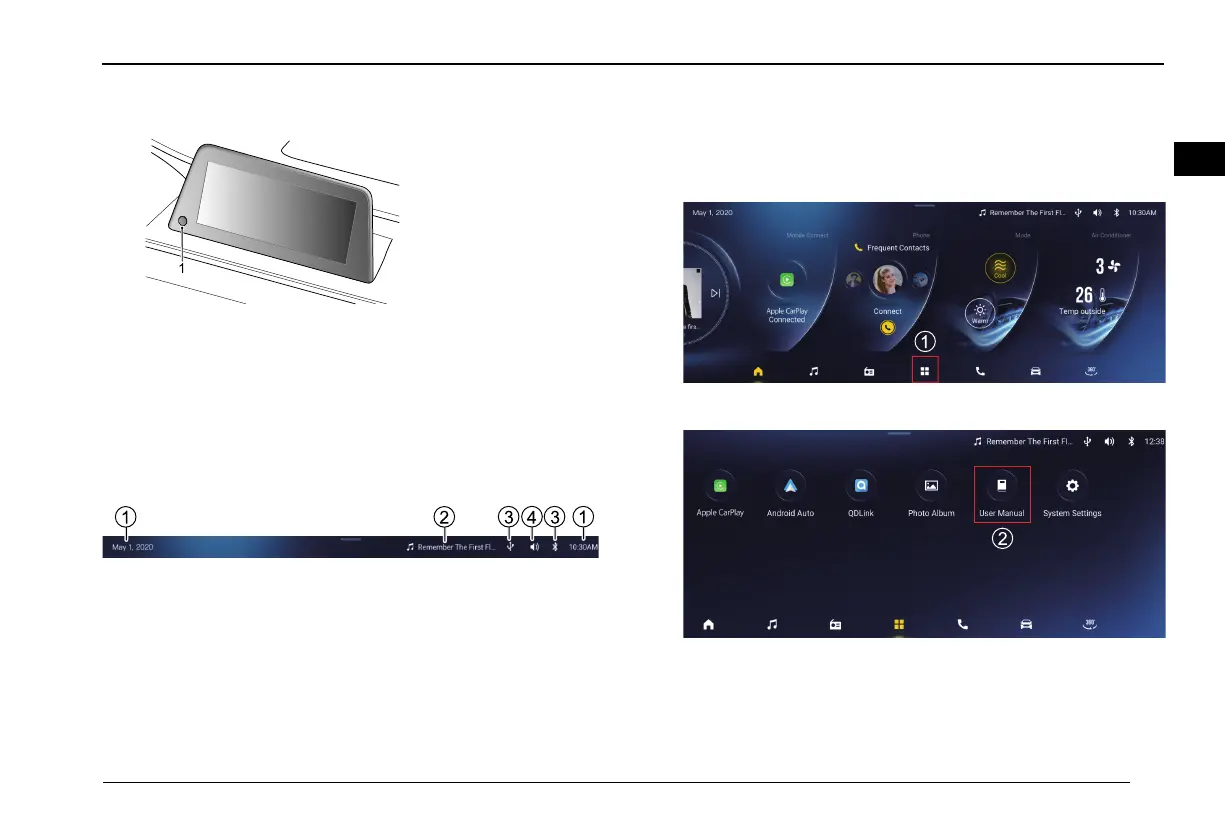
1HOMEButton
Inmaininterfacemode,longpressforabout3secondsto
poweroff,thenpressforabout10secondstorestart.
Introductionandoperationofmaininterfacefunction
Statusbar
1Timedisplay
2Currentplaybackdisplay
3Bluetooth/USB/wiconnectiondisplay
4Volumedisplay
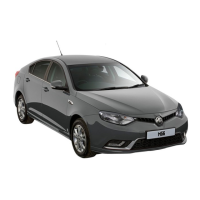
ApplicationCenter
Fortherelatedguide,weprepareforausermanualonthe
homepageofthescreen.Pleaseclickandsee.
1Clickthecentralicononthebottom.
2ClicktheUserManual.
121
10


 To Next Page