MaintenanceandService
WiperBlade
Check
Checktheedgeofwiperbladesforroughnessordamage,and
checkifthebladerubberissecurefromtoptobottom.
Note:Iftherearegreaseorotherimpuritiesontherubber
blades,itmaycausethewiperworkimproperlyandmay
damagethewindshield.
Replacement
Removal
-Liftthewiperarmfromthewindshieldtomakeanangleofabout
15degreesbetweenthebladeandthearm.
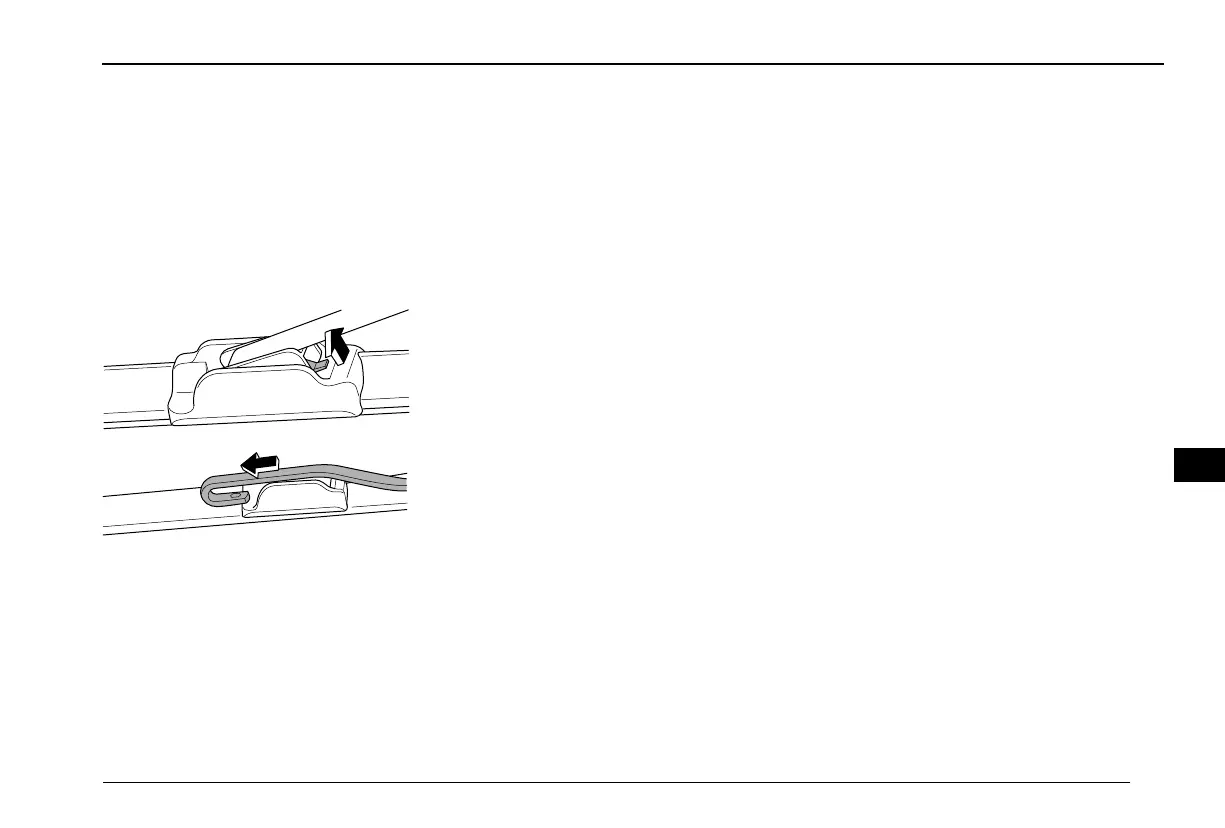
-Pushtheretainingclip(inthedirectionofthearrow),slidethe
bladebracketalongthedirectionofthearrowtothearmsoas
toloosenthepivotofthebracketfromthehookofthearm.
Note:Remembertherelativelocationofhookandbracket
becausethereplacementbladeisrequiredtobettedlater
inthesameway.
Installation
-Installthebladeholderonthehook.
-Snapthepivotintothehookandpushitinplace,untilhearing
anaudiblesoundofsnappingintoplace.
Maintenance
Washitwithhigh-qualityorneutraldetergent,andwipewitha
lint-freedrysoftcloth.
253
40



 To Next Page