Revised 5/19/2010 3.15
Error Log
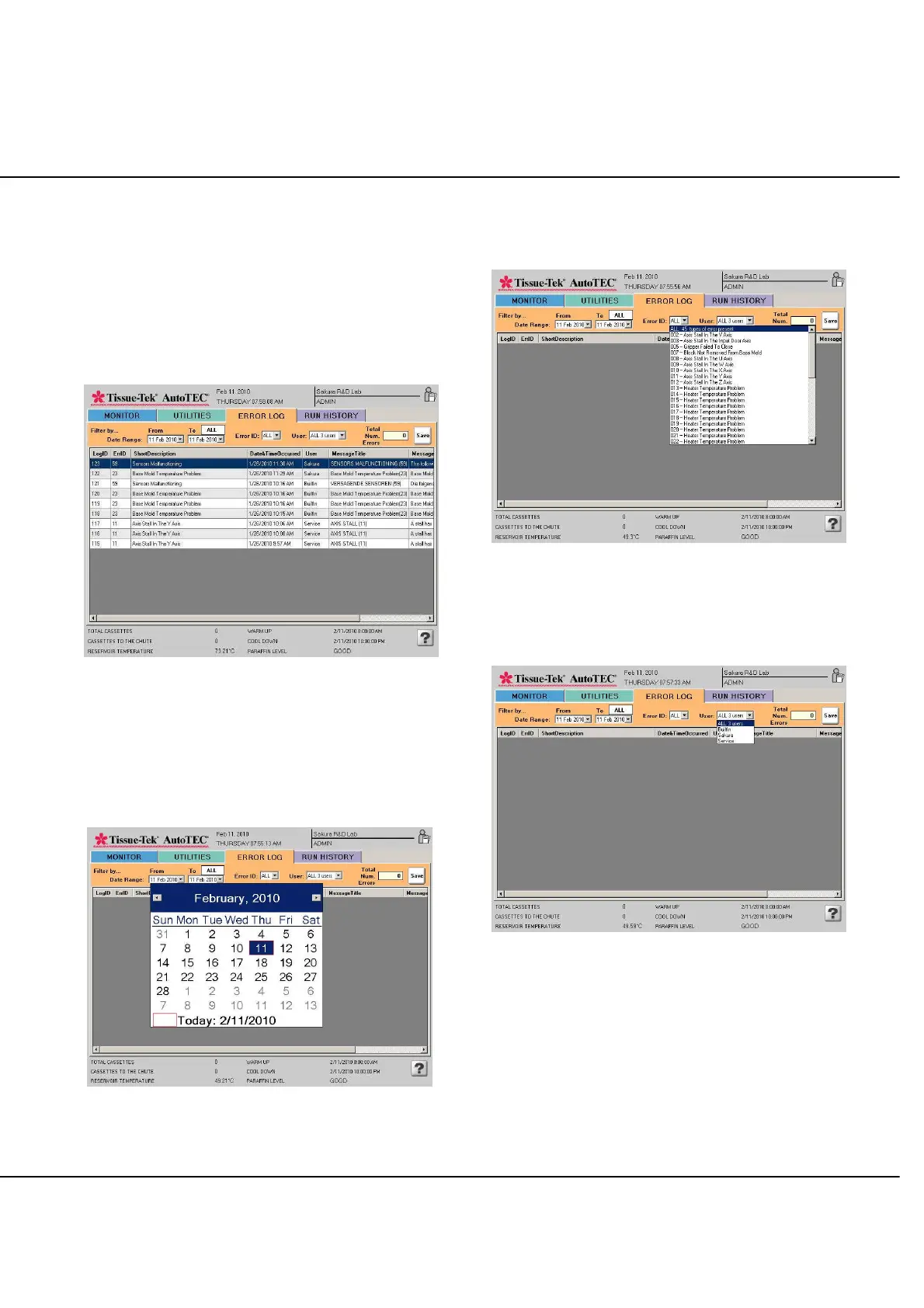
By selecting the ERROR LOG tab, the ERROR LOG
screen is displayed (Figure 3-EE).
The error log displays chronological information about
system errors and events that occur, including a number
and description, run number, date and time of the error or
event. The total numbers of selected errors are displayed
inside the Total Num Error box.
Figure 3-EE: Error Log screen
Error log can be sorted in the following ways to help
viewing.
By Date Ranges. Select the pull down arrow for
the From and To date to activate the date
selection calendar (Figure 3-FF).
Figure 3-FF
By Error ID. Select the Error ID pull down arrow
to display the pull down menu. Scroll to the
selection (Figure 3-GG).
Figure 3-GG
By User. Select the User pull down arrow to
display the pull down menu. Scroll to the
selection (Figure 3-HH).
Figure 3-HH
NOTE: Built in user, is created to automatically log
events that happen when no user is logged in.



 To Next Page