CUSTOMIZATION OF SETTINGS
3.16 Revised 5/19/2010
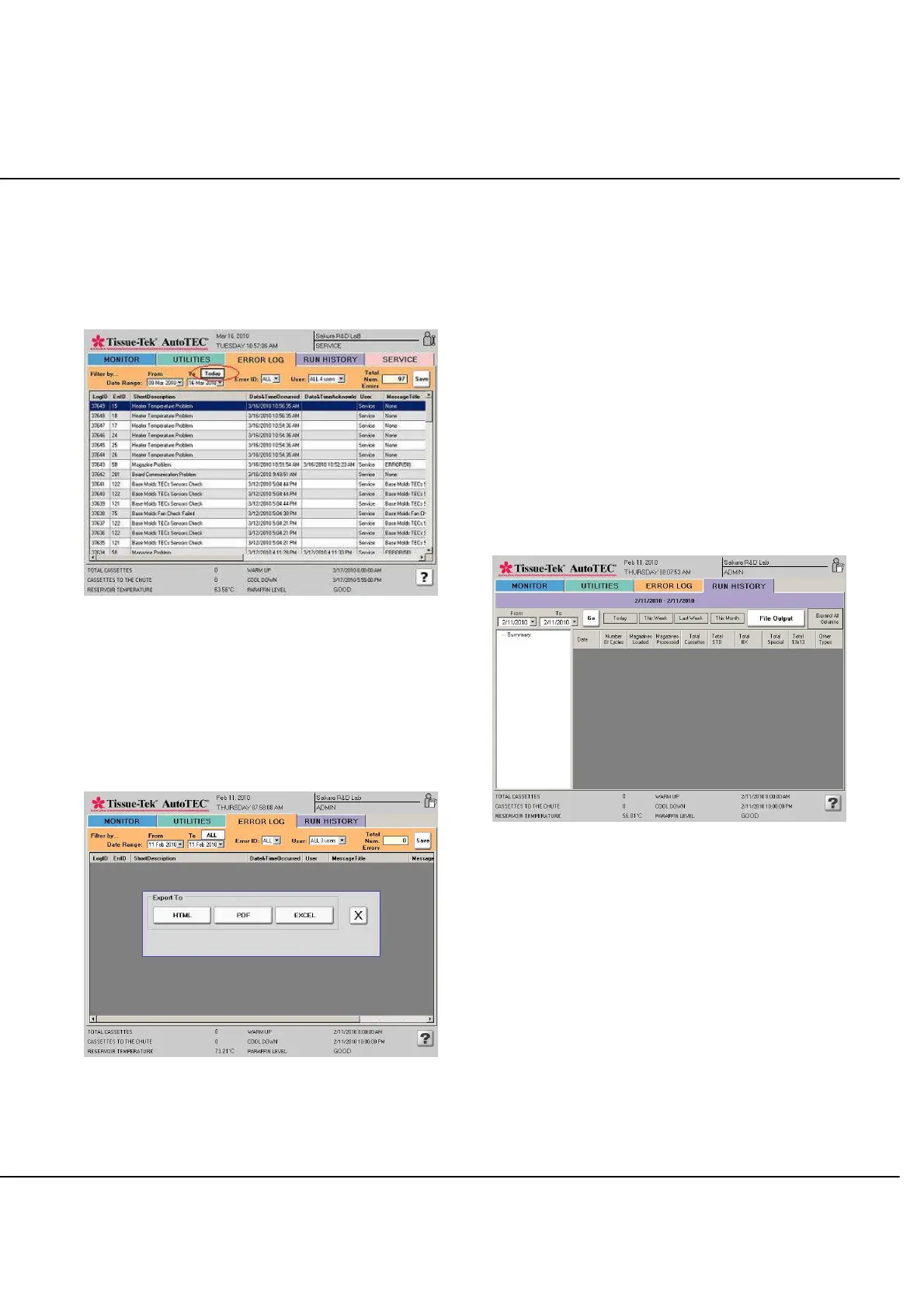
The ALL button will display a listing of ALL
errors that are logged in the instrument, from the
very first one registered till the last one. When
this button is pressed, the From and To dates will
change accordingly, and the ALL button will also
change to display Today, instead (Figure 3-II).
Figure 3-II
When this Today button is pressed, the error listing will
instead display only the errors that have occurred on the
current date, if any. Also, both the From and To dates will
show today's date, and the Today button will toggle back
to an ALL button.
By selecting the Save button; the selected Error log can
be transferred to a Flash drive (Figure 3-JJ).
Figure 3-JJ
Output files can be saved in any one of the three formats,
HTML, PDF, or EXCEL to help in organizing the collected
data.
NOTE: Internal events are recorded in the Error Log but
are not considered errors which require corrective action.
An example of such an event is the second or third
attempt of the gripper to pick up a framed cassette.
Refer to Section 6, entitled Troubleshooting for error
recovery information.
RUN HISTORY
By selecting the RUN HISTORY tab, the RUN HISTORY
screen is displayed (Figure 3-KK).
The RUN HISTORY displays chronological run information
of the selected days.
Figure 3-KK: Run History screen
Run history display choices are following:
By selecting Today button, see today’s run.
By selecting This Week button, see this week
from Sunday to Saturday’s runs.
By selecting Last Week button, see last week’s
Sunday to Saturday’s runs.
By selecting This Month button, see this month’s
run.
By specifying a date range, using the From and
To pull down arrow to activate the date selection
calendar.



 To Next Page