10
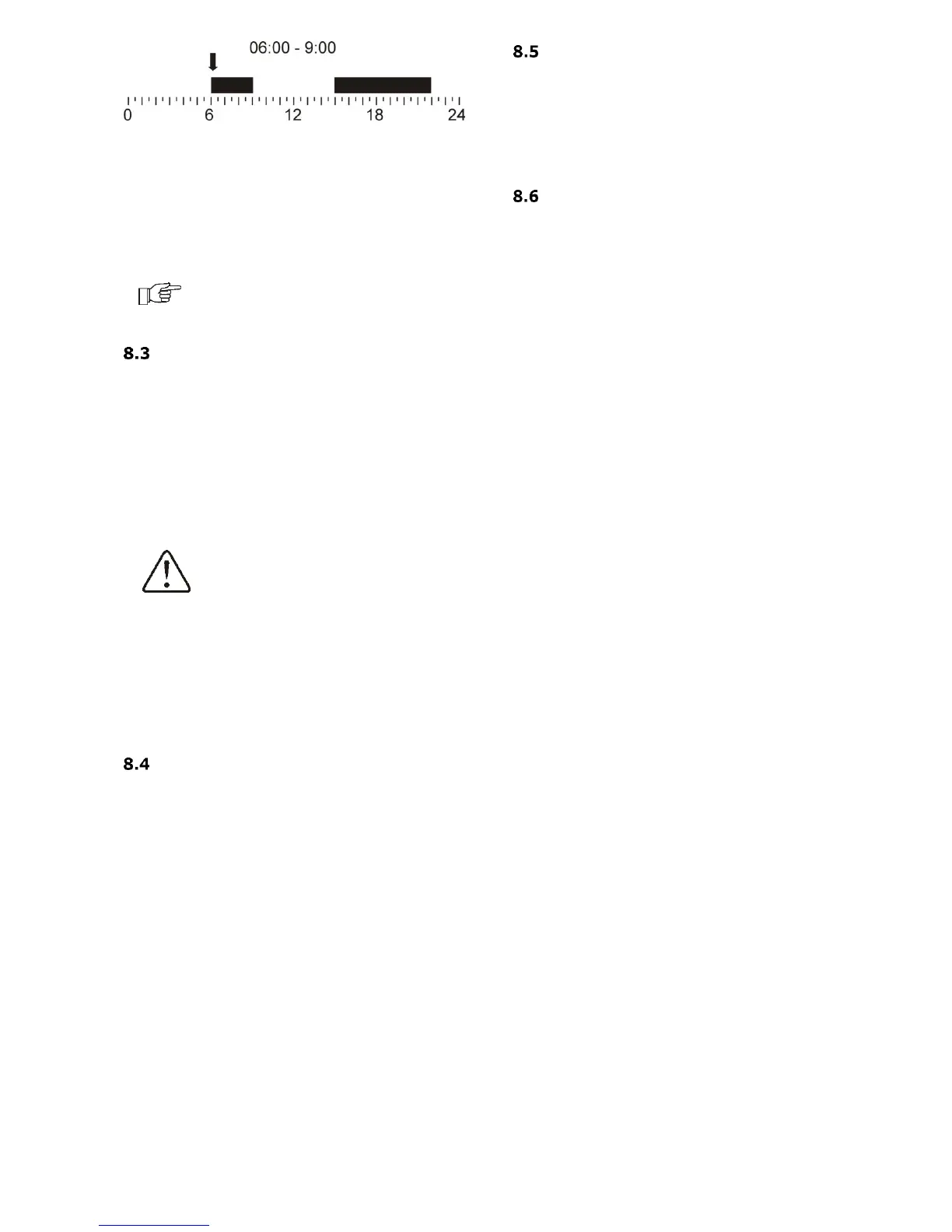
Example time interval.
In the example below, a “night” period will last
from 00:00 till 06:00. “day” period will last
between 06:00 – 09:00. From 15:00 to 22:00
the “day” period was entered. “night” period
will last from 22:00 to 00:00.
Summer/Winter function
The SUMMER / WINTER function is responsible
for the automatic or manual turns on of
heating. It also allows the loading of the HUW
container in the summer, without the need to
heat the central heating system. Must set the
parameter SUMMER mode = ON, in:
Main menu Summer/Winter Summer
mode
If the external temperature sensor is
connected SUMMER function can be turned on
automatically using the Auto parameter,
including temperature settings for the
Summer mode ON temp. and Summer mode
OFF temp.
General settings
In general settings, can change the settings
date, time, brightness and contrast of the
screen. Can turn on and turn off the sound,
and change the language menu for the
controller.
Information
The information menu allows to view
information temperatures and allows to see
which devices are currently enabled. By
turning the encoder TOUCH&PLAY changes
between successive windows of information.
Additional functions
Easier support for the user, eg. if turn off
support for the heat source to all the features
associated with this parameter disappear -
you can then control the heating circuit. It's
the same when you turn off the heating circuit
- be able to control the heat source with using
a heat source contact and the heat source
sensor.
There is also possible to control the heating
circuit with mixing, with optional thermostat
influence the heating circuit.



 To Next Page